PIANO / ENSEMBLE Voice Sections 45
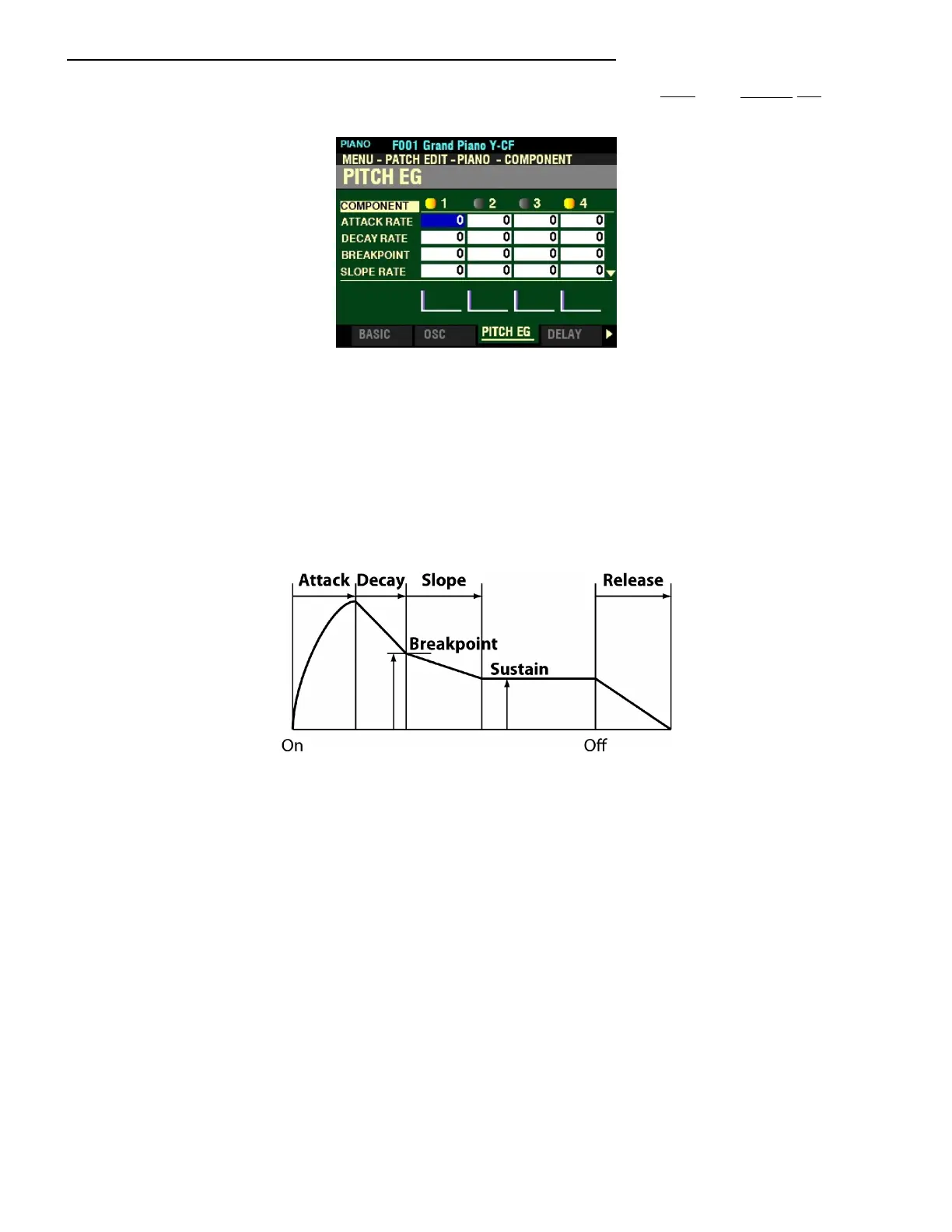
From the screen shown on the previous page, press the PAGE “u” button once. The PITCH EG Page
should now display.
The box to the right of “ATTACK RATE” should be highlighted.
ENVELOPE GENERATORS (EG)
The EG’s ( Envelope Generators) allow you to control how the sound changes over time by playing notes
on the keyboard.
There are three (3) EG’s: Pitch, Filter and Amplitude. The illustration below shows the structure of the
Envelope Generators for the PIANO/ENSEMBLE Section.
Each of the Parameters shown above as they affect Pitch will be explained starting on the next page.
NOTE: For these Parameters, you will notice violet-colored shapes at the bottom of the screen. These are
visual representations of the shapes of the Parameters. You will see their shapes change in response to the
edits you make.
NOTE: As a reminder, use the DIRECTION “t” and “u” buttons to select the Component you want to edit.



 To Next Page