PIANO / ENSEMBLE Voice Sections 53
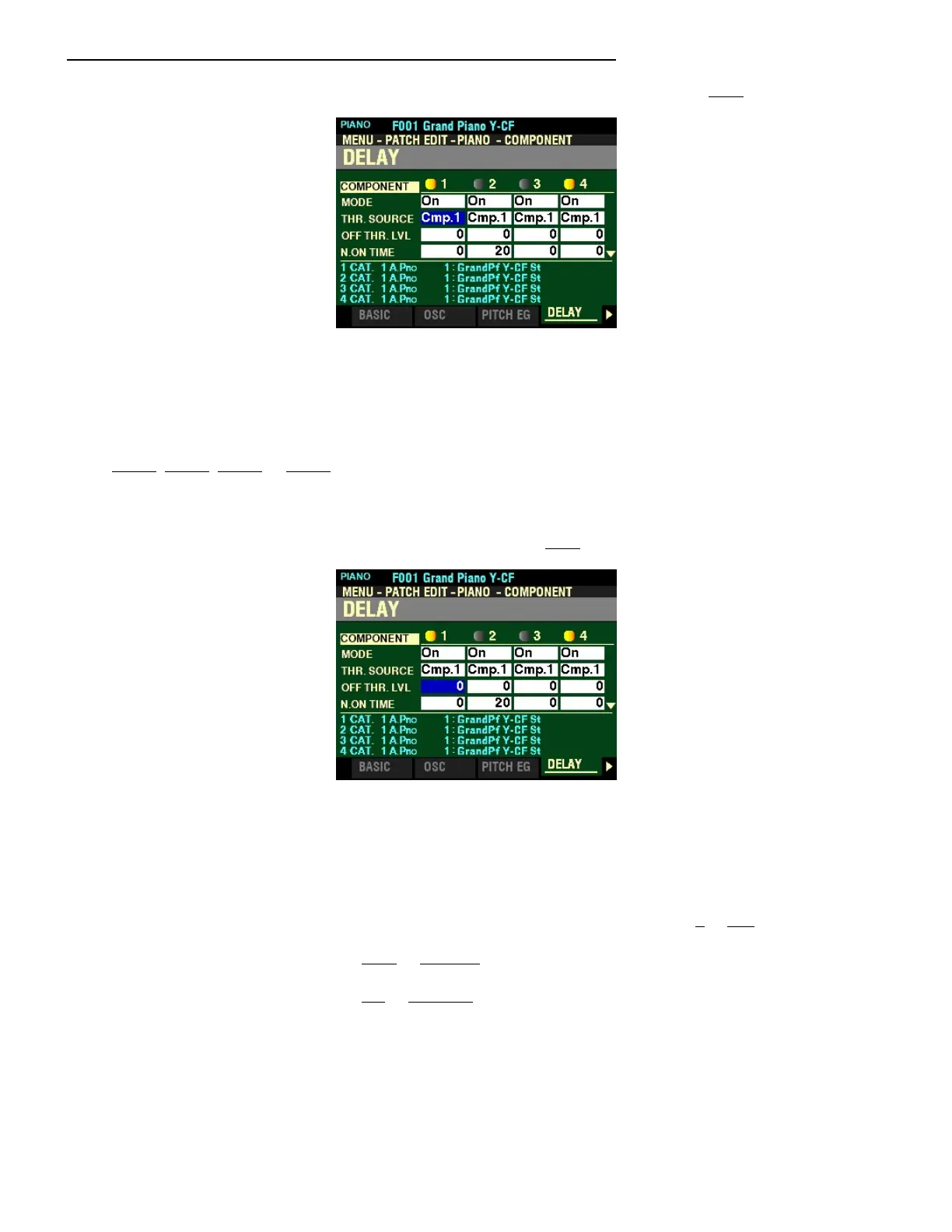
From the screen shown on the previous page, press the DIRECTION “q” button once.
The box to the right of “THR SOURCE” should be highlighted.
THRESHOLD SOURCE
This Parameter allows you to select the reference Component for the Delay settings. You can select
Cmp1, Cmp2, Cmp3 or Cmp4.
Turn the VALUE knob to make your selection.
From the above screen, press the DIRECTION “q” button once.
The box to the right of “OFF THR. LVL” should be highlighted.
NOTE OFF THRESHOLD LEVEL
This Parameter allows you to adjust the Note Off level of the Amplitude Envelope of the reference
Component (the Component selected under THR SOURCE). You can select from 0 to 127.
Turn the VALUE knob to the right to increase the Threshold Level.
Turn the VALUE knob to the left to decrease the Threshold Level.
NOTE: The two THRESHOLD Parameters will allow you to replicate the release characteristics of an acoustic
piano. They are intended to be used only with voices having a Percussive envelope such as Piano, etc.



 To Next Page