PIANO / ENSEMBLE Voice Sections 55
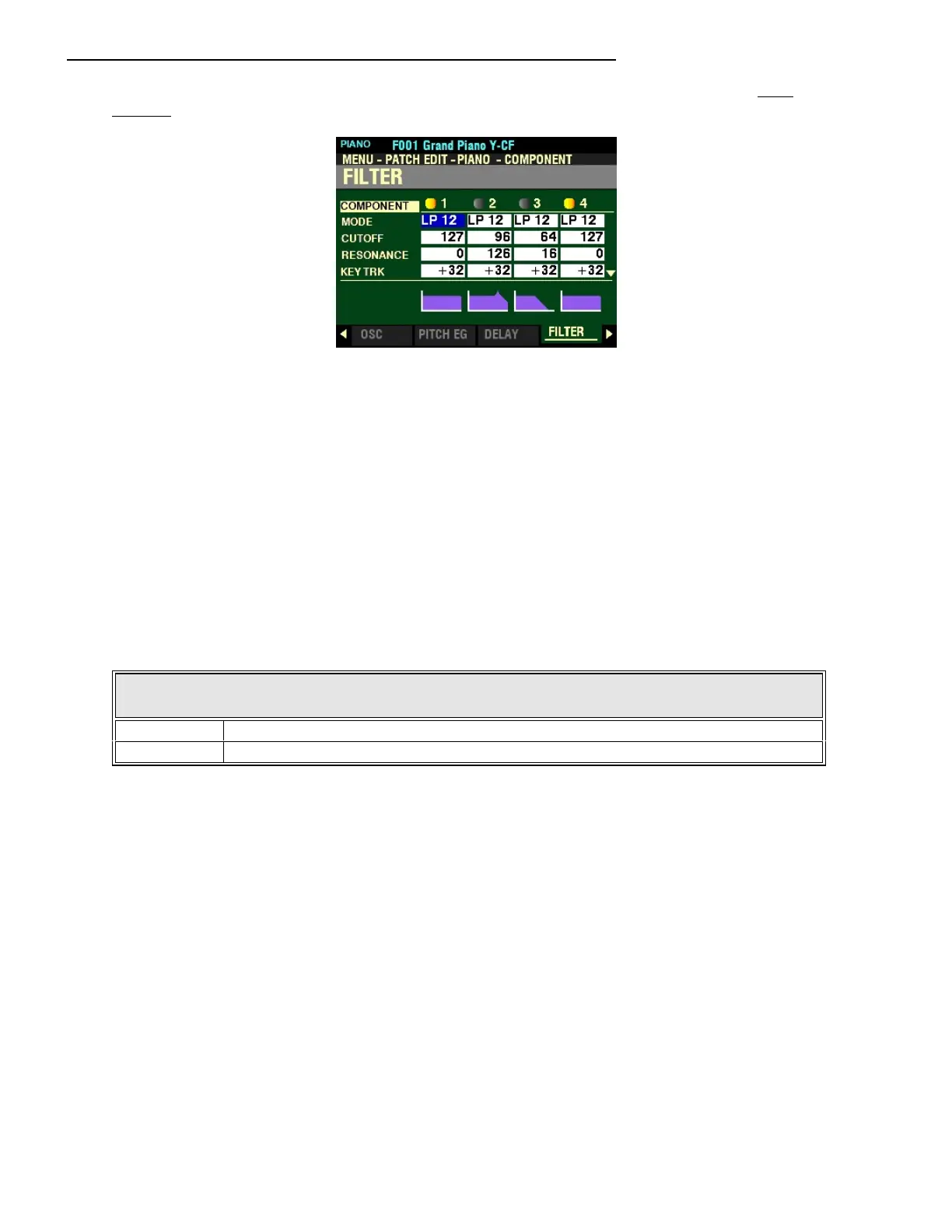
From the screen shown at the bottom of the previous page, press the PAGE “u” button once. The
FILTER Page should now display.
The box to the right of “MODE” should be highlighted.
FILTER
This Parameter allows you to control the basic timbre of the sound by selectively blocking some
frequencies while allowing others to sound.
NOTE: The violet-colored shapes at the bottom of the screen are visual representations of the shapes of the
Parameters. You will see their shapes change in response to the edits you make.
MODE
This Parameter allows you to select the filter method. The data chart below shows the options you may
select.
FILTER MODE OPTIONS
Description Function
LP12 Low-Pass 12dB - reduces the higher frequencies at 12dB/octave.
HP12 High-Pass 12dB - reduces the lower frequencies at 12dB/octave
Turn the VALUE knob to make your selection.



 To Next Page