PIANO / ENSEMBLE Voice Sections60
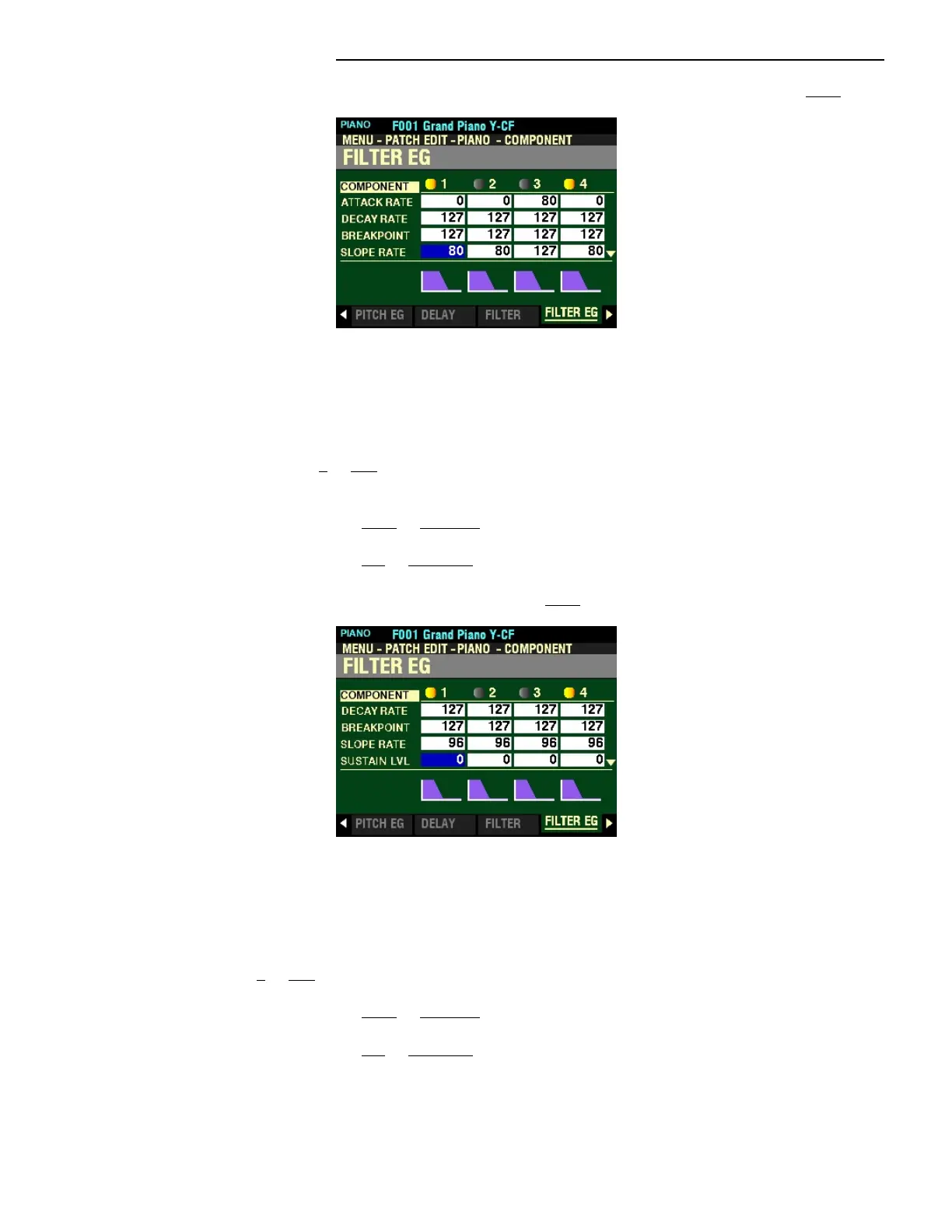
From the screen shown at the bottom of the previous page, press the DIRECTION “q” button once.
The box to the right of “SLOPE RATE” should be highlighted.
SLOPE RATE
This Parameter allows you to adjust the time from the Breakpoint Level to the Sustain Level (explained
below). You can select from 0 to 127. A higher value decreases the time required for the sound to
return to the base frequency. A lower value increases the time.
Turn the VALUE knob to the right to increase the Slope Rate.
Turn the VALUE knob to the left to decrease the Slope Rate.
From the above screen, press the DIRECTION “q” button once.
The box to the right of “SUSTAIN LVL” should be highlighted.
SUSTAIN LEVEL
This Parameter allows you to adjust the Cutoff Frequence Level which will remain until the key is released.
You can select from 0 to 127. A higher value will set a higher pitch as the Breakpoint.
Turn the VALUE knob to the right to increase the Sustain Level.
Turn the VALUE knob to the left to decrease the Sustain Level.



 To Next Page