HAMWORTHY HEATING LTD
23
FLEET V series
500001213/G
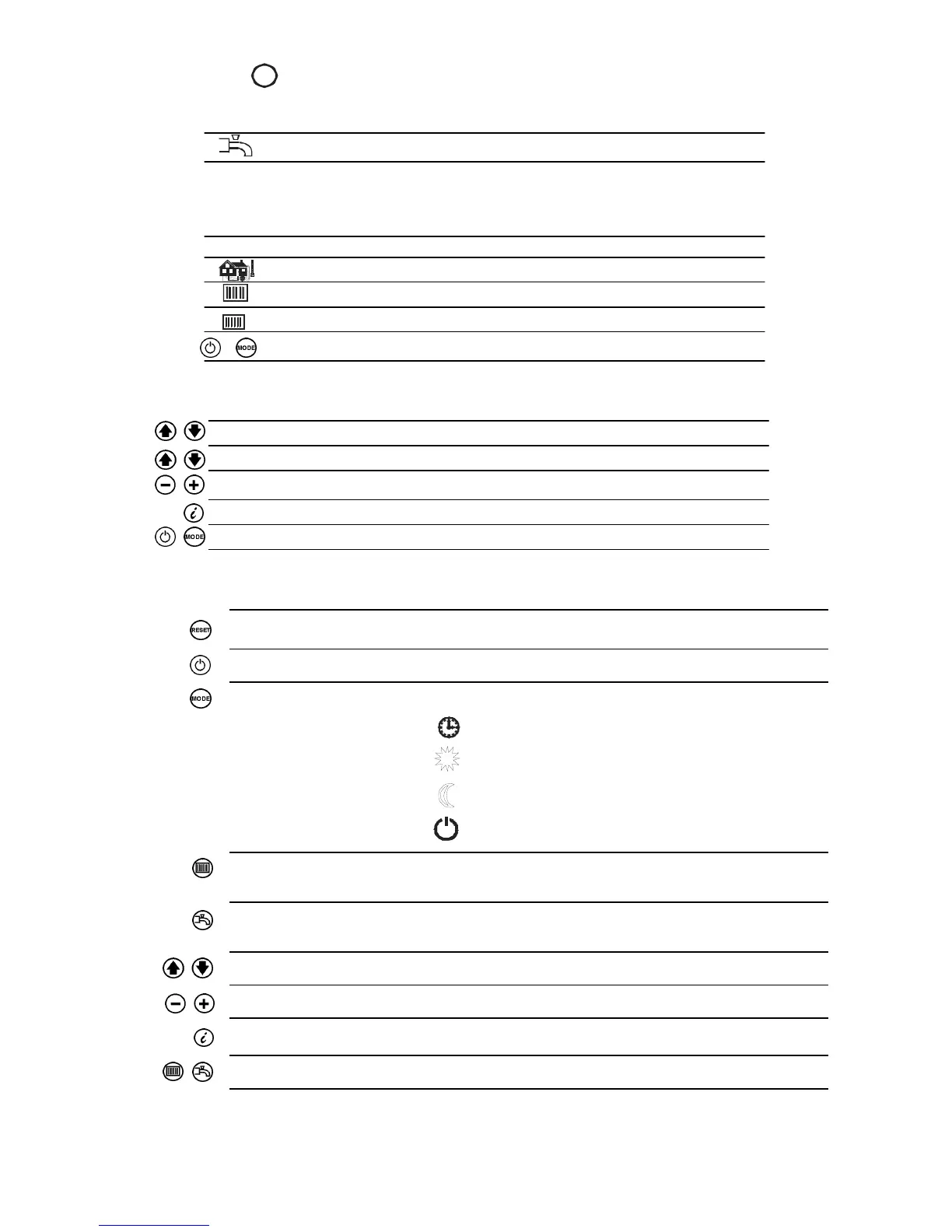
Button Operation Function
Lockout reset Resetting the LMU
Enable dhw mode dhw on/off - not used
Enable heating circuit selection of operating mode:
mode
Automatic operation
Continuous ‘Normal’ Operation
Continuous ‘Reduced’ Operation
Standby
Heating circuit Adjustment of boiler or room
temperature setpoint temperature setpoint.
dhw temperature setpoint Adjustment of dhw temperature setpoint -
not used
Line selection (down / up) Selection of operating parameter
Adjustment of settings Adjustment of parameter settings
Information Select information display screens
Enable Maintenance mode Press buttons simultaneously to select
8.2.1 - Info button - refer to figure 8.2.1.1
A change on the information level can be made at any time by pressing the Info button.
Additional pushes of the Info button will deliver the following data sequence provided by the information level.
dhw temperature - not used
Water Pressure
Operating phase - refer to section 8.2.15
Outside temperature
Error code - refer to section 8.2.14
Boiler temperature
Press one of these buttons to return to the default display
X.
Ex
Extended Info mode - when on the information level, extended info mode levels b, c & d can be displayed.
Refer to Figure 8.2.2
Press both line selection buttons simultaneously for at least 3 seconds
Press one of these buttons to select the required display level
Press one of these buttons to select the required display value of the level
Press the Info button to switch to the info display
Press one of these buttons to return to the default display
|



 To Next Page