Hanatech Co., Ltd.
Chapter 3
Chapter 3 - 9
III. Configuration ----------------------------------
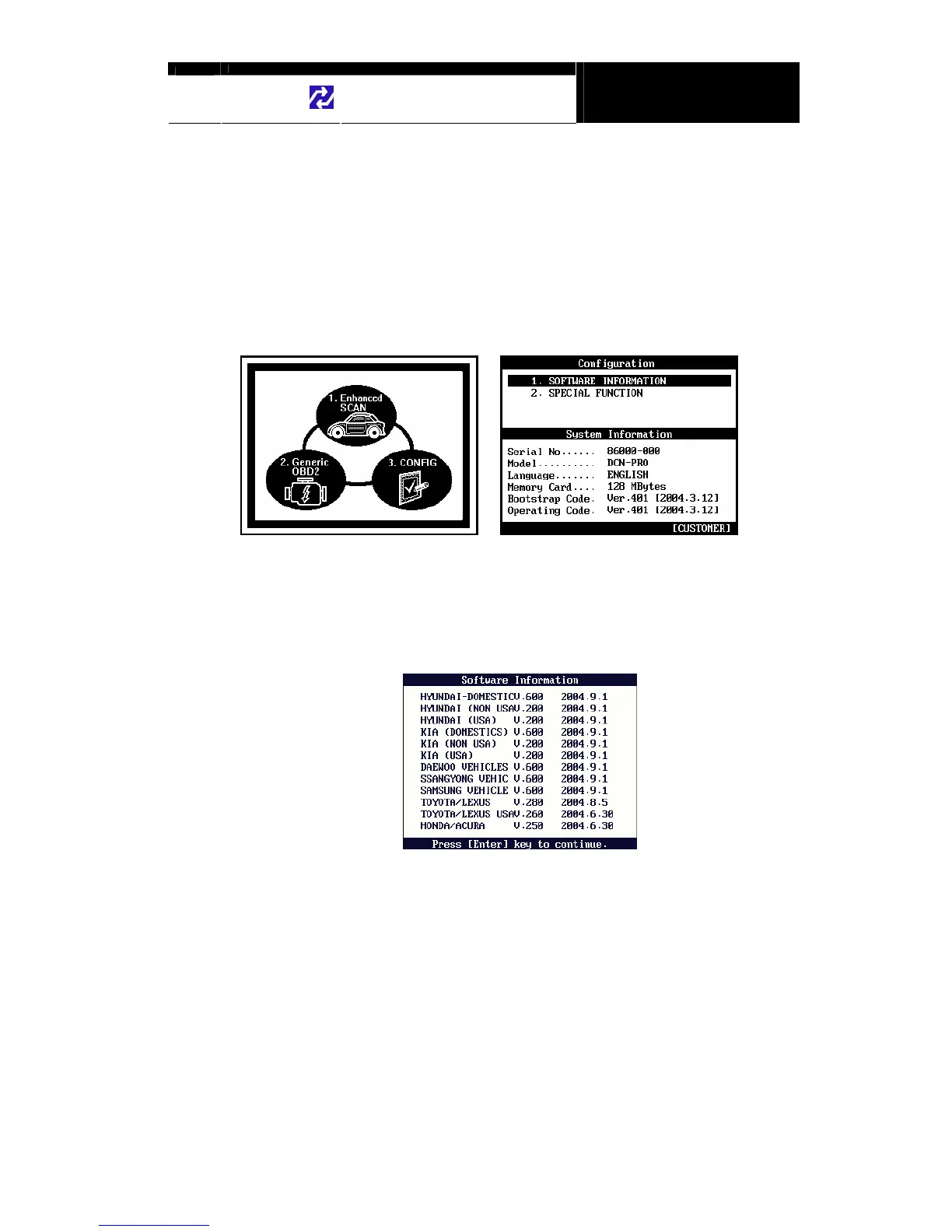
Press the [3] key from the initial function menu to proceed to the configuration
menu. You can check the version numbers of the software packages contained
in the built-in 128MB memory, test the keypad and LCD, set up sound and
language options and download software updates in the configuration menu.
A. Software Information
When you select [1. SOFTWARE INFORMATION] in the configuration menu, a
list of software packages contained in the built-in memory will appear as below:
Should you get any update files from your local distributor or from Hanatech
website, please compare the version number and last update date to check if the
update is necessary.


 To Next Page