Hanatech Co., Ltd.
Chapter 4
Chapter 4 - 21
E. Saving the recorded data
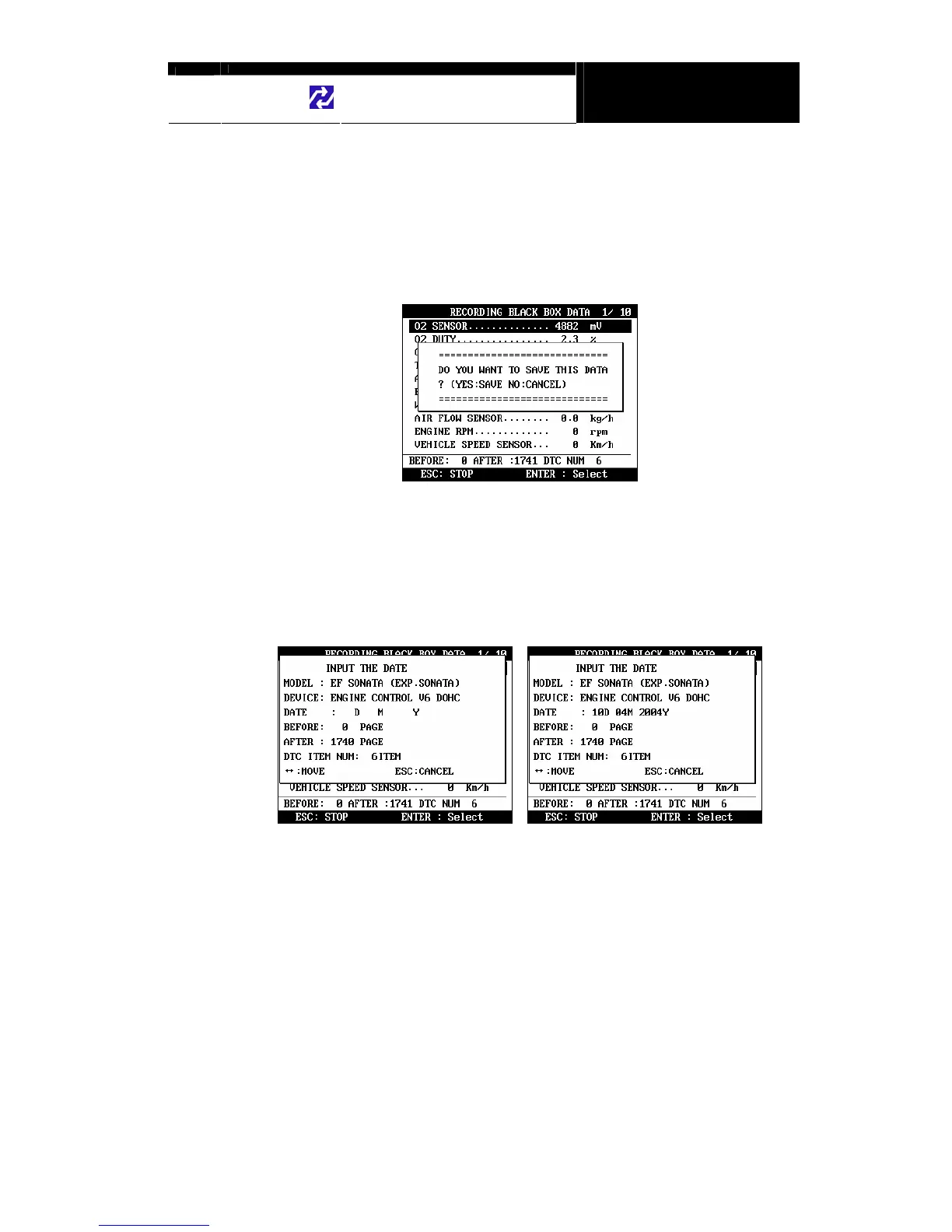
a When the total frame number reaches 2040 or when you press the
[ESC] key to abort, a query asking you if you would like to save recorded
data or to discard it. Press [YES] to save or [NO] to cancel.
b When pressed [YES], a dialog box follows and asks you to input the test
date. Enter the date and press the [ENTER] key to save the recorded
data to MULTISCAN plus memory.
Pressing the [ESC] key cancels saving data.
Date format is DD-MM-YYYY(D-day, M-month, Y-year), and only
numeric values are available.
c Tested Vehicle model name and control system will be saved as well as
the date stamp for future retrieval.


 To Next Page