USER MANUAL For MULTISCAN plus
Chapter 4 - 22
F. Black Box Data Load
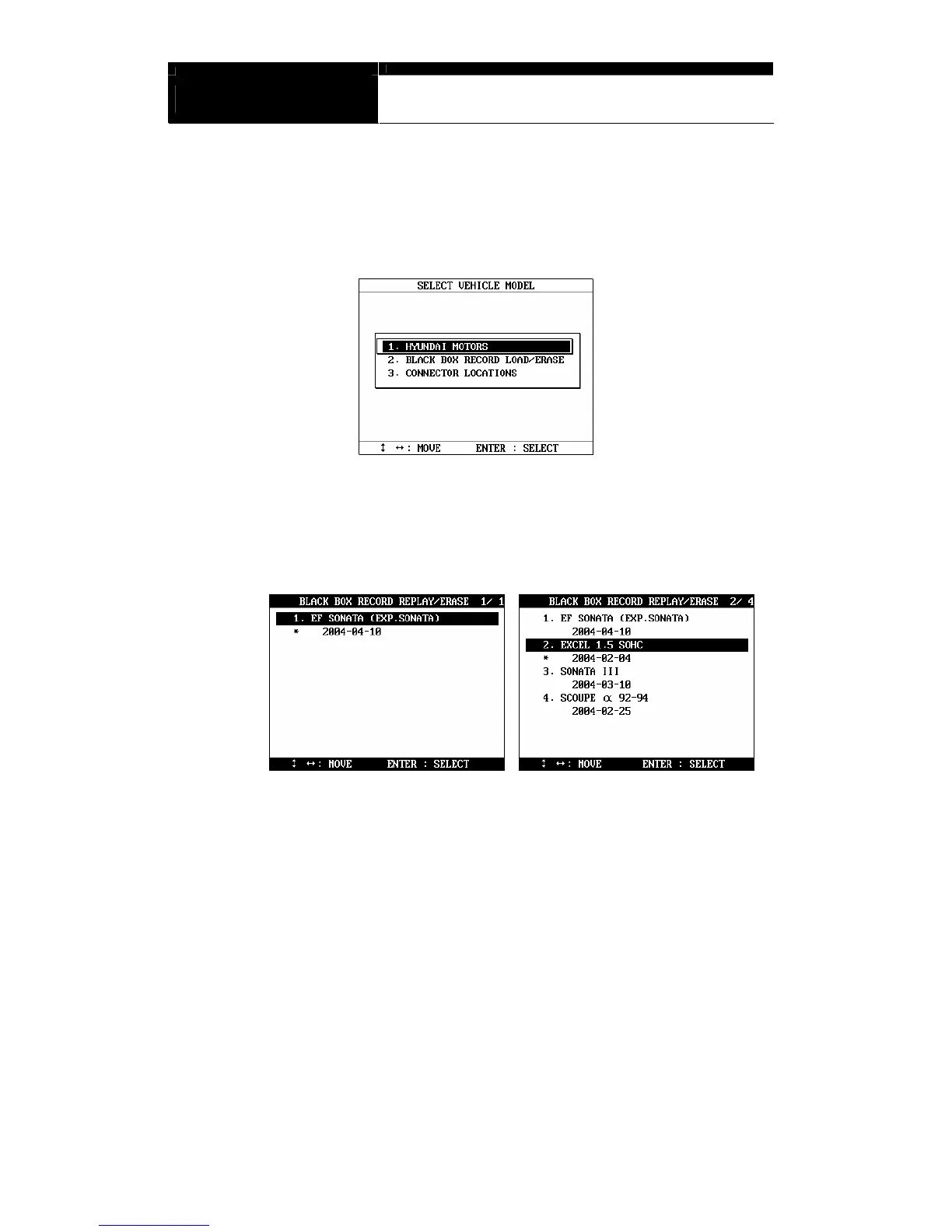
a You can load saved data by choosing [BLACKBOX RECORD LOAD /
ERASE] from the [Car Manufacturer Selection] menu as shown below:
b A list of recorded Black Box Data will follow for your selection
Up to 4 black box data can be stored in the memory per car
manufacturer, therefore, up to 4 saved black box data can be listed in
the menu.
c The details of recorded data will be displayed for confirmation. If the
record is correct, press the [ENTER] key. Press the [ESC] key to abort.
d If you want to erase any of these saved data, locate the highlight bar and
press the erase key.


 To Next Page