USER MANUAL For MULTISCAN plus
Chapter 4 - 26
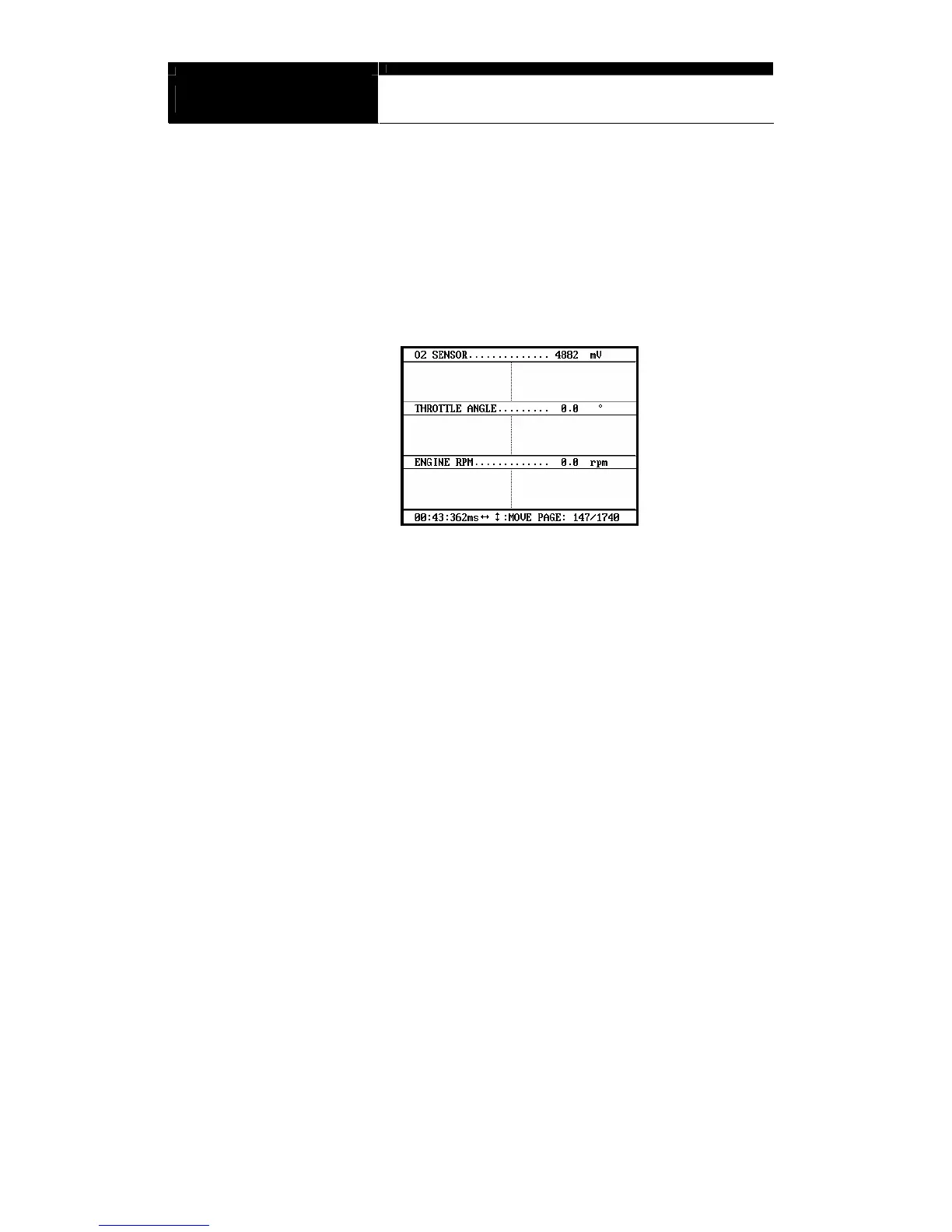
e Up to 316 frames can be displayed on a single page.
If recorded data has more than 316 frames, you can shift to next or
previous page by using the [▲] and [▼] keys.
f The dotted line indicates from which frame the live data parameter
values are being displayed. You can move it left and right with the [◀]
and [▶] keys.
g Elapsed time and frame number are indicated in the bottom.
- Continuous Record (No trigger) Mode: Elapsed time and number of
frames from the first frame
- Automatic / Manual Trigger (Triggered by DTC or user) Mode:
Elapsed time and number of frames from the trigger point (DTC
detection or [ESC] key stroke by the user). Before the trigger point
will be marked in negative values.
h To return to the Black Box Data Display, press the [ESC] key.


 To Next Page