EasyManua.ls Logo

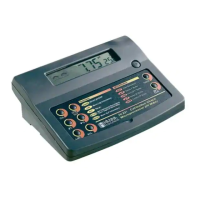
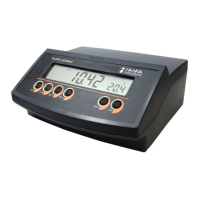
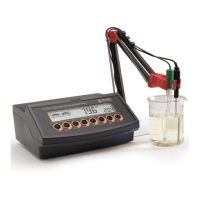
Hanna Instruments HI 2300 - User Manual

Hanna Instruments HI 2300
36 pages
Print Icon
To Next Page IconTo Next Page
Loading...
1
EC/TDS/NaCl
Bench Meter
HI 2300
Instruction Manual
www.hannainst.com
www.ponpe.com

Questions and Answers

  • S
    Sarah PorterAug 3, 2025
    What to do if the EC, TDS, or NaCl reading is blinking on my Hanna Instruments Measuring Instruments?
    • C
      Christopher WoodsAug 3, 2025
      If the EC, TDS, or NaCl reading is blinking on your Hanna Instruments Measuring Instruments, it indicates that the reading is out of range. To resolve this, recalibrate the meter, ensure that the solution is within the specified range, and verify that the LOCK key has not been pressed.
  • K
    Kevin BarnettAug 10, 2025
    What to do if my Hanna Instruments Measuring Instruments does not accept the standard solution for calibration?
    • L
      Lisa RoachAug 10, 2025
      If the Hanna Instruments Measuring Instruments does not accept the standard solution for calibration, the EC probe may be out of order. Begin by following the cleaning procedure. If the issue persists, replace the probe.
  • G
    Gary RamosAug 15, 2025
    Why do readings fluctuate on Hanna Instruments HI 2300?
    • B
      Brianna Howard PhDAug 15, 2025
      If the readings on your Hanna Instruments Measuring Instruments are fluctuating (noise), it may be caused by an improperly inserted EC probe sleeve or air bubbles inside the sleeve. Insert the sleeve properly and tap the probe to remove any air bubbles.
  • T
    Theresa AllenAug 21, 2025
    What does "Errxx" error mean on Hanna Instruments HI 2300 Measuring Instruments?
    • J
      Jill LewisAug 21, 2025
      If your Hanna Instruments Measuring Instruments displays an "Errxx" error message, it indicates an internal error. Power off the meter and then power it back on. If the error persists, contact the vendor.
  • E
    Eric WilliamsAug 27, 2025
    Why does my Hanna Instruments HI 2300 display all LCD tags permanently?
    • C
      Crystal HarrisonAug 27, 2025
      If your Hanna Instruments Measuring Instruments displays all LCD tags permanently at startup, it indicates that one of the keys is blocked. Check the keyboard or contact the vendor.

Summary

Instruction Manual

HI 2300 EC;TDS;NaCl Bench Meter

Product identity and primary function of the HI 2300 meter.

Preliminary Examination

General Description

Functional Description

Specifications

Operational Guide

Power Connection

Instructions for connecting the power supply unit to the instrument.

Instrument Start-Up

Steps for turning on and initializing the instrument before use.

Conductivity Measurements

Procedure for taking conductivity readings using the instrument.

TDS Measurements

Procedure for taking Total Dissolved Solids (TDS) readings.

NaCl Measurements

Procedure for taking Sodium Chloride (NaCl) readings.

Auto-Ranging

Explanation of the automatic range selection feature for measurements.

EC;TDS Calibration

Conductivity Versus Temperature Chart

NaCl Calibration

Good Laboratory Practice (GLP)

EC Calibration Data

How to access and review stored EC calibration records.

NaCl Calibration Data

How to access and review stored NaCl calibration records.

Logging Function

Logging Current Data

Instructions for saving current measurement data to memory.

View Logged Data

Procedure for retrieving and viewing saved data from the instrument.

Delete Logged Records

How to remove data from the instrument's memory.

Setup

Cell Constant

How to set or adjust the instrument's cell constant.

TDS Factor

How to set or adjust the TDS conversion factor.

Temperature Compensation Coefficient

How to set the temperature compensation factor for measurements.

Reference Temperature

How to define the reference temperature for compensation.

Current Time

How to set the current time on the instrument.

Current Date

How to set the current date on the instrument.

Beep Status

How to configure audible beep notifications for the instrument.

Instrument ID

How to assign a unique identifier to the instrument.

Temperature Unit

How to select the temperature display unit (°C or °F).

Temperature Calibration

PC Interface

Sending Commands from PC

Instructions for remotely controlling the instrument via PC.

Commands Requiring an Answer

Details on instrument responses to specific PC commands.

Probe Maintenance

EC Probe Maintenance

Guidelines for cleaning and caring for the EC probe.

Troubleshooting Guide

Accessories

Conductivity and TDS Solutions

List of available calibration solutions for conductivity and TDS.

Other Accessories

List of additional accessories like power adapters and software.

Recommendations for Users

Hanna Instruments HI 2300 Specifications

General IconGeneral
BrandHanna Instruments
ModelHI 2300
CategoryMeasuring Instruments
LanguageEnglish

Related product manuals