EasyManua.ls Logo

Harbor Breeze 41371 - User Manual

Harbor Breeze 41371
19 pages
Print Icon
To Next Page IconTo Next Page
Loading...
1
Questions, problems, missing parts? Before returning to your retailer, call our customer
service department at 1-800-643-0067, 8 a.m. - 6 p.m., EST, Monday - Thursday, 8 a.m. - 5 p.m.,
EST, Friday.
ATTACH YOUR RECEIPT HERE
Purchase Date _________________________
Harbor Breeze® is a registered trademark
of LF, LLC. All Rights Reserved.
AB17988
ITEM #0883783
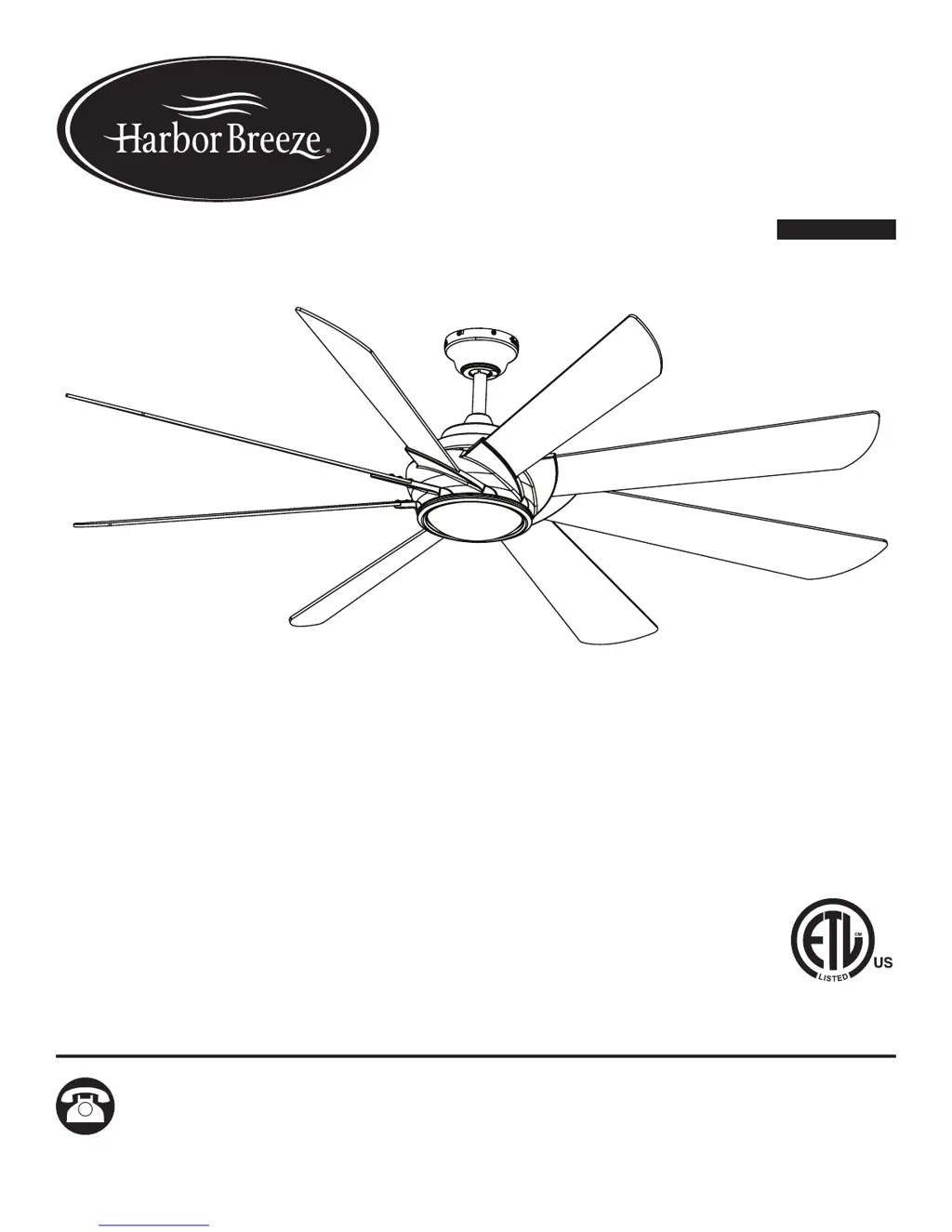
HYDRA CEILING FAN
MODEL #41371
Español p. 20

Questions and Answers

  • J
    james42Aug 9, 2025
    Why is my Harbor Breeze 41371 Fan wobbling so much?
    • D
      deborah87Aug 9, 2025
      If your Harbor Breeze Fan is excessively wobbling, start by checking and tightening all screws that hold the fan blades to the blade arms and the blade arms to the motor. If the issue persists, try switching one blade with a blade from the opposite side, or balance the fan using the blade balancing kit. Also, turn off the power, loosen the canopy, and verify that the mounting bracket is secure to the electrical outlet box, ensuring it's flush without movement. Make sure the outlet box is secure. Consider using a longer downrod or moving the fan to another location. Finally, lift up the yoke cover and tighten the set screws on the yoke until secure.
  • J
    John HarrisAug 14, 2025
    What to do if Harbor Breeze 41371 Fan remote control does not work?
    • J
      Joshua BuckleyAug 14, 2025
      If your Harbor Breeze Fan remote control isn't working, first turn off the main power, then turn it back on. Within 30 seconds, press and hold the high and low speed buttons on the remote at the same time for 5 seconds. The LED indicator will flash 3 times, signaling a successful synchronization. If this doesn't work, insert new CR2032 batteries in the remote control. If you have several fans in close proximity, turn power off to other fans and re-sync the remote.
  • J
    John SmithAug 20, 2025
    What to do if my Harbor Breeze 41371 does not move?
    • W
      Wesley MaddenAug 20, 2025
      If your Harbor Breeze Fan is not moving, firmly push the reverse switch completely left or right. Make sure the wall switch is turned on. Turn the power on or check the fuse (breaker). Turn the power off and check all connections at the ceiling outlet box.
  • K
    Kevin SmithAug 27, 2025
    Why are the lights not working on my Harbor Breeze Fan?
    • F
      Felicia ReevesAug 27, 2025
      If your Harbor Breeze Fan operates correctly, but the lights are not working, ensure the single-pin connectors are properly secured. Additionally, turn the power off and check all connections at the ceiling outlet box.
  • M
    Matthew PalmerSep 1, 2025
    How to fix a noisy Harbor Breeze 41371 Fan?
    • J
      Jeffery HayesSep 1, 2025
      If your Harbor Breeze Fan is noisy, check and tighten all screws that hold the fan blades to the blade arms and the motor. Replace any cracked blades. Ensure you are not using a full range dimmer switch to control the fan speed. Also, make sure the outlet box and the mounting bracket are securely attached to the building structure and the outlet box, respectively, with tight screws.

Summary

Package Contents

Hardware Contents

Safety Information

Preparation

Initial Installation

Ceiling Mounting Method Selection

Details standard, angle, and flushmount installation options for the fan.

Standard or Angle Mounting Instructions

Wiring

Final Installation

Operating Instructions

Fan Direction and Reverse Switch

How to use the reverse switch for optimal airflow direction in different seasons.

Fan Speed and Power Control

Controls for adjusting fan speed (up/down) and turning the fan on/off.

Timer, Light Delay, and Breeze Modes

Operation of sleep timers, light delay, security light, and variable breeze modes.

Light Dimming and Remote Sync

How to dim lights and synchronize the remote control to the fan receiver.

Care and Maintenance

Troubleshooting

Lifetime Limited Warranty

Replacement Parts List

Harbor Breeze 41371 Specifications

General IconGeneral
BrandHarbor Breeze
Model41371
TypeCeiling Fan
Number of Blades5
Reversible MotorYes
Control TypePull chain
FinishBrushed Nickel
Remote Control IncludedNo
ENERGY STAR CertifiedNo
Blade Span52 inches
Motor TypeAC
Motor Speed3-speed

Related product manuals