15
OPERATING INSTRUCTIONS
1. Using a ceiling fan will allow you to raise your
thermostat setting in summer and lower your thermostat
settinginwinterwithoutfeelingadierenceinyour
comfort. Note: Wait for the fan to stop before moving the
reverse switch.
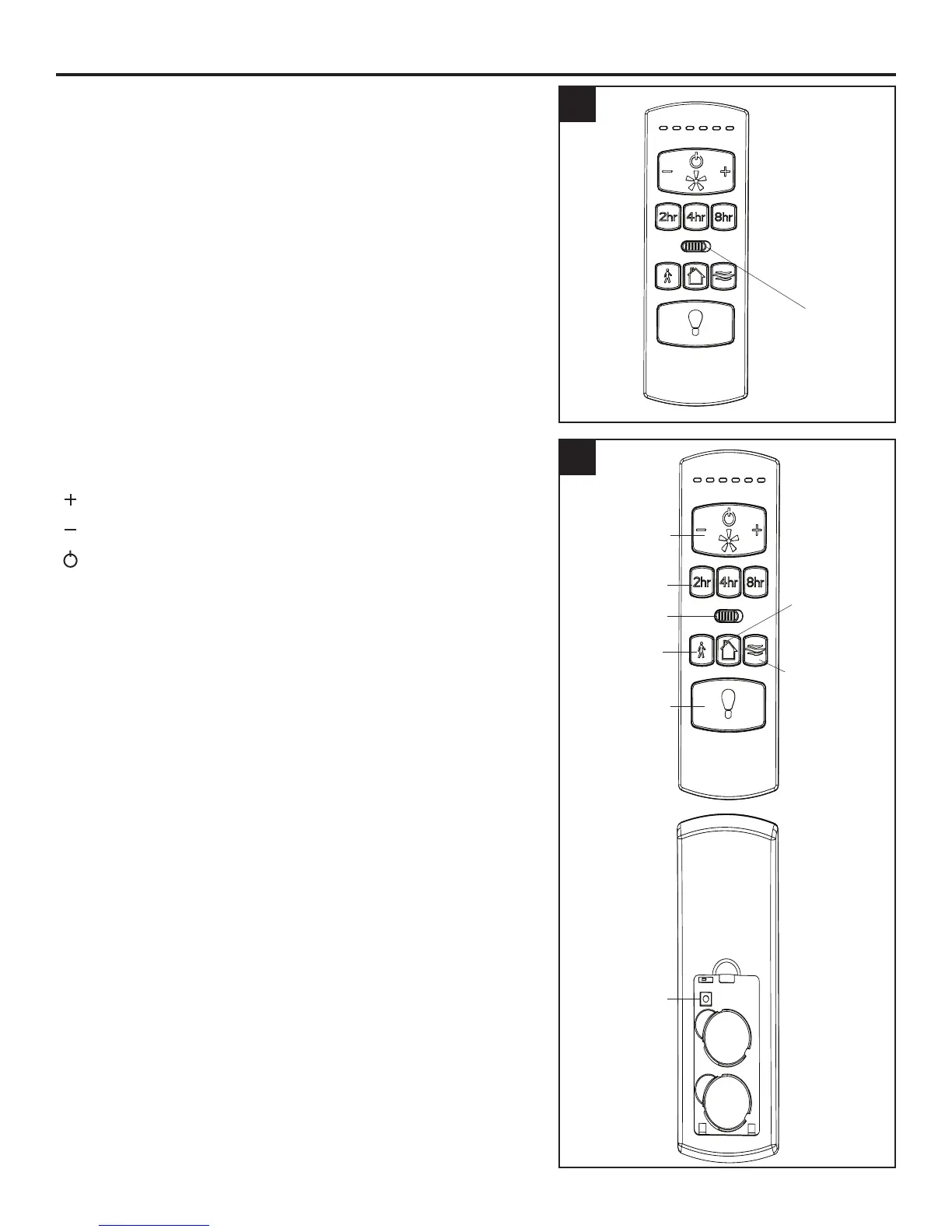
In warmer weather, push the reverse switch left, which
willresultindownwardairowcreatingawindchilleect.
In cooler weather, push the reverse switch right, which
willresultinupwardairowthatcanhelpmovestagnant,
hotairotheceilingarea.
IMPORTANT: The reverse switch must be set either
completely left or right in order for the fan to function
correctly. If the reverse switch is set in the middle
position, the fan will not operate.
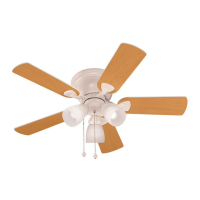
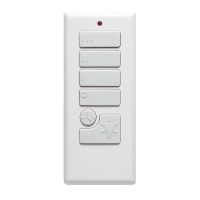
2. To operate the fan using remote control, press and
release the following buttons:
( ) - Increase fan speed
( ) - Lower fan speed
()-Turnsthefano.
Sleep Timers:Turnofanafter2hours(2hr),4hours
(4hr), or 8 hours (8hr).
Light Delay-Delaysturningolightforoneminutewhich
allows safe exit from room.
Security Light - Lights cycle on for 5-20 minutes and
ofor60minutessimulatingoccupancy.Cyclerepeats
continuously until disabled.
Variable Breeze - Simulates a natural breeze, as if you
were outside.
Light Control-Presslightcontroltoturnlightsoandon.
Press and hold light control to dim or brighten the lights.
Learn - For any reason, should it become necessary to
reprogram the remote, follow these syncing instructions:
turnothepoweratthebreakerboxforatleast10
seconds and then turn the power back on. Within 30
seconds, press and hold the “LEARN” button on the back
oftheremoteuntiltheLEDindicatorashes3times,
signaling a successful synchronization. Once complete, the
fan will start on low speed.
1
2
Reverse Switch
Learn
Light Control
Security Light
Reverse
Variable Breeze
Light Delay
Sleep Timer
Fan
Control



 To Next Page