14
FINAL INSTALLATION
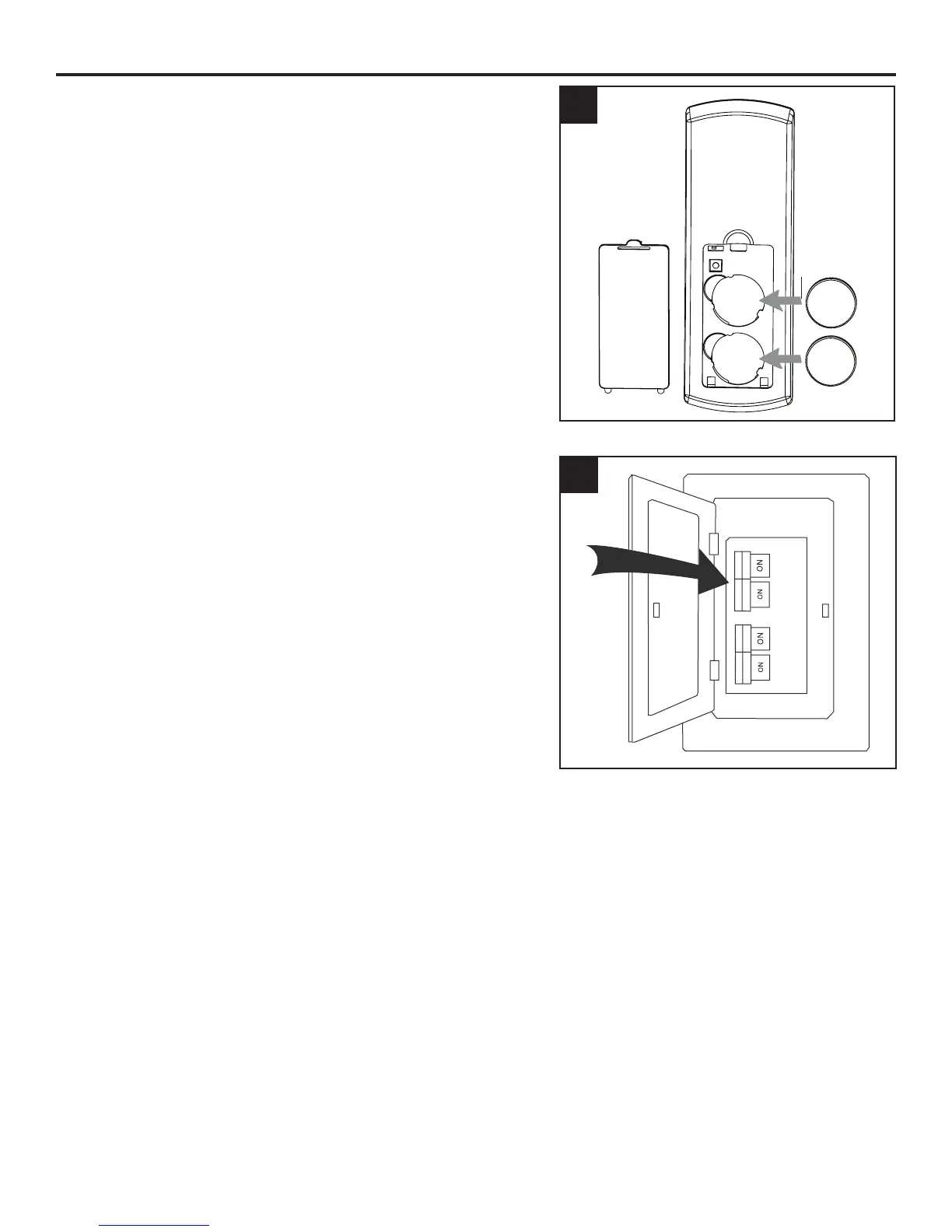
8. Remove the battery cover from the back of the remote
from remote pack (M) and insert the CR2032 batteries.
Replace the battery cover. If battery is installed
correctly, the LED indicator on the front of the remote
transmitter should illuminate when any button is
pushed.
9. Turn on power supply to the fan.
Assembly is complete.
8
7
Battery
Battery Cover




 To Next Page