MA310 | MA510 | MA710 Owner's Manual | rev1.3 20240612
Pg 6 of 42
©2024 Harman International | Features, Specifications, and Appearance subject to change without notice.
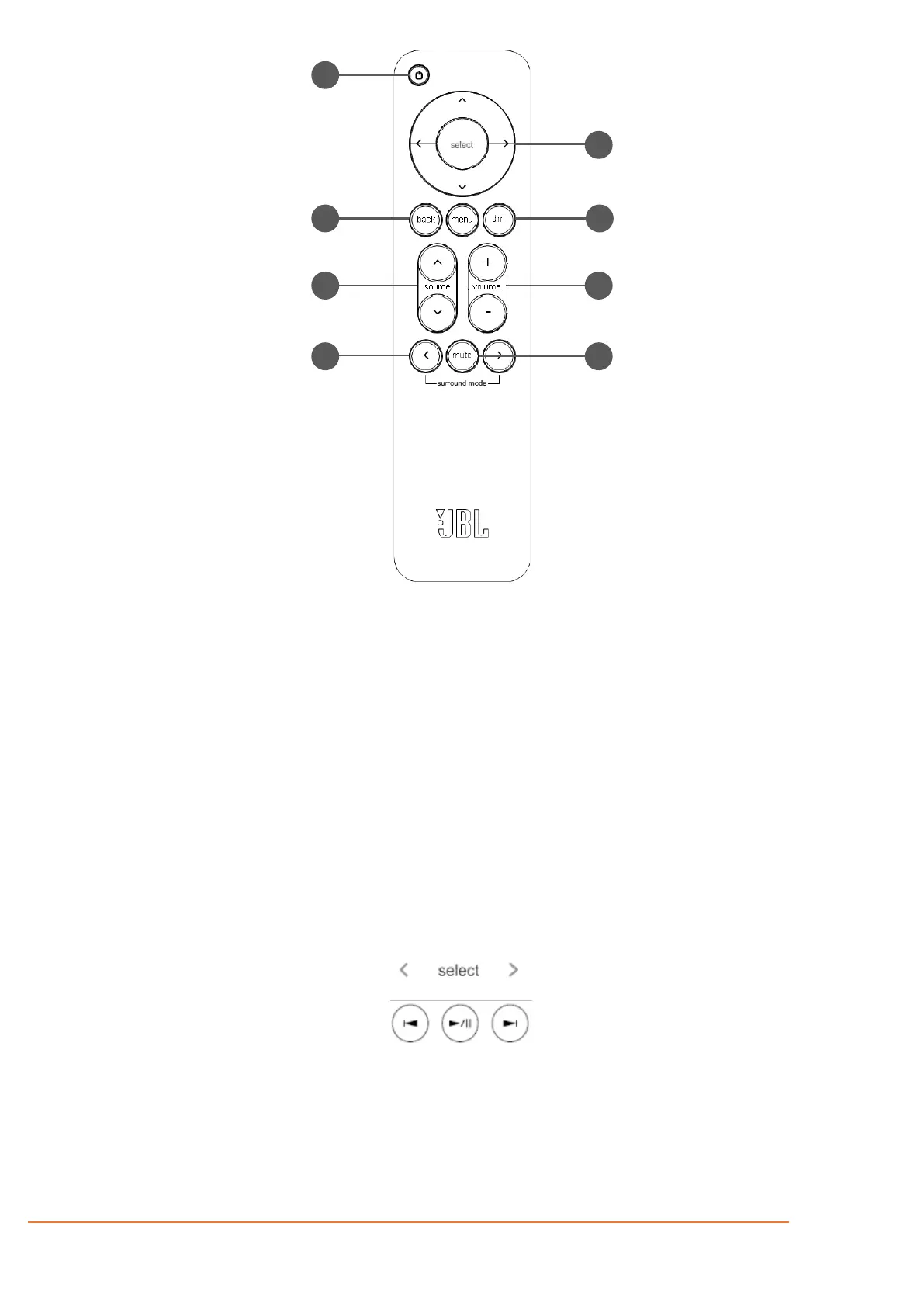
REMOTE CONTROL
Activates and deactivates standby mode
when the Receiver is connected to AC
power.
MENU NAVIGATION/SELECT AND
TRANSPORT CONTROL*
The Navigation keys steer the cursor in
Setup menus or on-screen menus.
Press center button to Select.
The Menu button displays the unit’s setup
menu on the On-Screen Display and front
panel of the device.
Use the Back button to go navigate to
This switches the display brightness
between bright/dim/off.
To select an input source, press the Source
or
buttons until that source is shown
on the front panel or On-Screen Display.
Use the volume controls on the remote to
adjust the volume of the Receiver.
Selects between stereo and the available
surround modes for the current source.
Mutes all audio outputs.
*Use Select, and Left/Right curser buttons on the remote control as transport keys for Bluetooth and Network Audio streaming sources
Notes on batteries:
• Incorrect use of batteries can result in hazards such as leakage and bursting.
• Do not mix old and new batteries together.
• Do not use non-identical batteries together – although they may look similar, different batteries may have different voltages.
• Ensure the plus (
+) and minus (-) ends of each battery match the direction indicated in the battery compartment.
• Remove batteries from equipment that is not going to be used for a month or more.
• When disposing of used batteries, please comply with governmental or local regulations that apply in your country or area.



 To Next Page