MA310 | MA510 | MA710 Owner's Manual | rev1.3 20240612
Pg 18 of 42
©2024 Harman International | Features, Specifications, and Appearance subject to change without notice.
VOLUME CONTROL
It is important to realize that the level of the volume indicator is not an accurate indication of the power delivered to your
loudspeakers. The Receiver often delivers its full output power long before the volume control reaches its maximum position,
particularly when listening to heavily recorded music. In comparison, some movie soundtracks can appear very quiet, as many
directors like to keep maximum levels in reserve for special effects sequences.
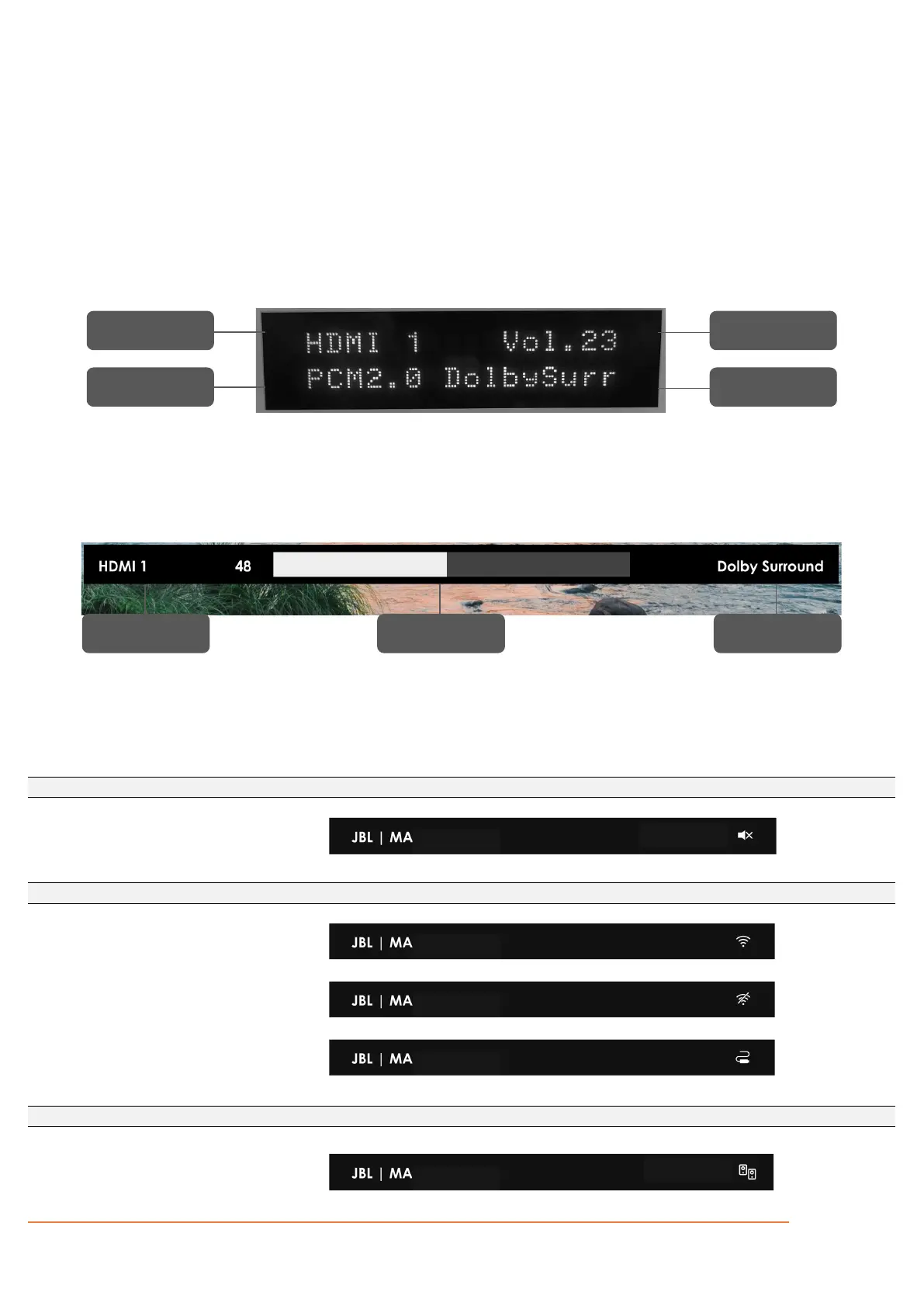
SYSTEM FEEDBACK
Provides information to the user of the current state of the Receiver.
Front Panel Display – “Now Playing” info.
Mini OSD Pop-Up
On-Screen Display (OSD) Main Menu - bar icons
Applies to MA310, MA510, MA710
System output muted
Wireless LAN connection
No wireless LAN connection
Wired ethernet LAN connection
PARTY Mode enabled
Input Source
Incoming
Audio Format
Volume
Indicator
Surround
Mode
Input Source
Volume
Indicator
Surround
Mode



 To Next Page