MA310 | MA510 | MA710 Owner's Manual | rev1.3 20240612
Pg 13 of 42
©2024 Harman International | Features, Specifications, and Appearance subject to change without notice.
CONNECTING AUDIO/VIDEO INPUTS
JBL recommends using pre-built or professionally wired cables.
Cables Used for Connections
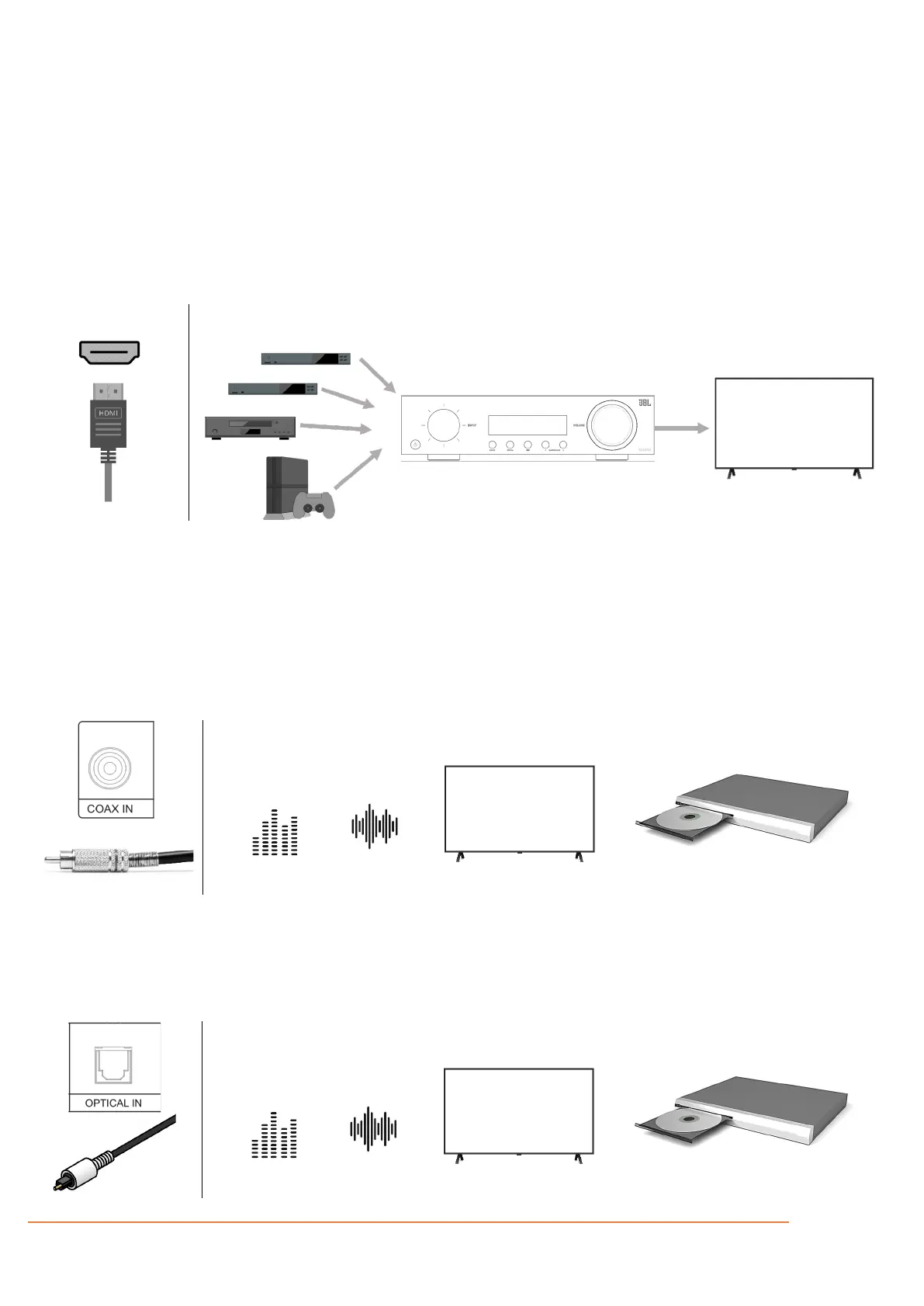
HDMI
HDMI In: Enables connections to various digital AV devices. This unit is equipped with HDMI input connectivity for various
HDMI compatible devices such as media players, set-top box, DVD/BD players, game consoles, and more. Connect the HDMI
video outputs of your source equipment to the corresponding HDMI inputs.
HDMI Out: Connect the HDMI output to your TV. When a TV with ARC support is connected, be sure to set “ARC” in the TV
menu to “On”. When a TV with eARC support is connected, the eARC function of this unit is enabled automatically, and the
television audio is played back (MA510 and MA710 only). Keep in mind, it is necessary to connect the Receiver’s HDMI output
to the HDMI input on the TV that is labelled as ARC or eARC to use those features.
*For 4K TVs we recommend using an HDMI cable labeled “High Speed” and “with Ethernet”.
*For 8K TVs we recommend using an HDMI cable labeled “Ultra High Speed”.
COAX
Provides a digital audio input connection (S/PDIF) using a coaxial digital cable with an RCA-type connector (75-ohm
impedance). This can be used to receive digital audio from a TV that is not compatible with ARC/eARC or HDMI incompatible
devices such as a CD transport.
OPTICAL
Provides a digital audio input connection using a fiber-optical cable with TOSLINK connectors. This can be used to receive
digital audio from a TV that is not compatible with ARC/eARC or HDMI incompatible devices such as a CD transport.



 To Next Page