MA310 | MA510 | MA710 Owner's Manual | rev1.3 20240612
Pg 24 of 42
©2024 Harman International | Features, Specifications, and Appearance subject to change without notice.
Speaker Distances – Calibration settings for the distances between the loudspeakers and the listening position.
Speakers that are not present in your configuration will be greyed out
Units – Select how you wish to measure distances in imperial or metric units, or in milliseconds. As described in
“Essential Setup”
(see Essential Setup). Measure the distance from each loudspeaker in your system to your ear in the
main listening position and enter the values. This allows the Receiver to calculate the correct relative delay for each
loudspeaker.
Speaker Level - These settings allow adjustment of individual speaker levels. They should be adjusted using either
internally generated test noise or an external source, such as a setup test disc.
Speakers that are not present in your configuration will be greyed out
Test Tone – Selects the internal test tone generator or allows the use of an external test tone form the currently
selected input source (e.g. BD player in HDMI source).
Use the and navigation buttons on the remote control to select the relevant speaker. Use the and navigation
buttons to adjust the noise level from each speaker.
As described in “Essential Setup”
(see Essential Setup), adjust the level of the test noise from each speaker so that an SPL
meter at the listening position measures 75dB SPL.
Speaker Crossover - This is the frequency below which signals are filtered away from these Small speakers and redirected
to ’Large’ speakers or the subwoofer (if present). 80 Hz is usually the best crossover frequency, since it sends non-directional
low frequencies to the subwoofers which are best suited to handle low frequencies and can be placed optimally to reproduce
only the lowest frequencies.
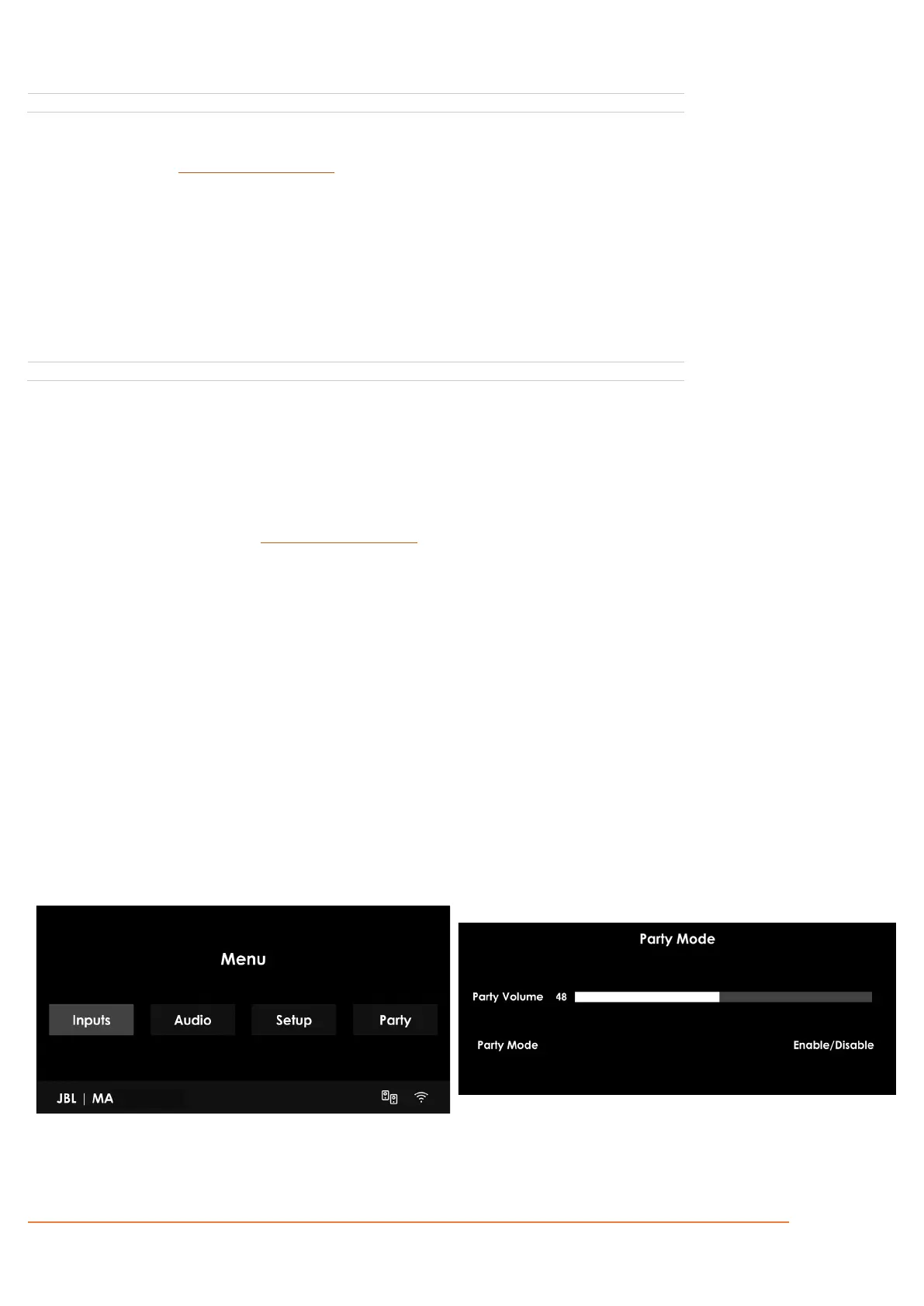
Zone2 Line Out (MA710 only) – Select “Party On” to route the Main Zone to the Zone 2 line-level output. Party mode follows
the Main Zone, i.e. a stereo downmix of the same source as currently selected in the Main Zone.
When Party is selected for either the Line Out or Rear Configuration Amp Assignment, you will have the option to enter the
Party Mode settings from the Main Menu as shown below, which provides an independent volume control.



 To Next Page