MA310 | MA510 | MA710 Owner's Manual | rev1.3 20240612
Pg 32 of 42
©2024 Harman International | Features, Specifications, and Appearance subject to change without notice.
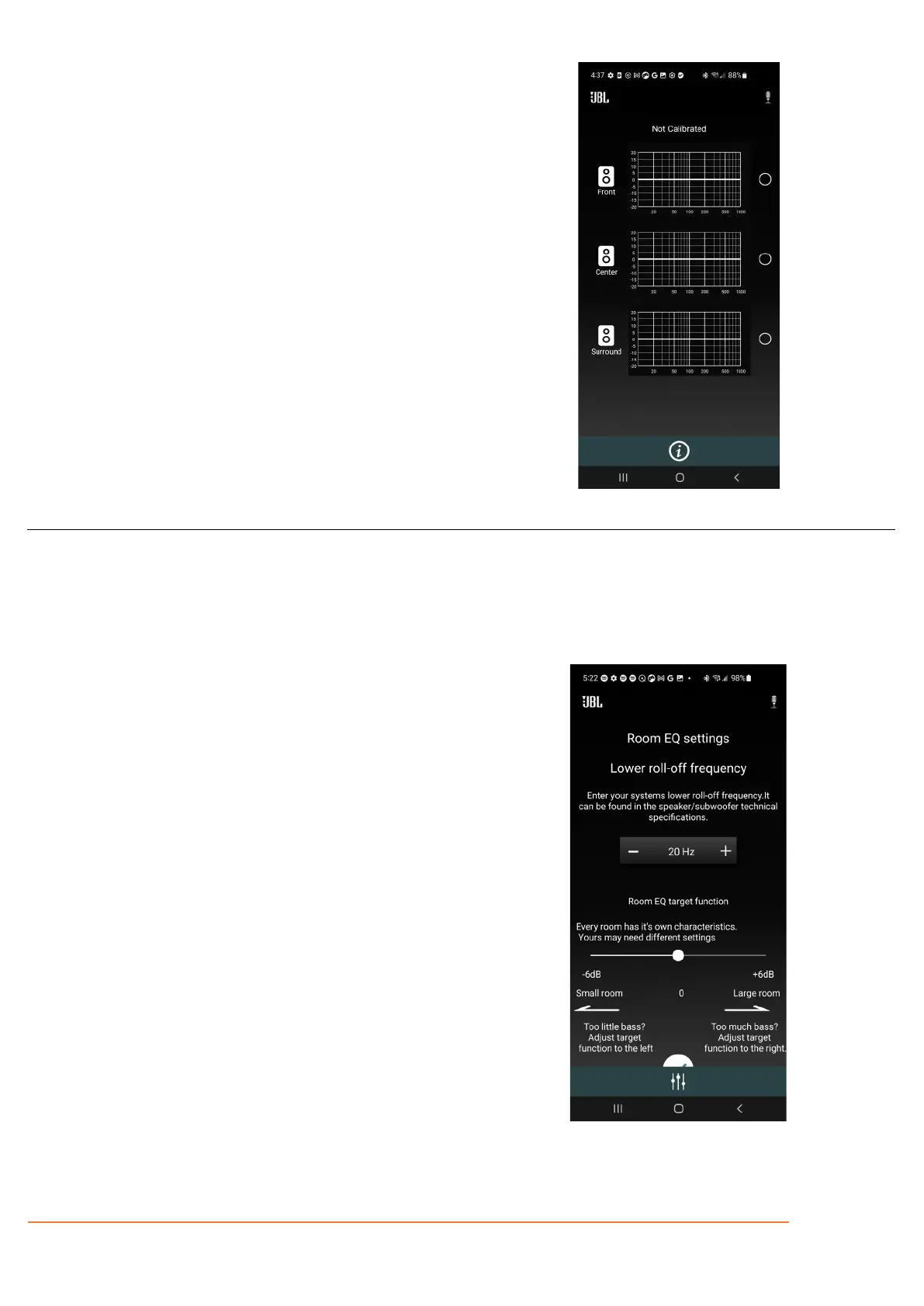
Step 2- Select the speaker group to calibrate
The EQ Home page displays the Room EQ curves of all the
channels in the current layout.
Click on the graph of speaker group you want to set up.
Step 3 – Enter Room EQ settings
Enter the lower natural roll-off frequency of your
loudspeakers. This can be found in the loudspeakers’
technical specifications.
The natural roll-off frequency ensures the system only
corrects issues caused by the room during room
measurement.



 To Next Page