USE ONLY HAYWARD GENUINE REPLACEMENT PARTS
13
Heat/Cool Priority & Settings
Press the Priority & Settings button shown above to access this menu. Here, you can enable/disable
individual heaters/chillers, change the priority of your heaters/chillers, as well as adjust the tempera-
ture differential for Auto Mode and prioritize the use of solar heating/cooling if you have solar. Refer
to screens below for more information.
solar
POOL
heat/cool
Select Source
prioritize
heat pump
settings
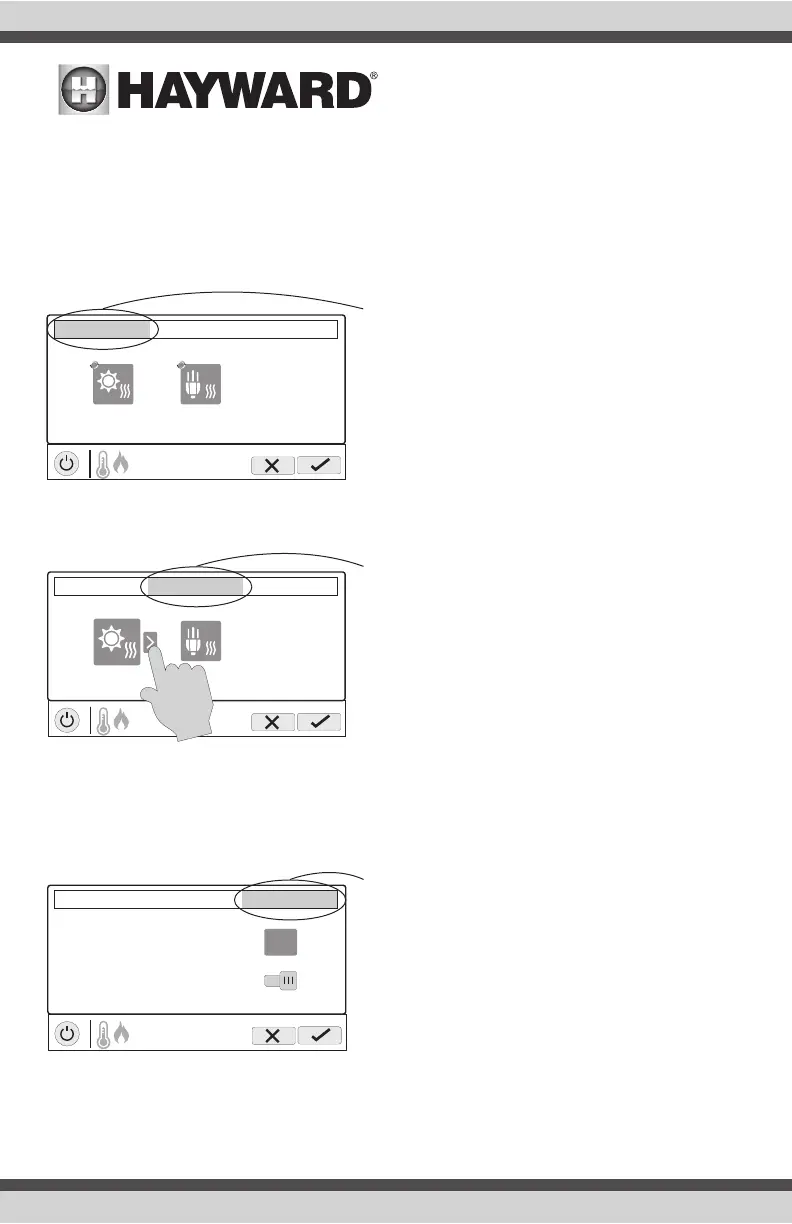
Select Source Tab - This screen will allow you to en-
able or disable individual heaters/chillers by pressing
them. Disabled heaters/chillers will appear grayed out.
Also, the circle in the corner of each heater/chiller
indicates the running status of that equipment. When
the circle icon is grayed out, the equipment is idle.
When in motion, it is actively heating/cooling.
solar
POOL
heat/cool
Select Source
prioritize
heat pump
settings
Prioritize Tab - This screen allows you to change
the priority of each heater/chiller. To change priority,
select the equipment that you would like to move and
then press the arrow as shown on the left to reorder
your heaters/chillers. If the priority heater/chiller can
not meet demand for heating/cooling, the next priority
heater/chiller will operate. Prioritize your equipment to
maximize efficiency by allowing the most cost effective
heaters/chillers to run first. Note that a time interval of
“0” hours will eliminate priority and always run both
heaters/chillers at the same time (time interval can
only be changed in the configuration wizard).
Initial temperature differential for Auto Mode
POOL
heat/cool
Select Source
prioritize
settings
°F
2
ON
Prioritize the use of solar heating/cooling
Settings Tab - This screen allows you to change the
initial temperature differential for Auto Mode and to
always prioritize the use of solar heating/cooling. The
initial temperature differential controls when your heat-
er/chiller will turn on. For example, if the differential
is set to 2°F, then heating will begin when your pool/
spa water falls to 2°F below your setpoint temperature
and cooling will begin when your pool/spa water rises
to 2°F above your setpoint temperature. If you choose
to prioritize the use of solar heating/cooling, then solar
will always take priority over other equipment.















 To Next Page