USE ONLY HAYWARD GENUINE REPLACEMENT PARTS
23
Edit Features/Lights/Heaters
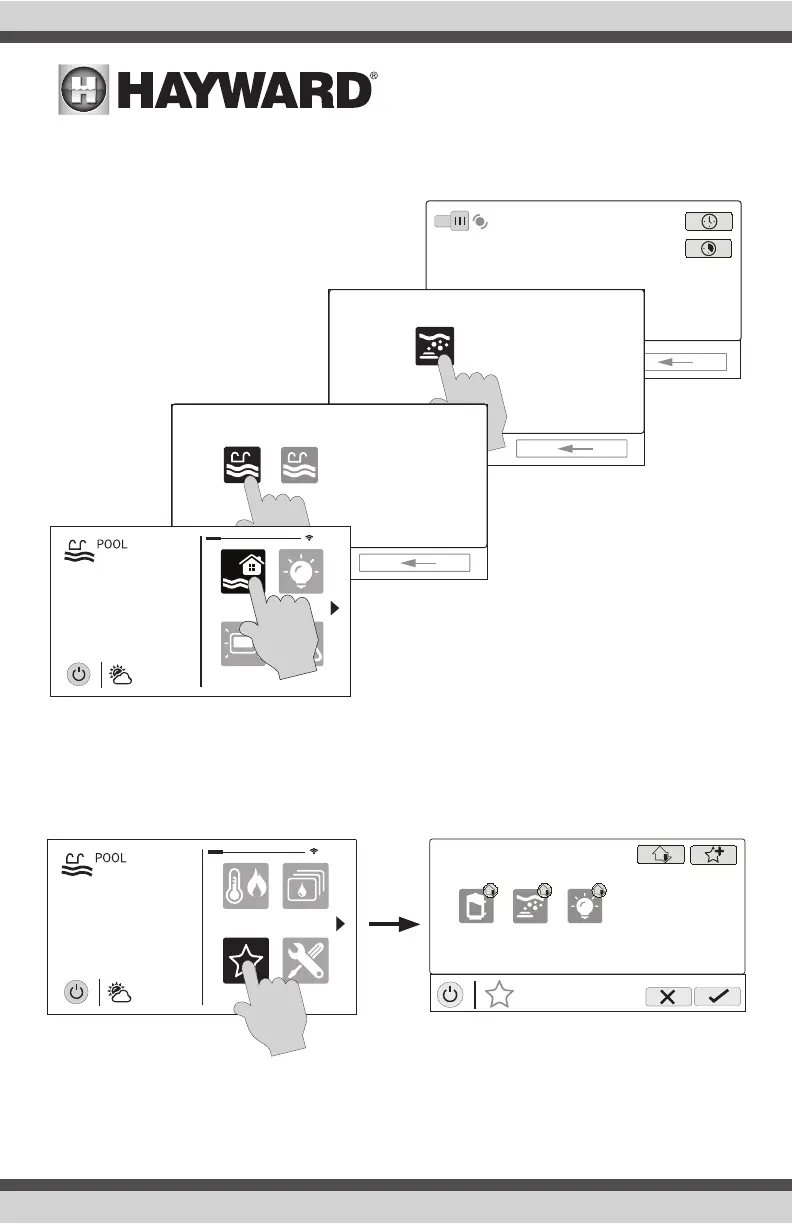
When a feature, light, or backyard accessory is selected, you’ll advance to the related Control
Screen.
Favorites Screen
All of the buttons on the right side of the Home Screen are referred to as “Favorites” but there is
also a Favorites button. Using this button, you can create and manage all of your favorites.
ON
POOL
jets
ON
FEATURES
select
jets
FEATURES
all bodies pool
select
daylight
features
lights
º
F
air
71º F
82
alarm
favorites
heat/cool
themes
º
F
air
71º F
82
cong
MANAGE
favorites
deck lights
vsp jets
S
S
SS















 To Next Page