USE ONLY HAYWARD GENUINE REPLACEMENT PARTS
25
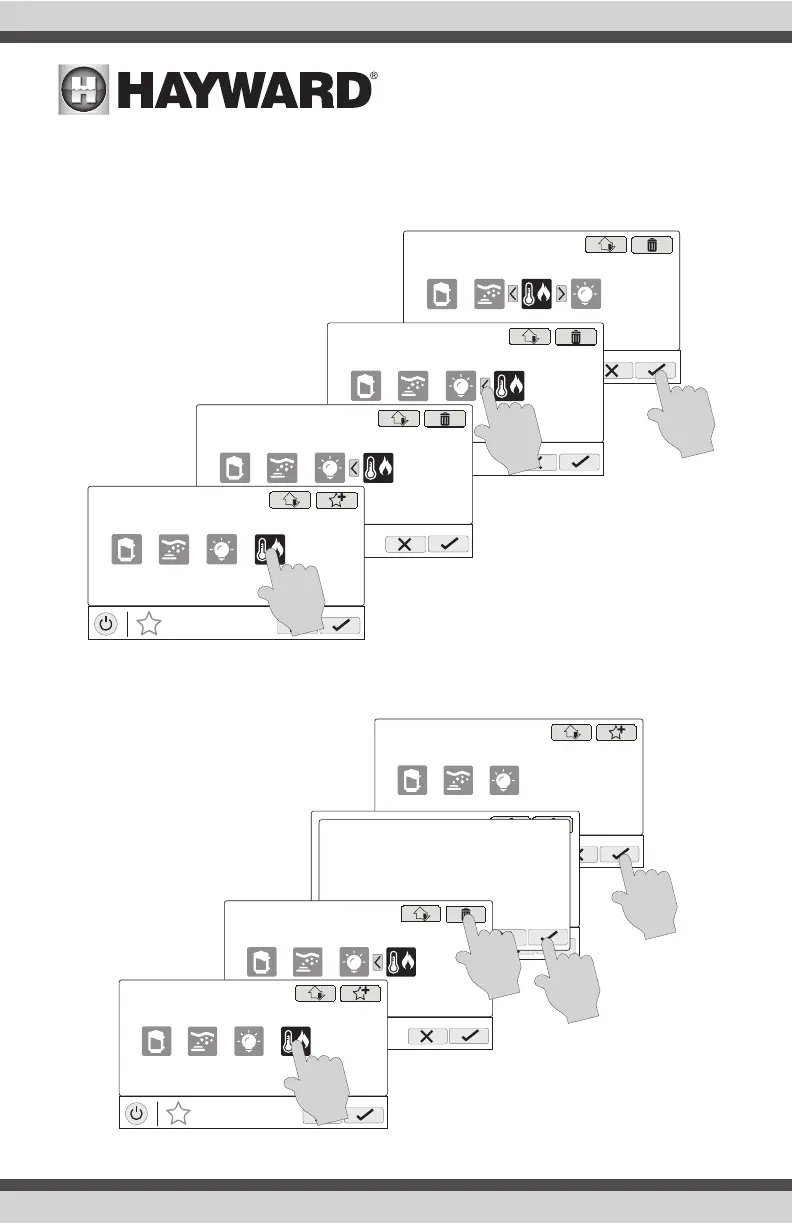
Moving Favorites
Favorites will be displayed on the Home Screen in the order that they are shown on the Favorites
Screen, from left to right. The default Favorites cannot be moved. To move Favorites, follow the
procedure below.
Deleting Favorites
To delete Favorites, follow the procedure below. Default Favorites cannot be deleted.
MANAGE
favorites
deck lights
vsp jets
S
heat/cool
MANAGE
favorites
deck lights
vsp jets
S
heater
MANAGE
favorites
deck lights
vsp jets
S
heat/cool
MANAGE
favorites
deck lights
vsp jets
S
heat/cool
MANAGE
favorites
deck lights
vsp jets
S
MANAGE
favorites
MANAGE
favorites
uclights chlorinator
heater
music
Are you sure you want to delete
this favorite?
MANAGE
favorites
deck lights
vsp jets
S
heat/cool
MANAGE
favorites
deck lights
vsp jets
S
heat/cool















 To Next Page