USE ONLY HAYWARD GENUINE REPLACEMENT PARTS
35
Upgrade from USB
1. Insert your USB thumb drive into your computer.
2. Go to www.hayward.com/firmware.
3. Click on the link to download the latest firmware and save to the USB thumb drive.
4. Remove the USB thumb drive from the computer.
5. Locate the port on the underside of the OmniHub Control Pad and insert the thumb drive.
6. Apply power to the OmniHub (if not already powered) and allow the OmniHub to fully start.
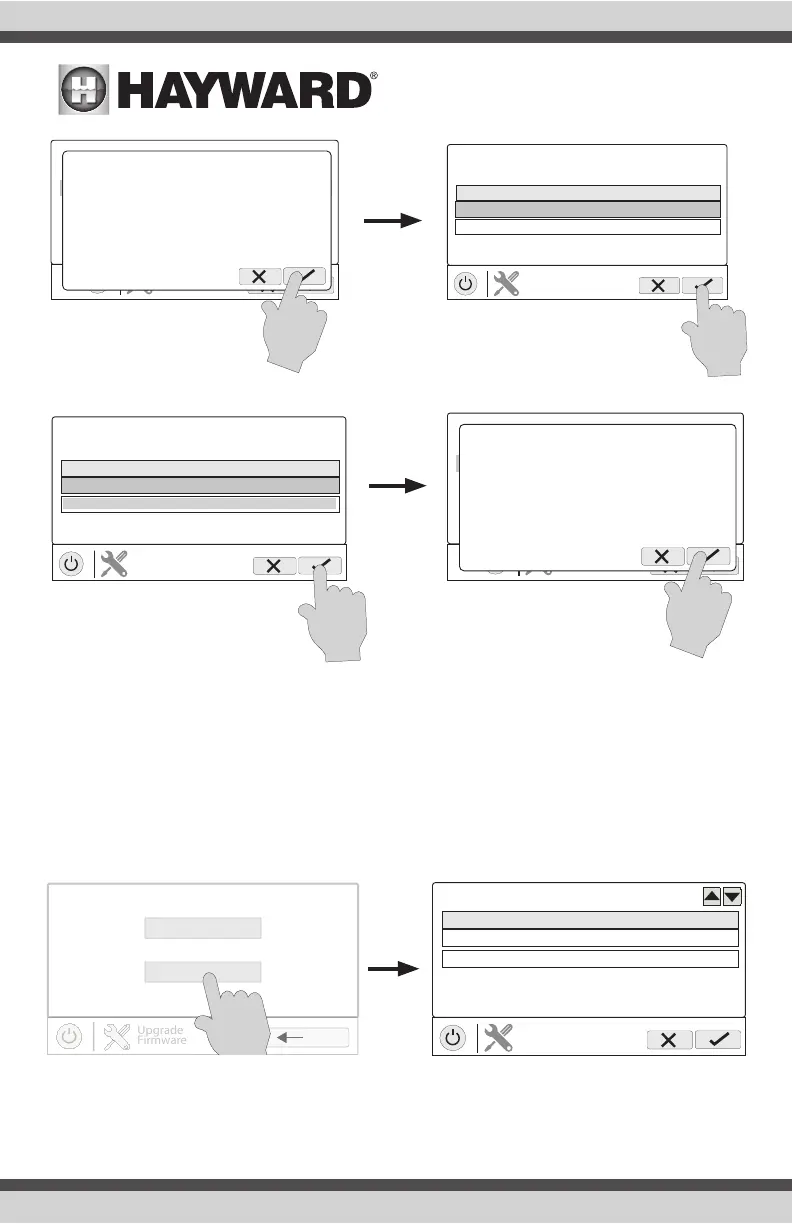
7. Enter Service Mode (page 3)
8. Touch the Upgrade from USB button (shown on page 34)
USB/
MSP_AR_BO140017
FILE
selection
Install all available upgrades?
Beginning the Upgrade
Component Current Version New Version
MSP R4.0.0 R4.3.0-MSP
UPGRADE
firmware
0%
Upgrade 1 of 3
Step 1 of 2 - Do Not Interupt
USB/
MSP_AR_BO140017
FILE
selection
Upgrades installed. Would you like to reboot?
Success. Ready to Use
Component Current Version New Version
Wired Term R4.0.0 R4.3.0-TRM
UPGRADE
firmware
100%
Upgrade from Internet
Upgrade from USB
select device
component HUA current version
MSP 0-0-0-0 R4.0.0
MP 1-65-0-2a-a6 R3.2.0
COMPONENT
selection















 To Next Page