42
BASIC PROGRAMMING OF MASTER CONTROL PANEL (continued)
TO PROGRAM SPA:
1. Push the Program button, display will blank out with the exception of
the “SET” icon.
2. Push Spa button and display will show current spa operation in
hours along with the icons “SET # OF HOURS TO RUN SPA.”
Duration may be adjusted with the use of the Up and Down buttons.
Range is 0 to 12 hours.
3. Push Program again to program time of day and to start automatic
spa cycle. Display will show “SET TIME OF DAY TO START SPA”.
Spa cycle start time may be adjusted by the Up and Down buttons in 30-minute increments.
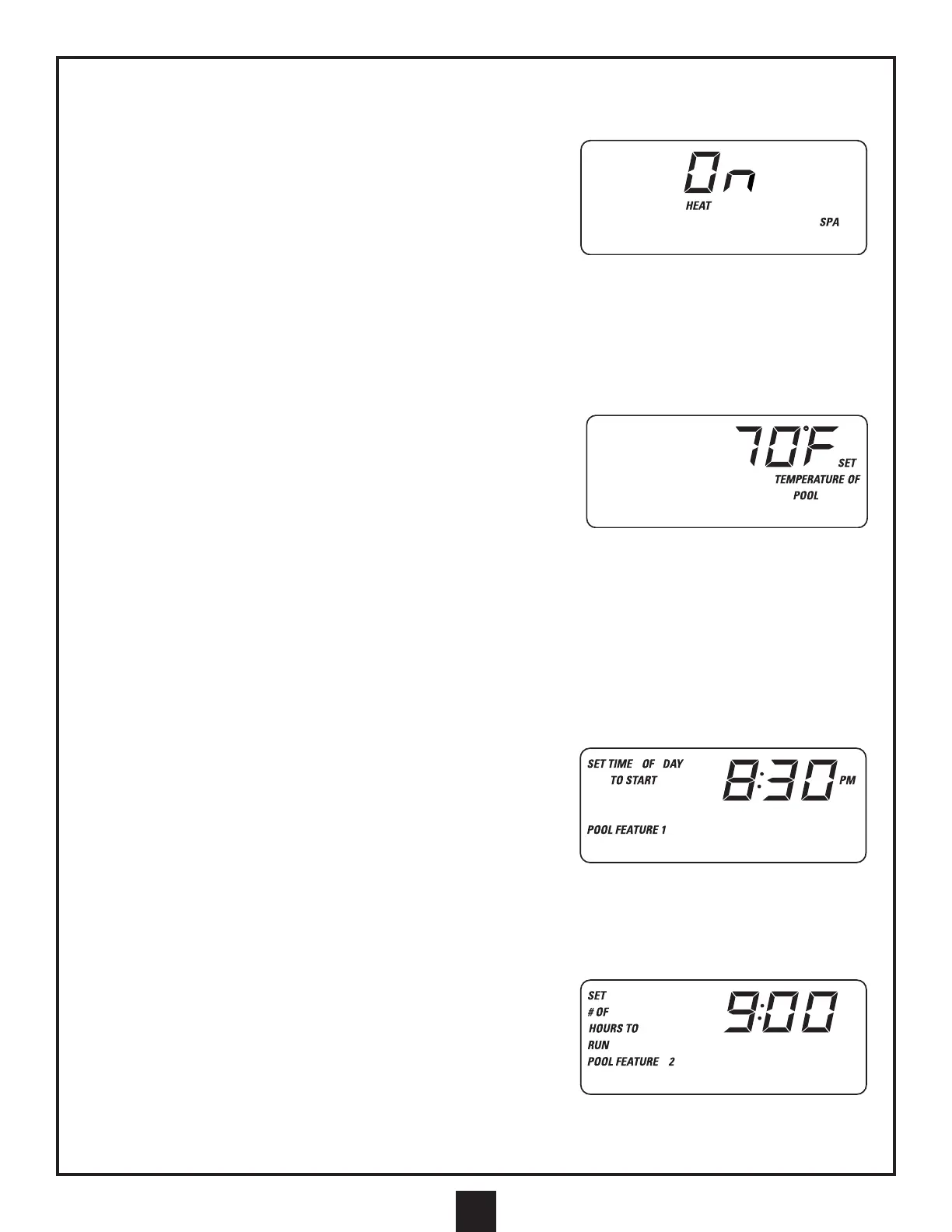
4. Push Program again to program whether or not the heater is enabled during spa operation. Display will show
“HEAT SPA” along with the word “ON” or “OFF” (“ON” means the heater is enabled during spa operation).
5. Push Program again to select spill-over mode. In spill-over mode, water will be drawn from the pool into the spa.
(Dip switch 3 must be in the up position for this feature.) Press Up or Down to select. Display will show “OFLO”
when spill-over mode is on, and “nOFLO” when off. Push Program to exit.
TO PROGRAM POOL AND SPA SET TEMPERATURE:
1. Push Program button, display will blank out with the exception of the
“SET” icon.
2. Push Heater button and display will show current desired set
temperature of spa. Display will show “SET TEMPERATURE OF
SPA.” Set temperature may be adjusted with the Up and Down
buttons. Range is 70°F - 104°F (21°C - 40°C).
3. Push Program again and display will show current desired set temperature of pool. Display will show “SET
TEMPERATURE OF POOL.”
Set temperature may be adjusted with the Up and Down buttons. Range is 50°F- 95°F (10°C - 35°C).
4. Push Program again to display heating mode. Push Up or Down to select desired heating mode.
Push Program to exit. The available heating modes are: A) Gas, B) Solar, C) Gas and Solar. Solar heating is
only available when an optional valve actuator is installed (see plumbing schematics).
NOTE: See Note on previous page (under “to program time of day”) for instructions on selecting °Celsius or °Fahrenheit.
TO PROGRAM AUXILIARY 1:
1. Push the Program button, display will blank out with the exception of
the “SET” icon.
2. Push the Aux 1 button and display will show current Aux 1 (POOL
FEATURE) operation in hours along with the icons “SET # OF
HOURS TO RUN POOL FEATURE 1.” Duration may be adjusted
with the use of the Up and Down buttons. Range is 0 to 24 hours.
3. Push Program again to program time of day and to start automatic Aux 1 cycle. Display will show “SET TIME OF
DAY TO START POOL FEATURE 1.” Aux 1 cycle start time may be adjusted by the Up and Down buttons in
30-minute increments. Push Program to exit.
TO PROGRAM AUXILIARY 2:
1. Push the Program button, display will blank out with the exception of
the “SET” icon.
2. Push the Aux 2 button and display will show current Aux 2 operation in
hours along with the icons “SET # OF HOURS TO RUN POOL
FEATURE 2.” Duration may be adjusted with the use of the Up and
Down buttons. Range is 0 to 12 hours.
3. Push Program again to program time of day and to start automatic
Aux 2 cycle. Display will show “SET TIME OF DAY TO START POOL FEATURE 2.” Aux 2 cycle start time may be
adjusted by the Up and Down buttons in 30-minute increments. Push Program to exit.


 To Next Page