Quick Start Guide REX 30010
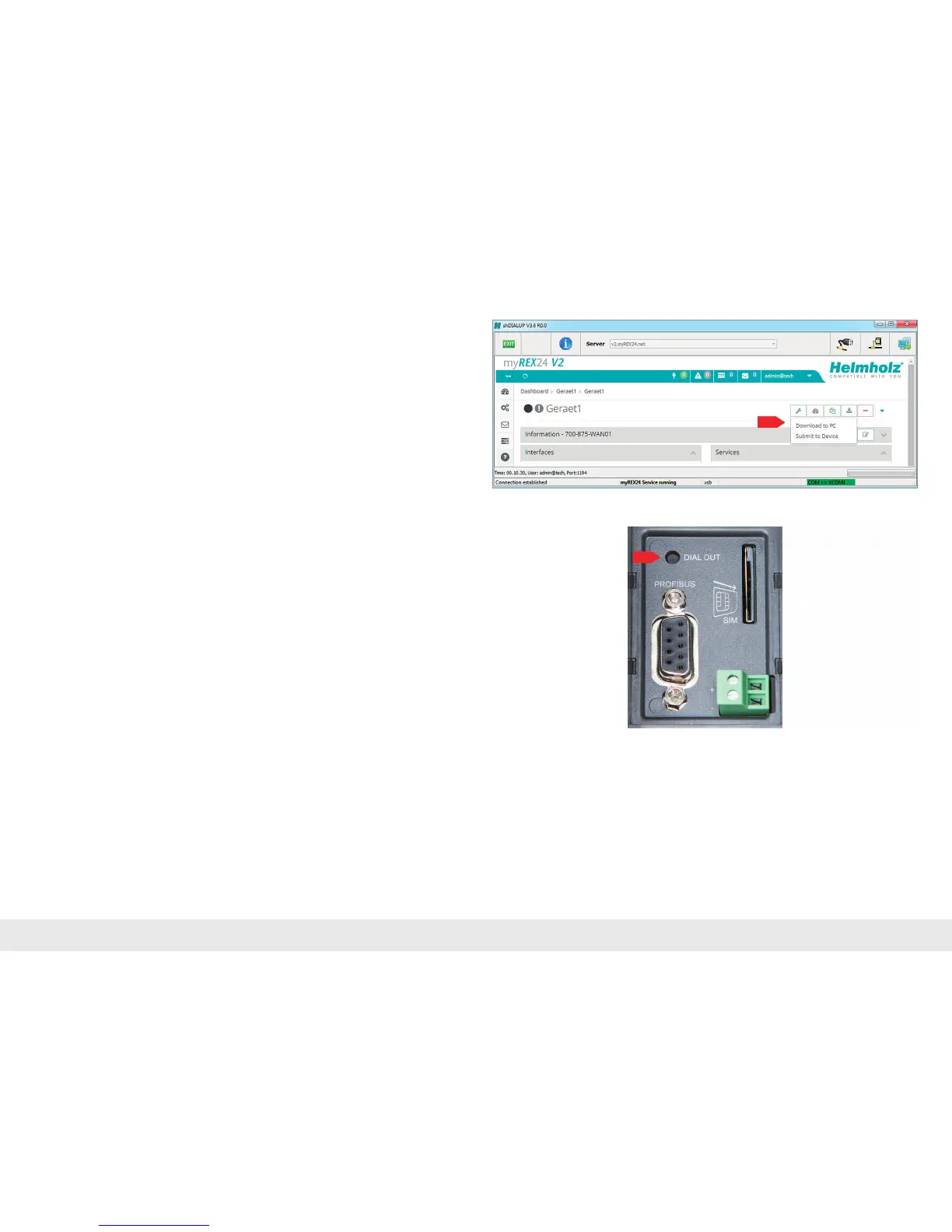
InthemyREX24portal,selectthe"DownloadtoPC"optioninthedevicesettings.
- DownloadthecongurationleprovidedbythemyREX24portaltoyourPCand
saveitonaFAT-formatedUSBstick.Theleisnamedmyrex24.mbnfortheinitial
commissioningoftheREX300.Allsubsequentcongurationlesgeneratedfor
theseroutersareautomaticallygeneratedasmyrex24.mbnx.Neverrenamethisle.
- Switch the REX 300 on and wait until the boot process is completed (Rdy & ON
LEDs are lit green continuously).
- Plug the USB stick into the appropriate USB terminal on the REX 300.
- Afterapprox.5seconds,theTxDandRxDLEDswillashred.TheREX300has
recognizedthecongurationle.
- PresstheDialOutbuttonforapprox.1seconduntiltheRxDLEDashesgreen.The
RxDLEDwillashgreenwhilethecongurationleisbeingtransferred(approx.
20 seconds).
- After an additional 10 seconds, the REX 300 will restart automatically and log in at
theportalwiththejustloadedconguration.TheUSBstickcannowbewith-
drawn.
Note: Once the con guration le has been successfully transferred, the le on the USB
stick will be renamed "XmyREX24.mbn(x)" by the REX 300, making it impossible to reuse
it a second time accidentally.
Youwillndtheprocedureforthermwareupdateinchapter13onpage26.



 To Next Page