Quick Start Guide REX 30012
5.2.2 Calling up the "First Start Assistant" through the browser
You can also determine the Internet access of the REX 300 directly in the web inter-
faceoftherouterviathe"FirstStart"website.Thisisrelevantintheeventthatthe
REX300hasnotyetbeenconguredthroughoneoftheothercongurationpaths
(withthePCviaLANorviaUSBstick).
Inthedeliverycondition,theREX300hastheLANIPaddress192.168.0.100with
the subnet mask 255.255.255.0. In order to reach the REX 300 through your local
LAN connection, the network setting of your PC may need to be adjusted. To this
purpose, open the properties of your LAN connection and adjust the IPV4 address
andthesubnetofthecomputer(e.g.IP:192.168.0.99/SNM:255.255.255.0).
ThewebsitecanthenbereachedforsubsequentcongurationwiththeURL:
http://192.168.0.100.
Authenticateyourselfwiththeuser:helmholzandthepassword:router.
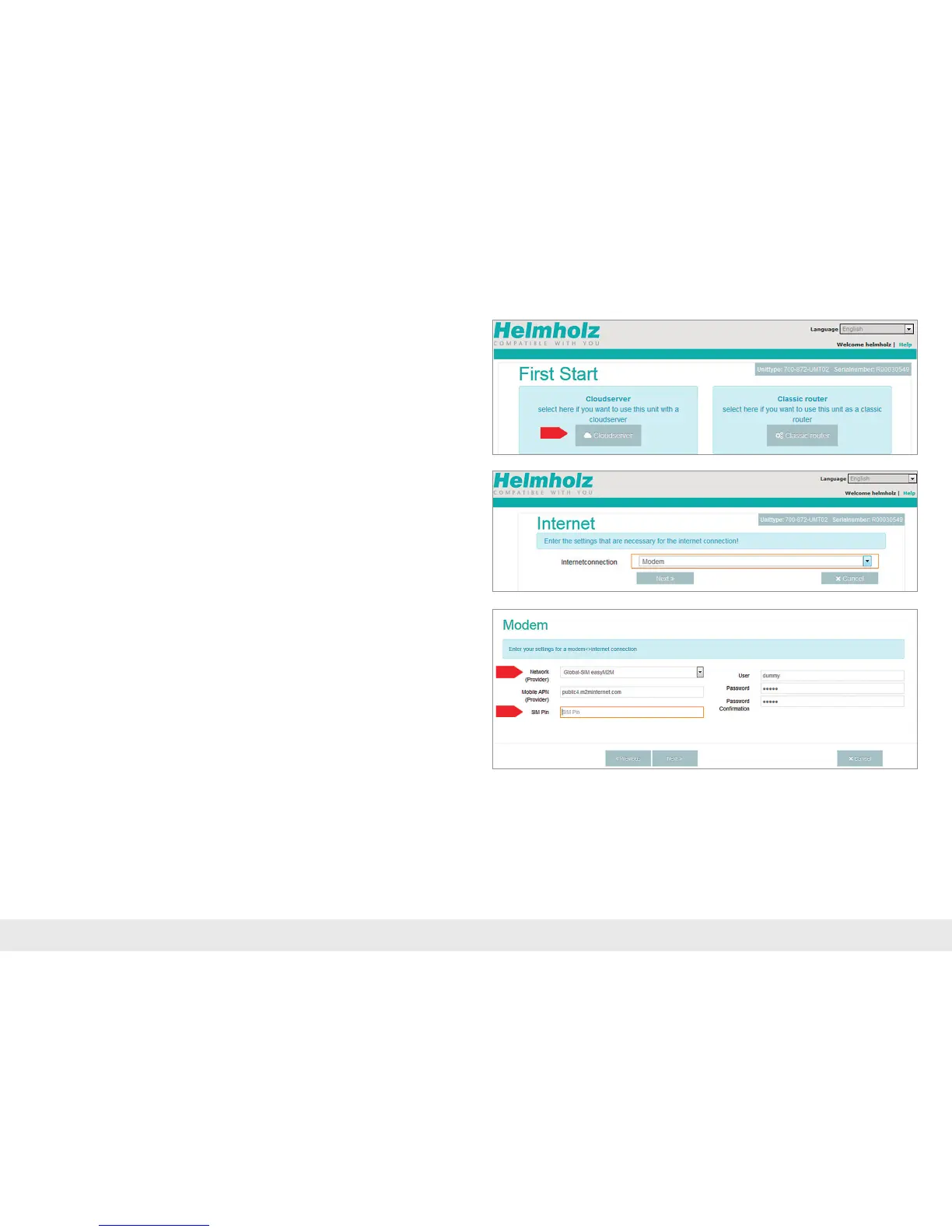
The First Start Assistant then opens. The Internet connection path of the REX 300
unitnowneedstobeconguredhereonceviatheportalserver(orasaclassic
router).The"Cloudserver"buttonnowneedstobeactivatedforthesubsequent
conguration.
Note: Make sure that there are no address space con icts with any other network
interfaces (do not assign the same IP address more than once) in order to be able to
communicate with the REX 300 unit properly.
Establish Internet connection with the internal UMTS modem:
If you are using a REX 300 UMTS model, only the login information for the mobile
communicationprovider(APN)andtheSIMcardIDnumber(SIMPIN)arerequired
for the modem.



 To Next Page