14
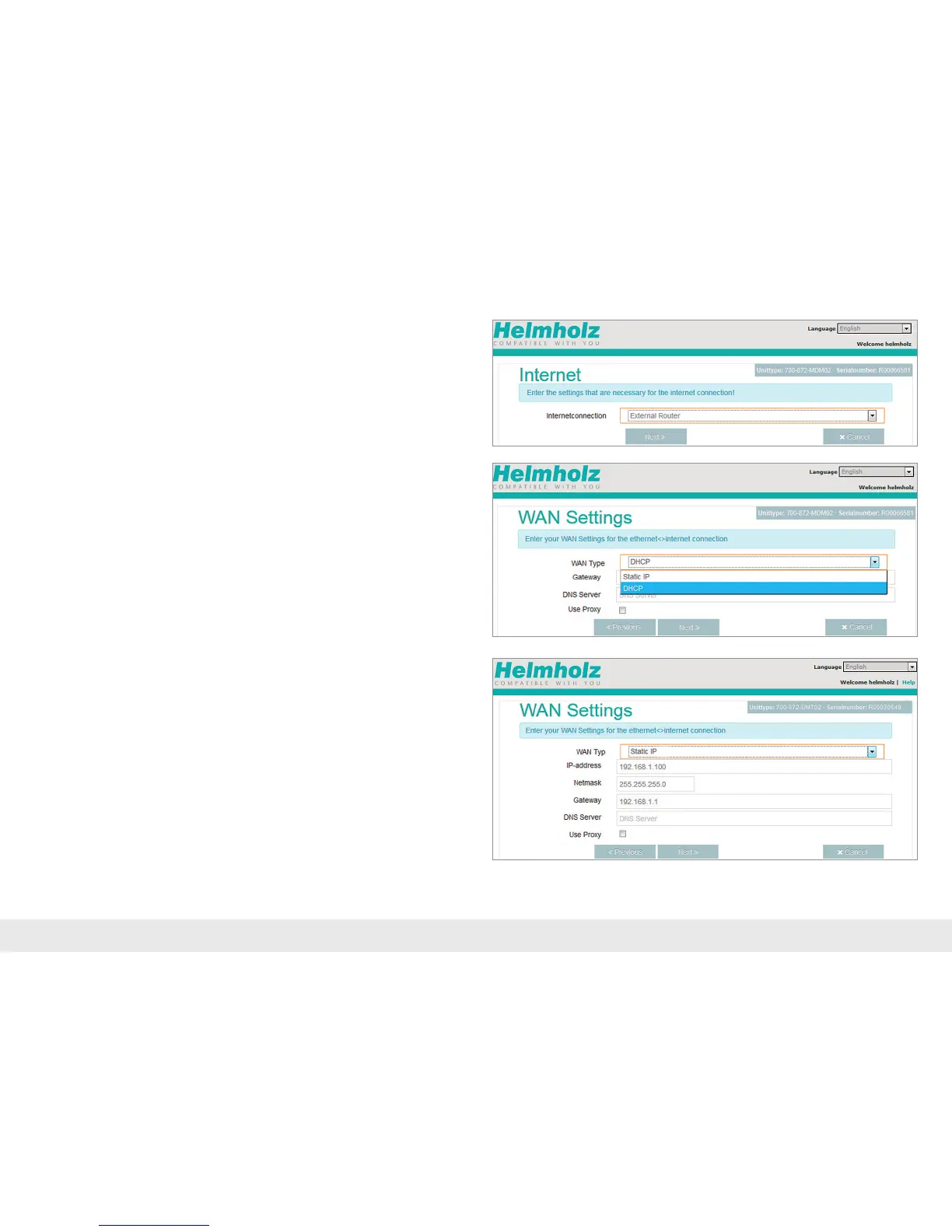
Establish Internet connection with WAN:
Tethered access to the Internet must be established through the “External Router”
on the system side. To this purpose, the WAN interface must be connected with the
customerserver/DSLmodem.
Ifyouselect"DHCP,"youdonothavetocongureanyWANsettings.
Note: Please make sure to either disable the MAC address ltering on the DSL modem
and/or external rewall, or to approve the REX 300 MAC address there.
ThevaluesforthestaticallysetWANinterfaceareestablishedbytheresponsible
network administrator.
Whereapplicable,settingsforaccessthroughproxyserverswillalsoneedtobe
storedintheWANconguration.Conrmwith"Next".



 To Next Page