Users Manual Henkovac 04-serie V2019
11.3 Adding and Changing the Pump Oil
Warning
The operating temperature of the pump is 70° C / 158° F or higher. Wear gloves when
servicing the pump or let it cool off sufficiently to prevent injuries.
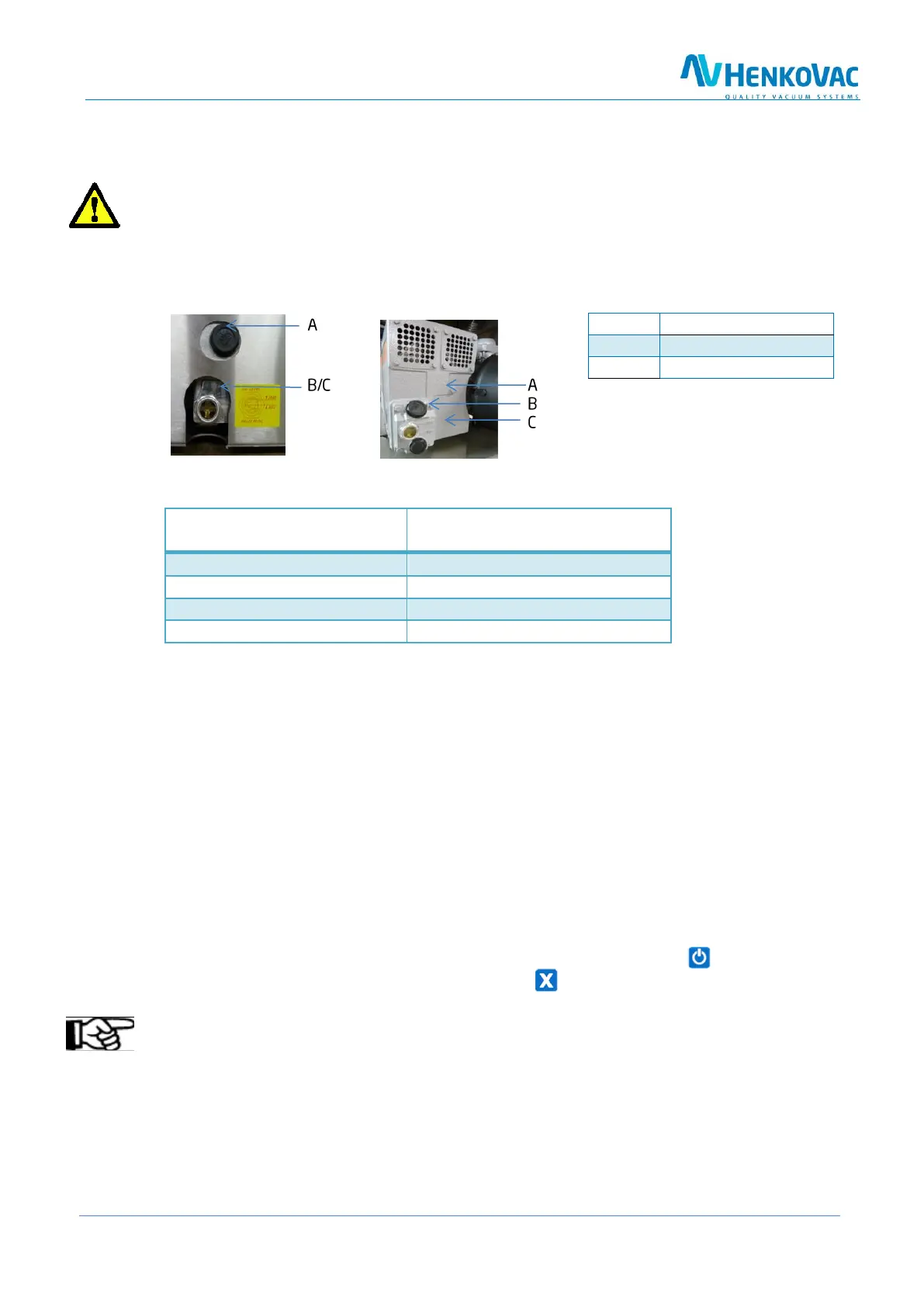
Table Models Mobile or Double-Chamber Models
Recommended Oil Types
Recommended Oil Types
DIN 51506
8m
3
- 16m
3
- 21m
3
1-phase pump
40m
3
- 300m
3
3-phase pump
Adding Oil
1. Remove the oil filler cap
2. Add oil up to the maximum-level mark; use oil according to DIN 51506, lubrication oil group VC;
See ‘Technical Specifications’ for additional information. When in doubt, consult your dealer
3. Replace the oil filler cap
4. After several packing cycles, check the oil level and add as needed
Changing Oil
1. Remove the oil drain plug and drain the oil
2. Replace the drain plug
3. Remove the oil filler cap
4. Add the correct oil up to the maximum-level mark
5. Replace the oil filler cap
6. To reset the service interval counters after the oil change: Start machine and while the dis-
play shows the hours or cycles, press and hold the button
Note
Collect the oil to have it processed and recycled according to the locally applicable regulations



 To Next Page