23
If the system does not operate after normal start-up as
described in the Operation Section of this manual,
follow the recommended troubleshooting sequence to
help isolate the cause and determine corrective action.
If the system will not respond to the steps below or the
LEDs indicate a failure, contact the Hetronic Service
Department or your authorized dealer.
If a call to Hetronic Service or your Dealer is required,
please have the transmitter and receiver Production
and System numbers available. You should also be
able to answer the following questions.
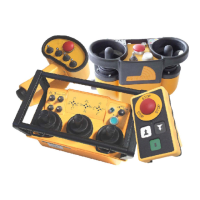
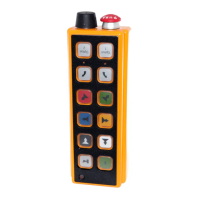
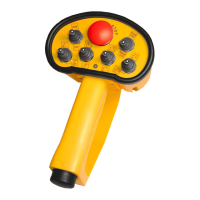
Transmitter
• Is the E-Stop pushbutton pulled out?
• Is the key switch in the ON position?
• Did you press the Start/Horn pushbutton?
• Are all the joysticks, paddle levers and switches
in their center (neutral) position?
• Did you press the Start/Horn pushbutton while
accidentally engaging one of the other controls?
• Is the battery in the transmitter fully charged?
• Is the transmitter inside its operating range?
Receiver
Refer to the receiver drawing that shows the locations
of the diagnostic LEDs.
• Is the CPU Standby LED flashing?
• Is the Telegram LED flashing?
• Is the E-Stop LED illuminated on the Decoder
module or the E-Stop Decoder module?
• Are the connections/screw terminals tight?
• Is the antenna plug securely connected?
• Is the antenna connection assembly outside the
enclosure secure?
• Are the power supply and ground wires securely
fastened?
• Are the signal wires separated from the power
supply wires?
• Are RC type surge suppressors installed on all
magnetic contactors that are controlled by the
receiver?
Please check these items and have the transmitter and
receiver Production and System numbers available
when placing a call to Hetronic or your Dealer.
TROUBLESHOOTING
PROBLEM PROBABLE CAUSE CORRECTION
System will not initialize
after normal start-up
procedure
Joystick, paddle lever or switch
not in center position
Ensure that all control devices are in center
position when the Start button is activated.
E-Stop switch engaged Pull out E-Stop switch. Restart system by
pressing Start.
Battery fully discharged Check battery to ensure a full charge.
Replace with fully charged battery if
necessary.
No power to the receiver Check the diagnostic LEDs in the receiver
to be sure power is applied. Ensure that the
system is properly grounded.
The transmitter is
turned on, but does not
transmit (Power LED
not flashing)
Battery is discharged Replace battery with a fully charged battery.
Coder board fuse Check fuse and replace if necessary.
Broken key switch Check wiring on key switch. Replace key
switch, wiring or contact element.
Coder board failure Contact Hetronic or your Dealer.





 To Next Page