20/34
6.3 Enquiry the programme versions
1. Switch off the mains switch.
2. Keep the key beneath the speed indicator and the key pressed simultaneously.
3. Switch on the mains switch and release the keys again.
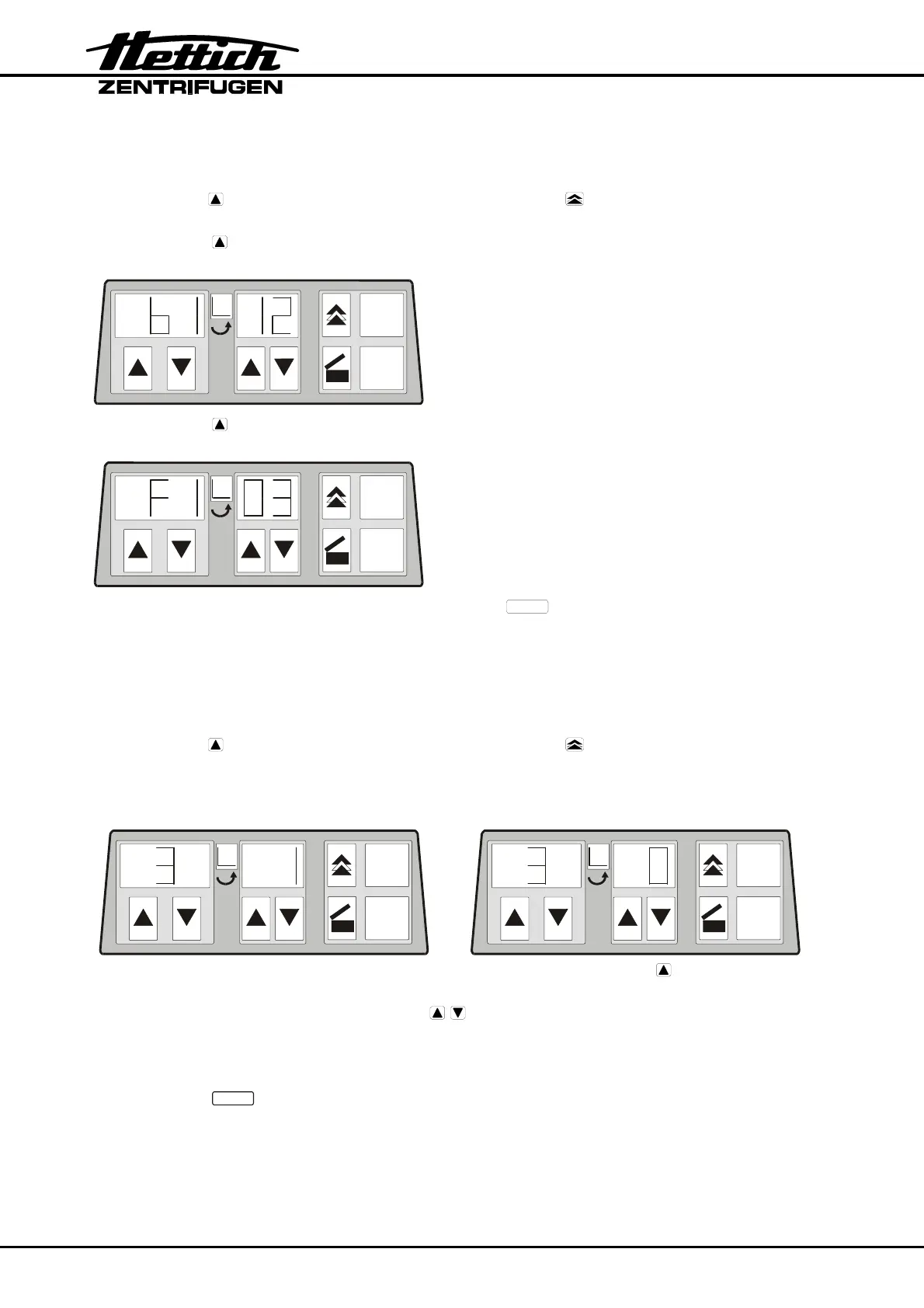
4. Press the key beneath the speed indicator so often until the programme version of
the control panel (e.g. b1.12) is displayed.
RPM x 100
t
START
STOP
5. Press the key beneath the speed indicator again.
The programme version of the power board (e.g. F1.03) is displayed.
RPM x 100
t
START
STOP
6. To exit the machine version display press the key
STOP
or perform a MAINS-
RESET.
6.4 Brake adjustment
1. Switch off the mains switch.
2. Keep the key beneath the speed indicator and the key pressed simultaneously.
3. Switch on the mains switch and release the keys again.
The speed indicator shows the machine version and the time indicator shows the set
brake step: e.g.:
RPM x 100
t
START
STOP
RPM x 100
t
START
STOP
If the machine version and brake step are not displayed, press the key under the
speed indicator until they are displayed.
4. Set the desired brake step with the keys beneath the time indicator.
Step 1 = short run-down time, Step 0 = long run-down time.
For run-down times, see chapter "Anhang/Appendix, Rotor und Zubehör/Rotor and
accessories" in the operating instructions.
5. Press the key
STOP
to save the setting.













 To Next Page