HF2211A Serial Server Device User Manual
http://www.iotworkshop.com -
10
-
2.3. RS485 Interface
RS485 use two wire links, A(DATA+), B(DATA-). Connect A(+) to A(+), B(-) to B(-) for communication.
The RS485 interface support maximum 32 485 device, special hardware version can support max 255
device. The cable maximum length is 1200 meters. Need to add 120Ohm terminal resistor for over
300 meters.
2.4. RS422 Interface
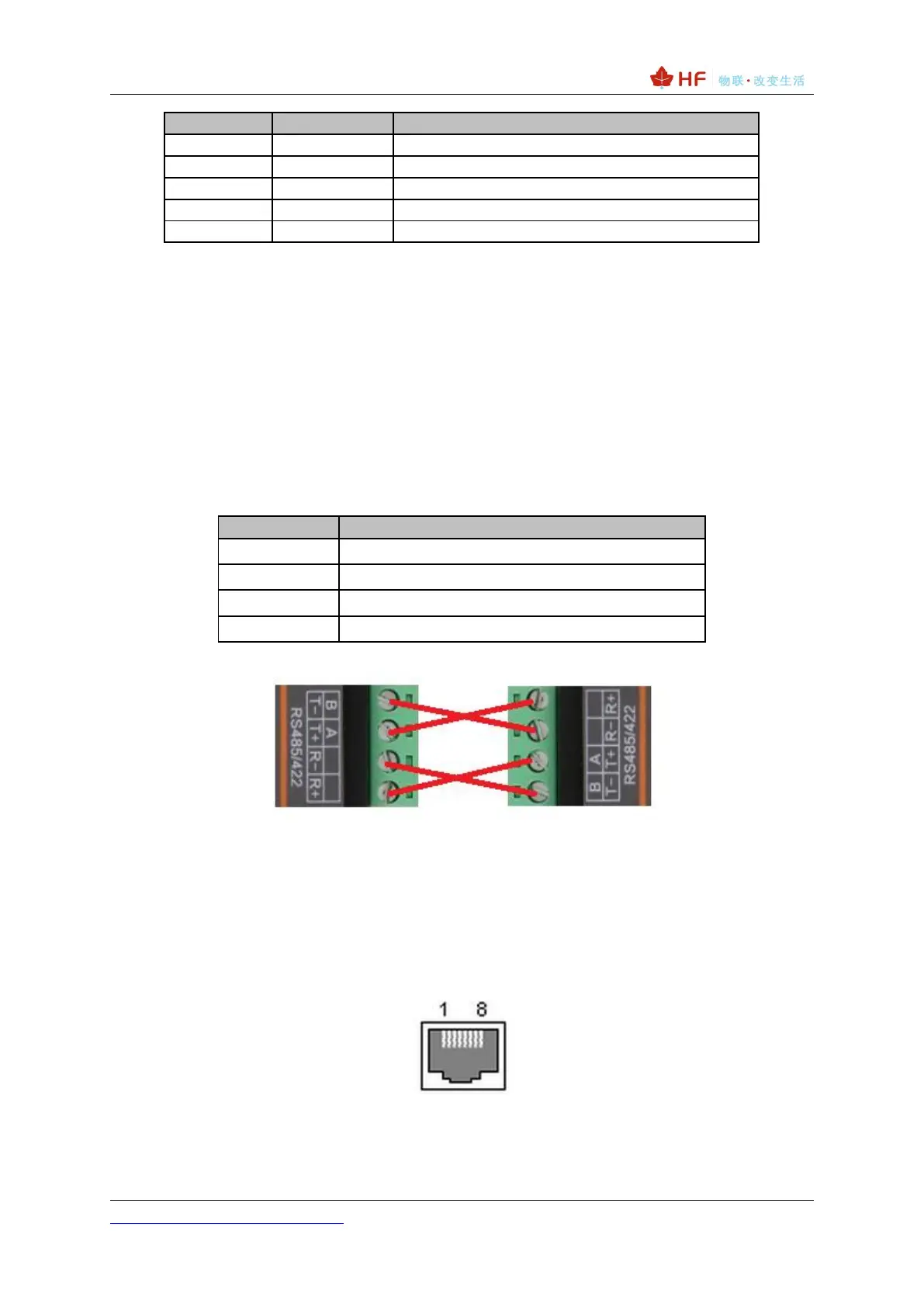
RS422 interface use T+/T-/R+/R-, cross connect to device as the following picture.
Figure 5. HF2211A RS422 Connection
2.5. RJ45 Interface
Ethernet port is 10M/100M adaptive, support AUTO MDI/MDIX which means it support direct
connecting to PC with Ethernet cable.
Figure 6. RJ45 Pin Defination



 To Next Page