HF2211A Serial Server Device User Manual
http://www.iotworkshop.com -
17
-
AP and STA parts must set to the different sub-network for the product working as APSTA
mode.
3.1.4. IOTService Software
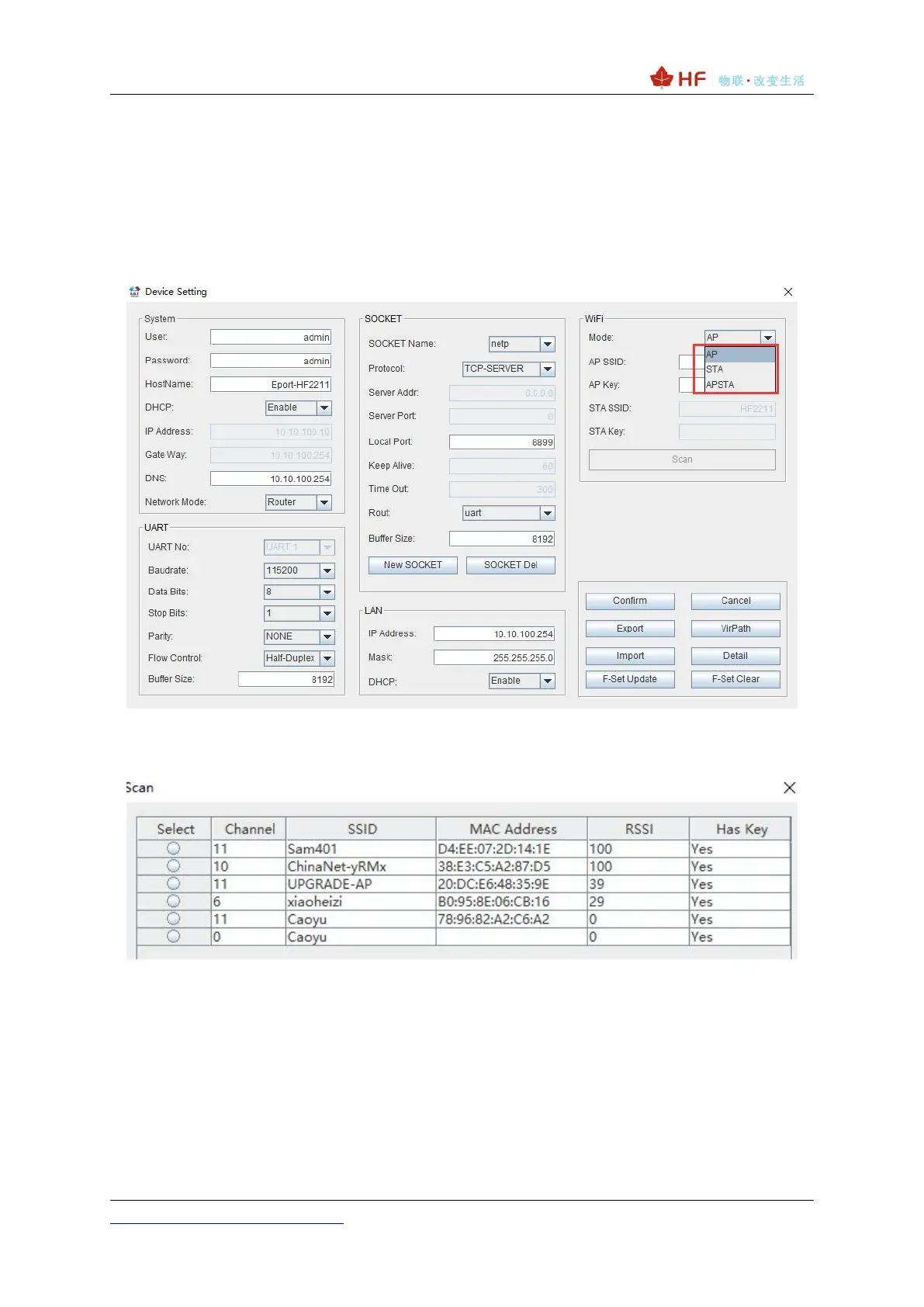
Open the IOTService after connect to the AP hotspot generated by HF2211A or connect to Product
Ethernet port to PC, then configure the parameter.
Figure 16. Configure Wi-Fi Parameter
Figure 17. STA Scan Parameter
3.1.5. Webpage Configuration
Use PC to connect with HF2211A through its AP hotspot or Ethernet connection. Input the default
IP(10.10.100.254, default username and password: admin/admin) to login the webpage to configure
the parameter.



 To Next Page