HF2211A Serial Server Device User Manual
http://www.iotworkshop.com -
9
-
Table 2. HF2211A Interface Definition
10/100M Ethernet
Default is WAN function in AP mode (Can be
configured to LAN Function), connect to router
LAN port for network access.
In STA mode, it works in LAN function.
Internal Power Supply Indicator
On
:
Power is OK
Off:Power is NG
Network Connection Indicator
On: Include the following condition.
Ethernt 2 connection OK
Wi-Fi STA connect to AP
Wi-Fi AP being connected by other STA
device
Off: No network connection
Data transfer Indicator
On:Data is transfering.
Off:No data transfer
Restore to factory setting
Long press this button for 4 seconds and loose it
to restore parameters to factory setting.
Device parameter protect
On: Enable protect, working parameter can not be
modified.
Off: Disable protect.
2.2. RS232 Interface
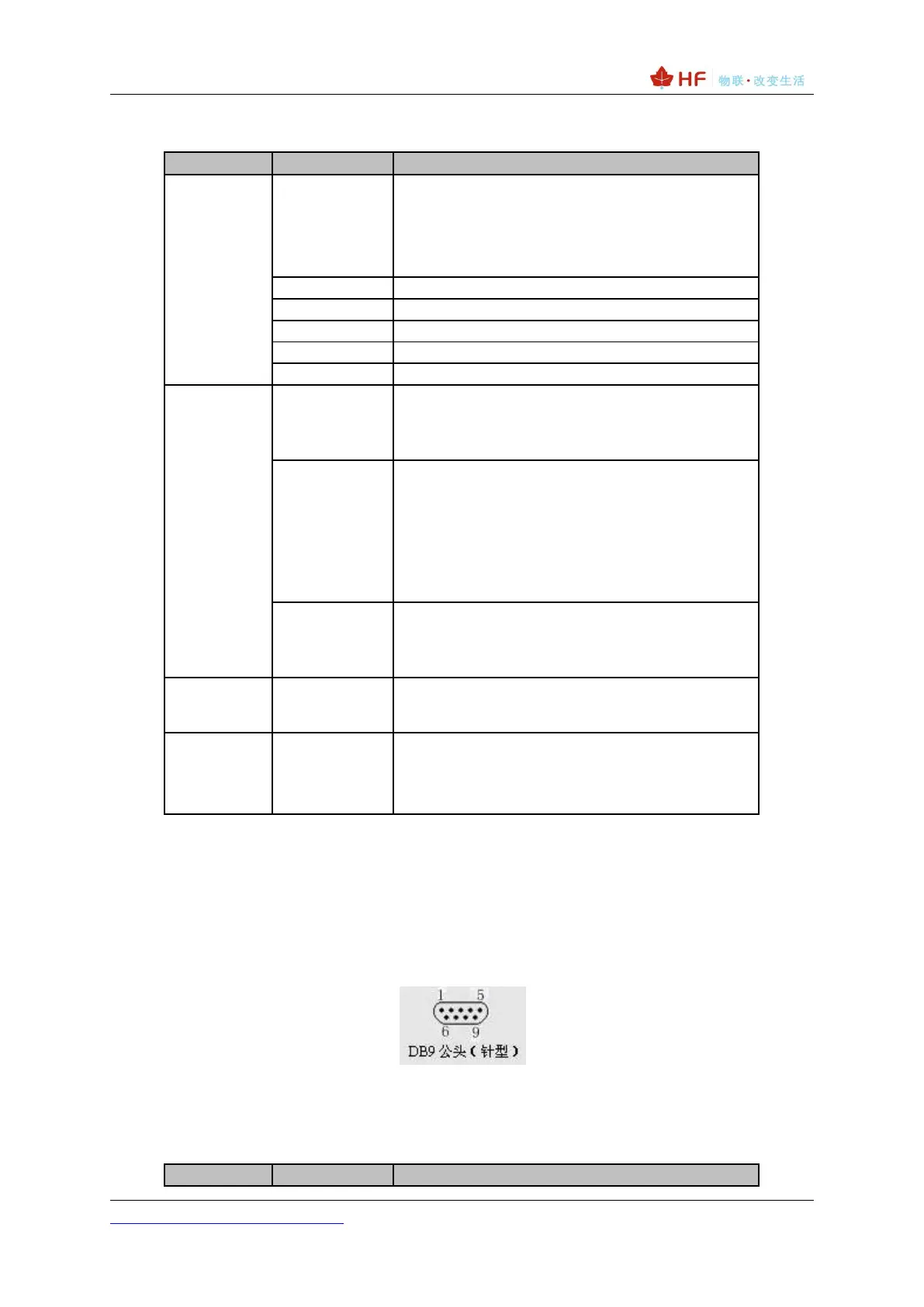
Device serial port is male(needle), RS232 voltage level(can connect to PC directly), Pin Order is
cosistent with PC COM port. Use cross Cable connected with PC(2-3 cross, 7-8 cross, 5-5 direct, 7-8
no connection), see the following table for pin defination.
Figure 4. RS232 Pin Defination(Male/Needle Type)
Table 3. RS232 Interface



 To Next Page