HF2211A Serial Server Device User Manual
http://www.iotworkshop.com -
16
-
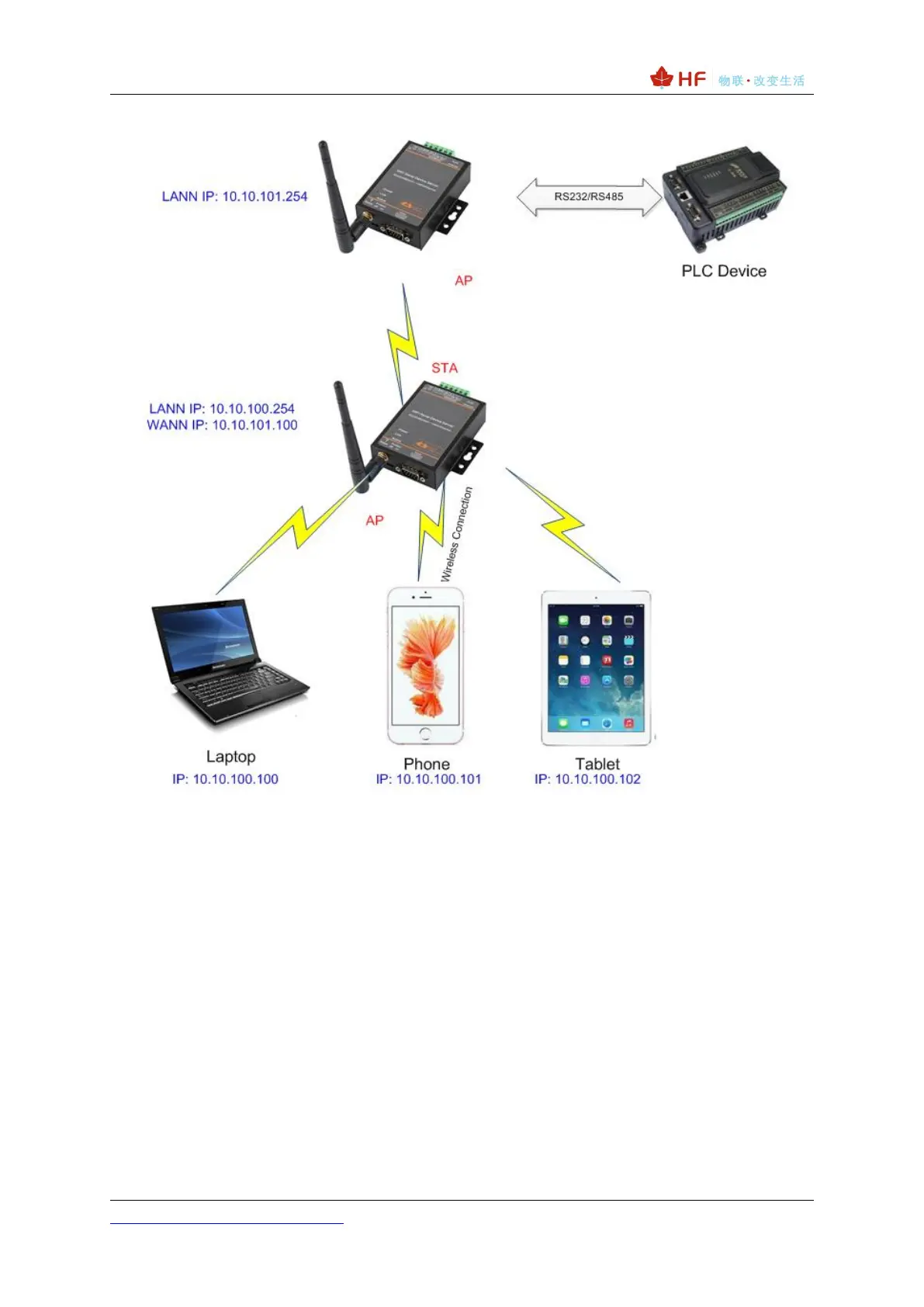
Figure 14. AP+STA Wireless Network
In this picture, HF2211A open the AP+STA function and the STA interface can be connected to the
remote server by the router. Similarly, the AP interface can also be used. Phone/PAD can be
connected to the AP interface and to control the serial devices or set itself.
Through AP+STA function, it is convenient to use Phone/PAD to monitor the user’s devices and not
change its original settings.
Through AP+STA function, it is convenient to configure the product.And it solves the problem that the
formal product can only configure by serial port.
Notes that:
When the AP+STA function is opened, the STA interface needs to connect to other router.
Otherwise, STA interface will endlessly scan the router information nearby. When it is scanning,
it will bring bad effects to the AP interface, like losing data etc.



 To Next Page