4G_2G DTU Products Function
http://www.iotworkshop.com - 23 -
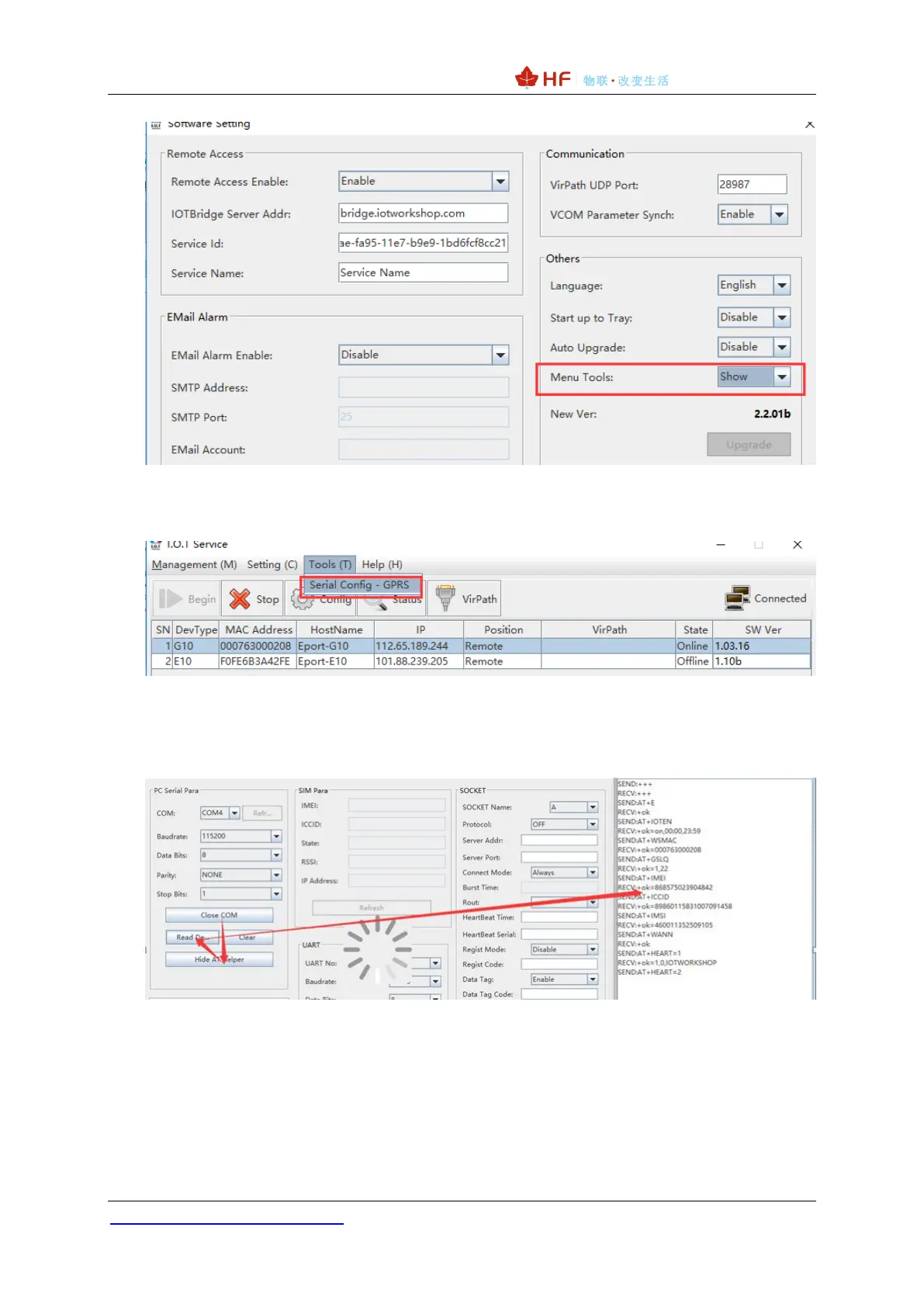
2)Open the serial port tool.
3)Open the serial port according to the current device serial port parameters, click to read the
parameters, and the sidebar will display the AT command of the reading process.
4)After reading, the interface displays the working status of the current module. If you need to
modify the parameters, click Confirm Setting to modify it. Save it as factory parameter and restore it to
the currently saved parameters when you restore the factory parameters. It is recommended to save it
after setting.


 To Next Page