4G_2G DTU Products Function
http://www.iotworkshop.com - 31 -
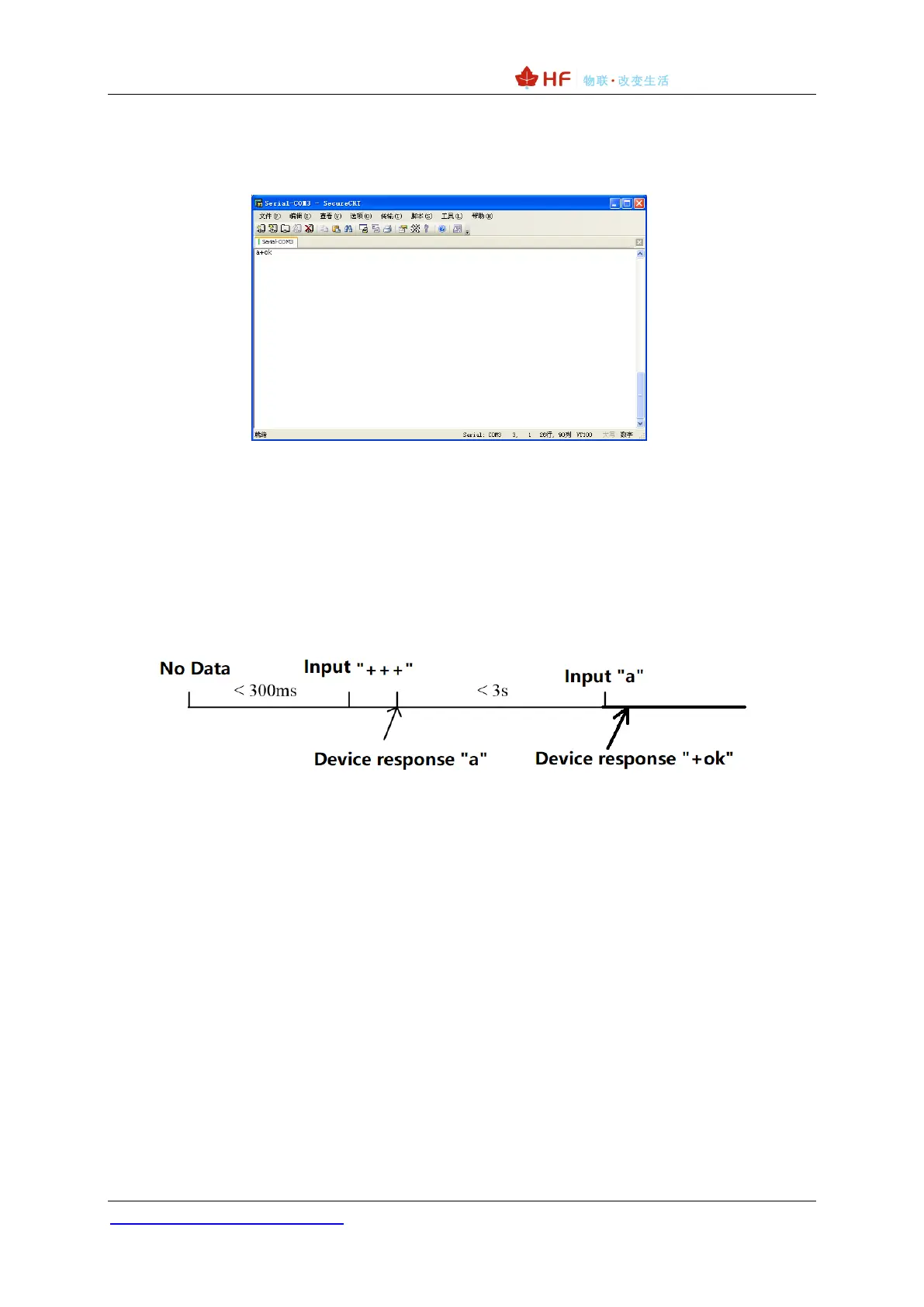
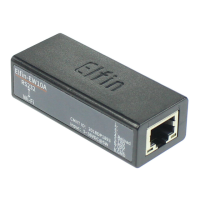
➢ Enter the confirmation code “a” on the serial port. After receiving the
confirmation code, the module returns “+ok” to confirm and enter the command
mode.
Figure 30. Switching to Command Mode
<Notes>:
When you enter "+++" and the confirmation code "a", the serial port is not echoed, as shown
in the figure above.
Entering "+++" and "a" needs to be completed within a certain period of time to reduce the
probability of entering the command mode by mistake during normal operation. Specific
requirements are as follows:
In the command mode, the module can be set or queried by the AT+ command under the
UART port, and the operation can be restarted, or the AT+ command can be used to return to the
transparent transmission mode. The AT+ instruction is detailed in the next section.
2.2. Send AT Command in Transparent Transmission Mode
After set AT+CMDPW command value, the module support response AT command for special data
format as “prefix”+”AT comman”+”\r”, it is very useful for query some status in transparent
transmission mode. It saves the steps of changing to AT command mode.
The following example, we first set AT+CMDPW=HF, then send the following data in transparent
mode, and get the AT command response. This data won’t be sent to socket.


 To Next Page