4G_2G DTU Products Function
http://www.iotworkshop.com - 24 -
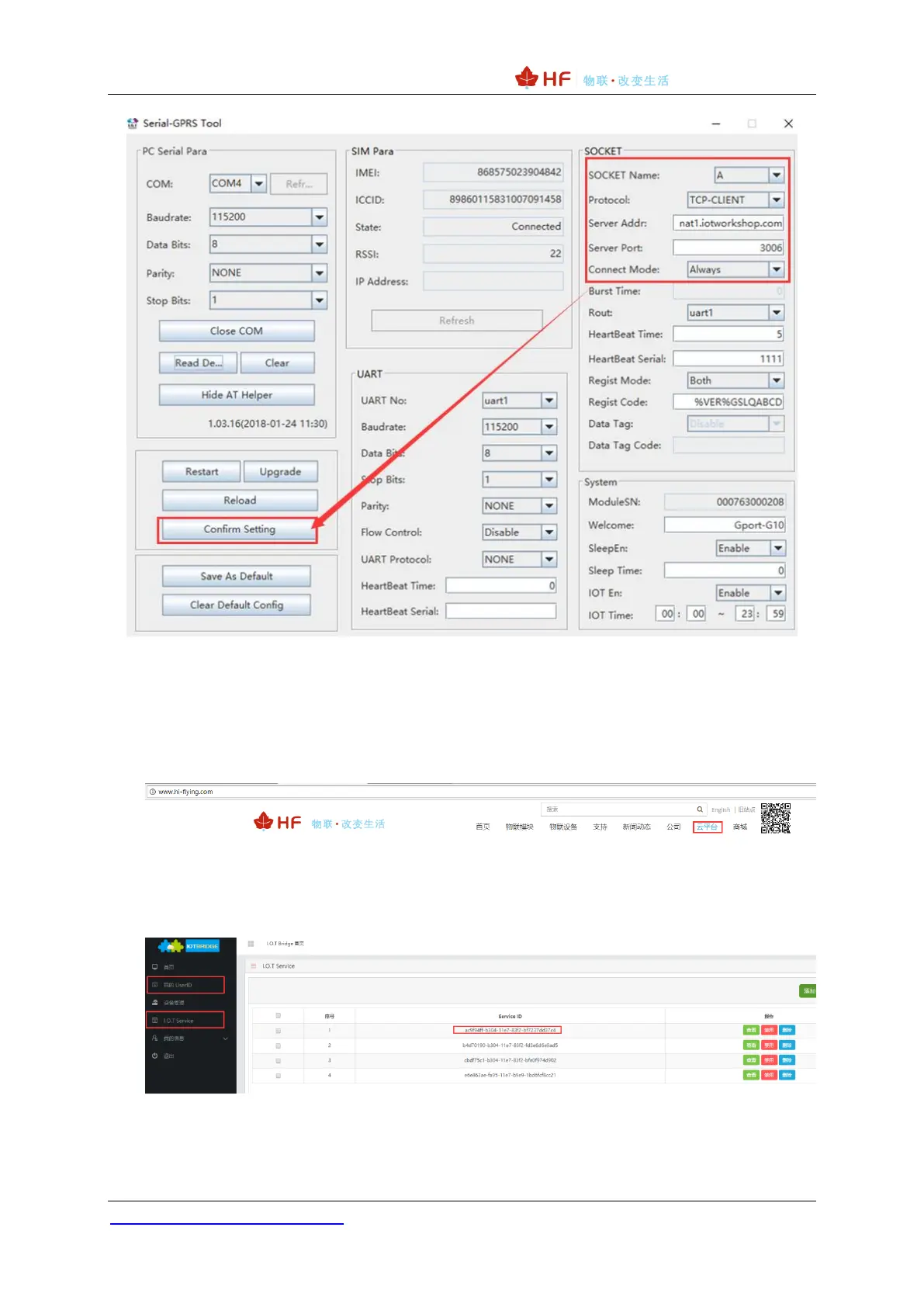
1.9.2 IOTService Network Mode Configuration
1)Logging into the High Flying’s IOTBridge website (http://bridge.iotworkshop.com/) to register
for an account, or enter through High Flying's official website.
2)After the registration, you can get the UserId (for the device) and the ServiceId (for the
IOTService tool).
3)After the registration, you can get the UserId (for the device) and the ServiceId (for the
IOTService tool), fill in this value in the tool.


 To Next Page