Section
4
January 2019 13
4 Installing the module
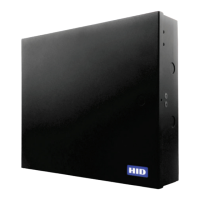
This chapter describes installing, connecting and powering the pivCLASS Authentication Module (PAM).
4.1 Checking the package contents
Before installing the PAM, unpack the contents of the shipping container and make sure that you have the items
listed.
4.2 Installation preparation
Carry out the following:
1. Obtain an Ethernet cable or switch to connect the PAM. The choices are:
႑ Crossover cable connects to the pivCLASS PACS Service Application (for configuration).
႑ Straight-through cable connects to a hub or switch.
2. Prepare the UL294 Listed Enclosure.
3. Remove the PAM from its packaging.
Note: Ensure the SD Card is correctly seated.
Item Quantity
pivCLASS Authentication Module (PAM) 1
Secure Digital (SD) Card with PAM Firmware
(Note: Depending on configuration this may be pre-installed in the PAM)
1
Jumpers 6
Termination Resistors (118 ohm) 4
CAUTION
ELECTROSTATIC SENSITIVE DEVICES
Observe precautions for handling



 To Next Page