January 2019 33
PLT-01628, Rev. D.2 PAM configuration
5.5.2 Add automatically discovered PAM
1. Install the PAM and power it on.
2. Start the PACS Service application.
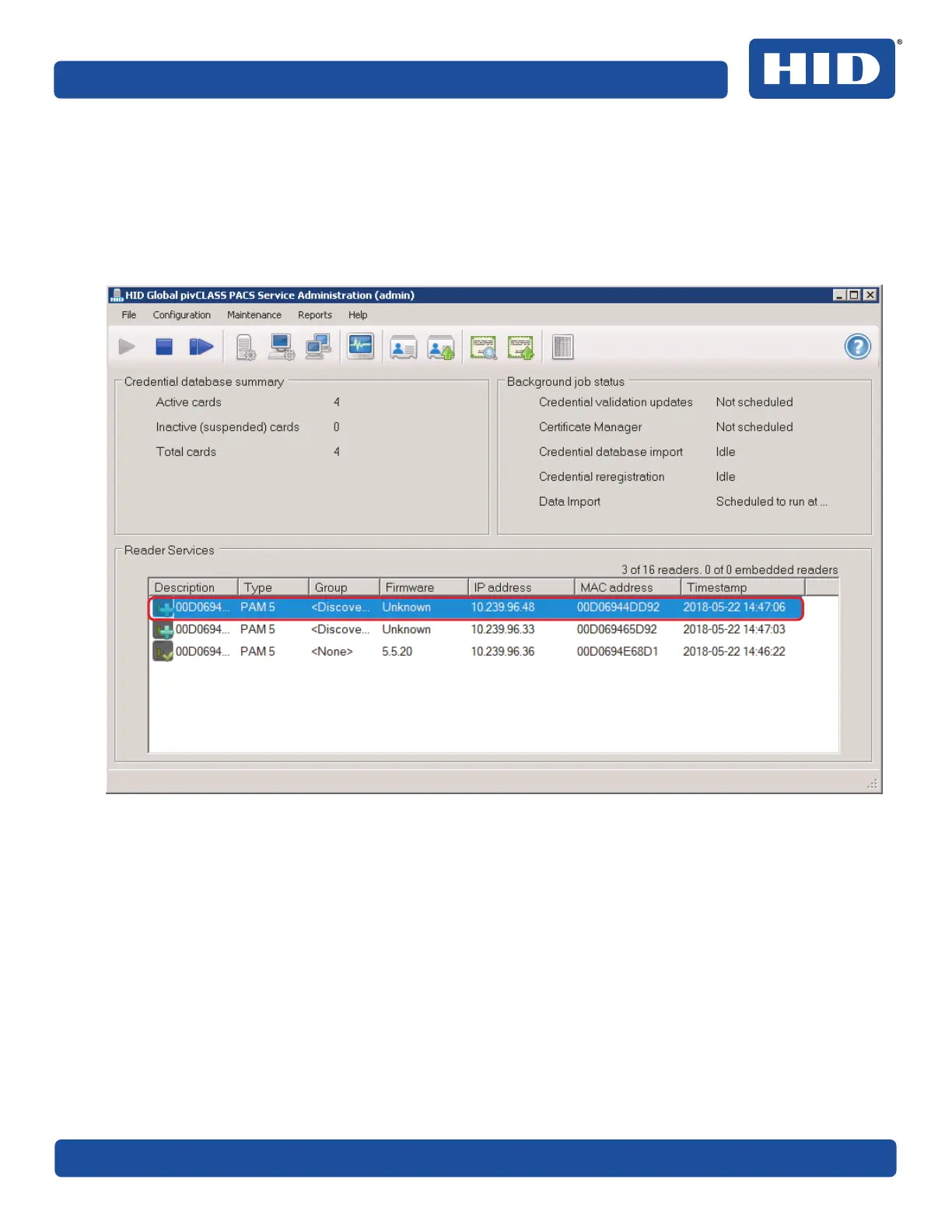
Discovered PAMs are displayed in the Reader Services status window.
3. Double click on a discovered panel entry to launch the Panel form.



 To Next Page