January 2019 27
PLT-01628, Rev. D.2 PAM configuration
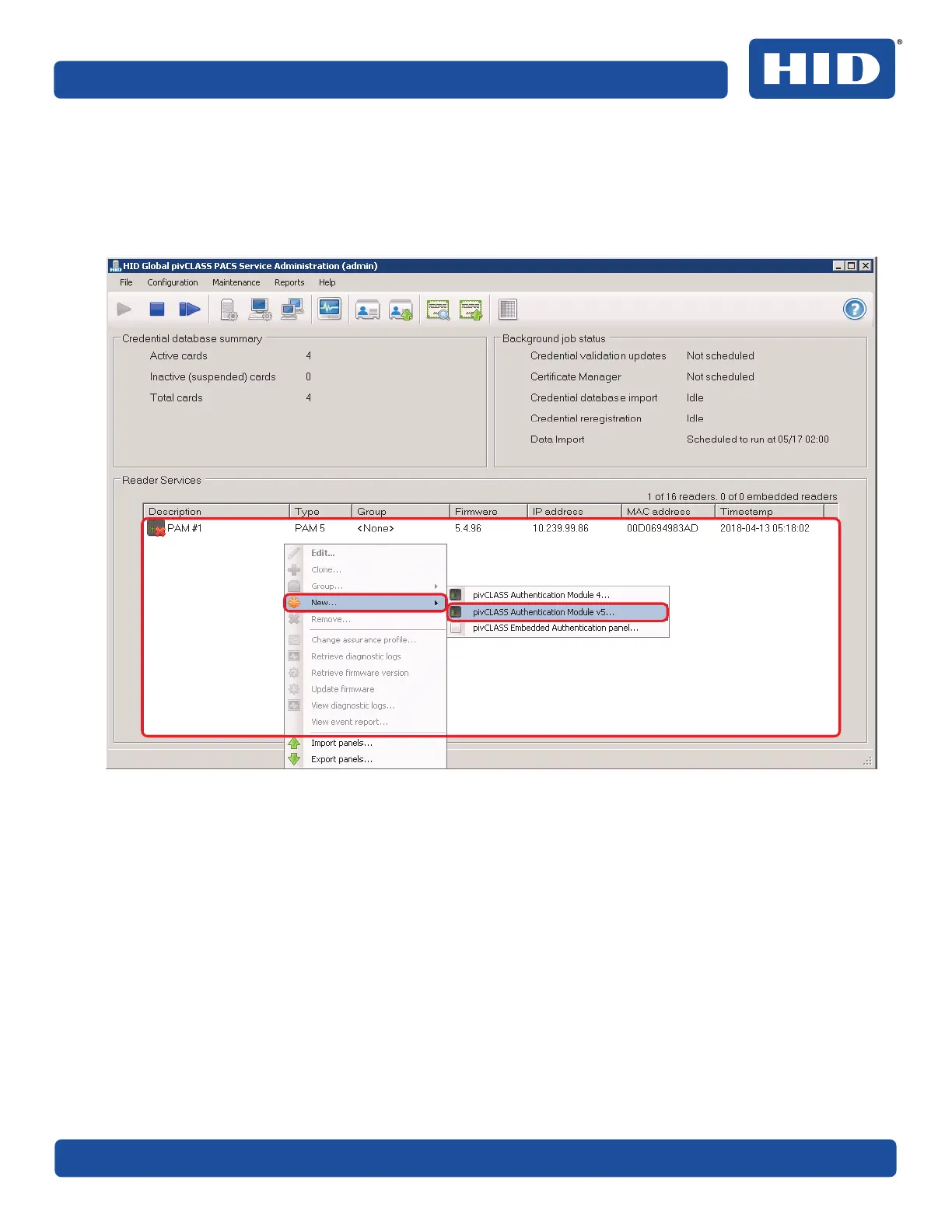
5.4.3 Configure PAM in Reader Services
1. Start the PACS Service application.
2. On the PACS Service application main window, right-click within the Reader Services status window.
3. Select New > pivCLASS Authentication Module 5 from the menu.



 To Next Page