28 January 2019
PAM configuration PLT-01628, Rev. D.2
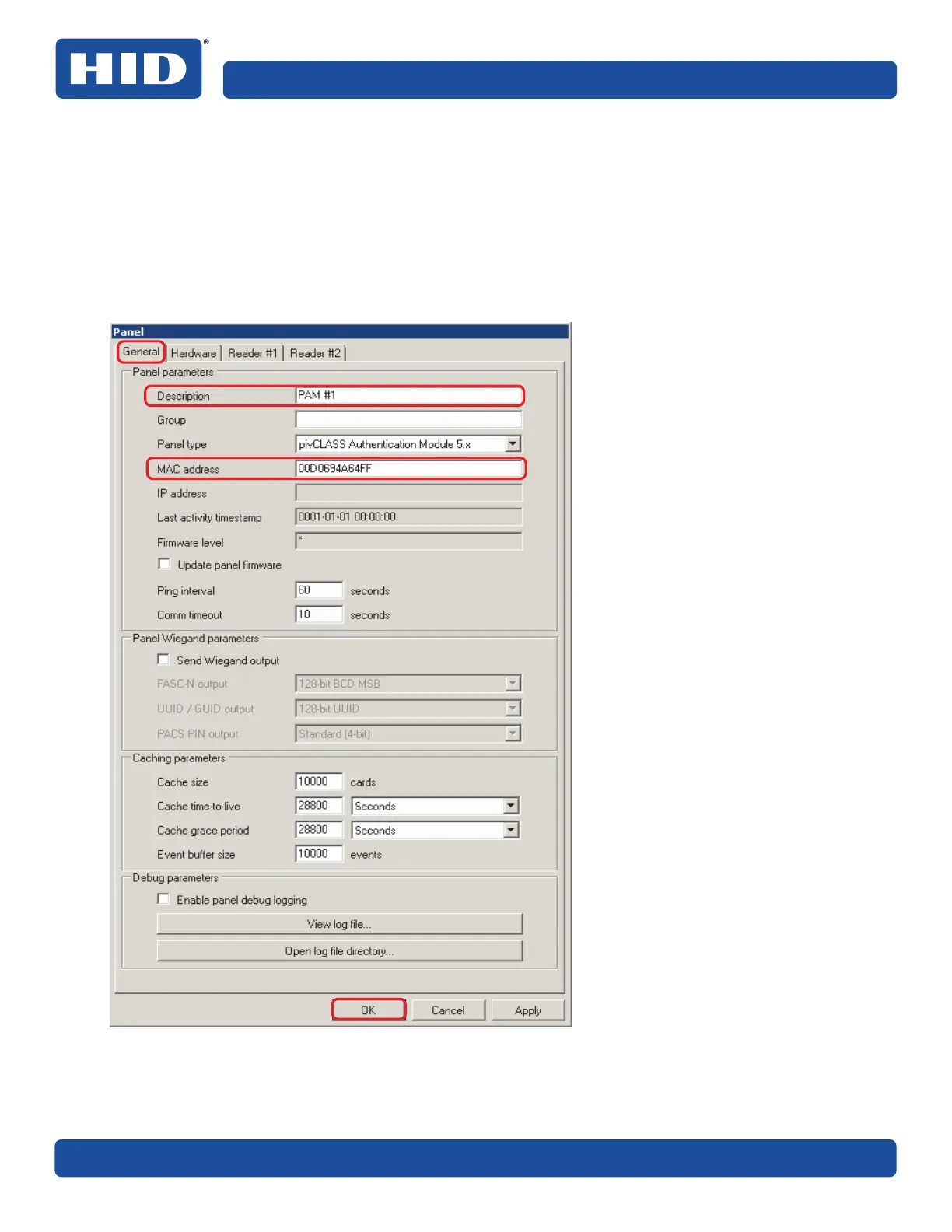
4. In the Panel dialog box, select the General tab and enter a description for the PAM in the Description
field.
5. Enter the MAC address of the PAM in the MAC address field (do not include dashes or colons). The MAC
address is the address previously recorded from the PAM Configuration window, see Section 5.4.2
Configure the PAM to communicate with the PACS Service, Step 6.
Note: The MAC address assigned to the PAM by the manufacturer is located on a label attached to the
PAM enclosure.
6. Click OK.



 To Next Page