January 2019 29
PLT-01628, Rev. D.2 PAM configuration
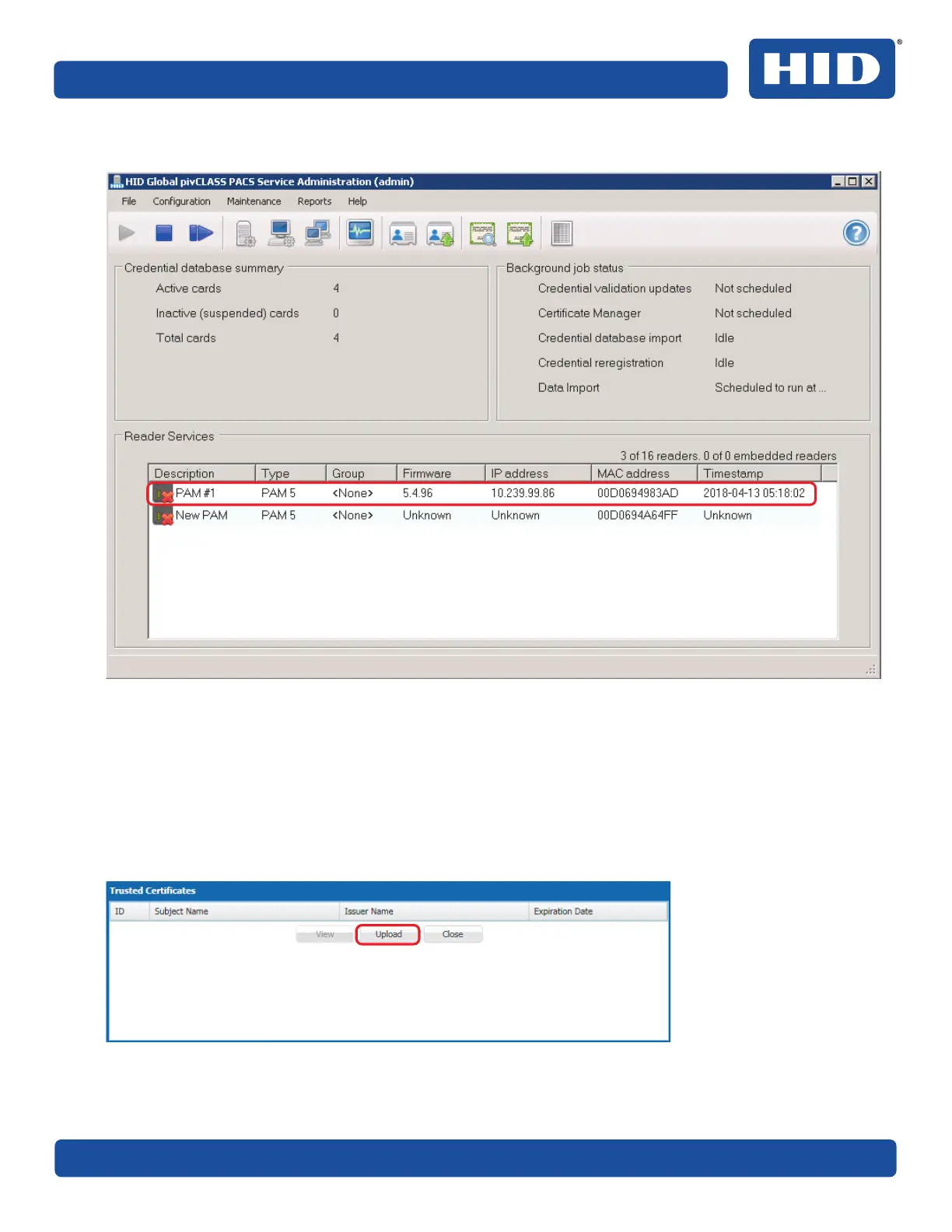
The newly created PAM is displayed in the Reader Services status window.
7. Return to the pivCLASS Authentication Module Configuration application main menu in the web
browser.
Note: Inactivity of a more than a few minutes may cause the web browser to time out. You will need to
log back into the PAM Configuration application.
8. From the PAM Configuration application main menu (see Section 5.3 PAM Configuration application
overview), click Trusted Certificates.
9. Click Upload.



 To Next Page