30 January 2019
PAM configuration PLT-01628, Rev. D.2
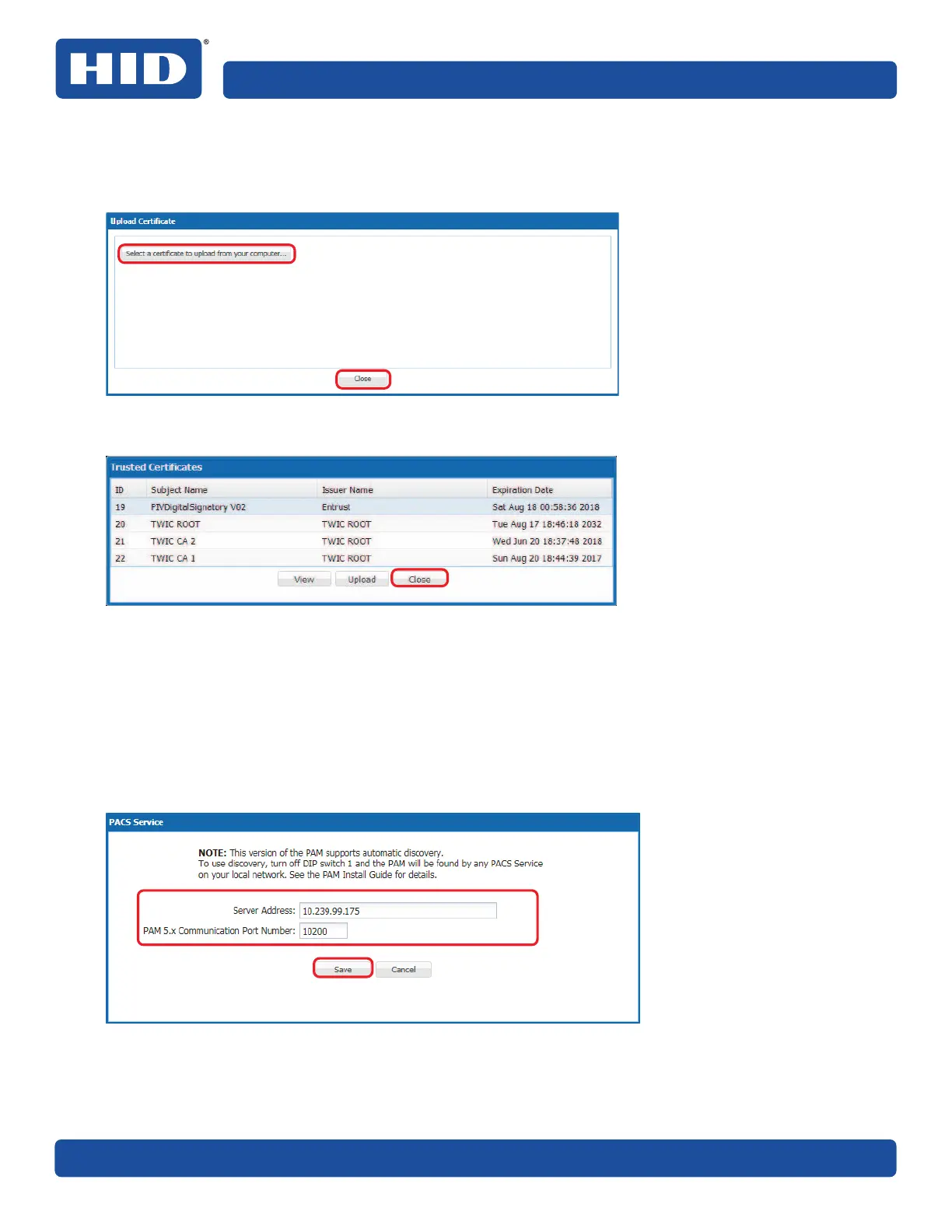
10.Click Select a certificate to upload from your computer to locate and select the PACS Service TLS
certificate .cer file.
11. When certificate file is displayed click Close.
12. Click Close to return to the pivCLASS Authentication Module Configuration application main menu.
13. From the PAM Configuration application main menu (see Section 5.3 PAM Configuration application
overview), click PACS Service.
14. In the PACS Service window enter the following:
႑ Server Address: Enter the network address.
႑ Server Port Number: Enter the port number obtained from Section 5.4.1 Panel API communication
options.
15. Click Save.



 To Next Page