January 2019 31
PLT-01628, Rev. D.2 PAM configuration
16. From the PAM Configuration application main menu (see Section 5.3 PAM Configuration application
overview), click Reboot.
17. Disconnect the Ethernet cable from the computer and connect it to the switch or hub the PAM uses to
communicate by the configured networking settings.
18. After the PAM has rebooted, it automatically connects to the network using the configured network
settings.
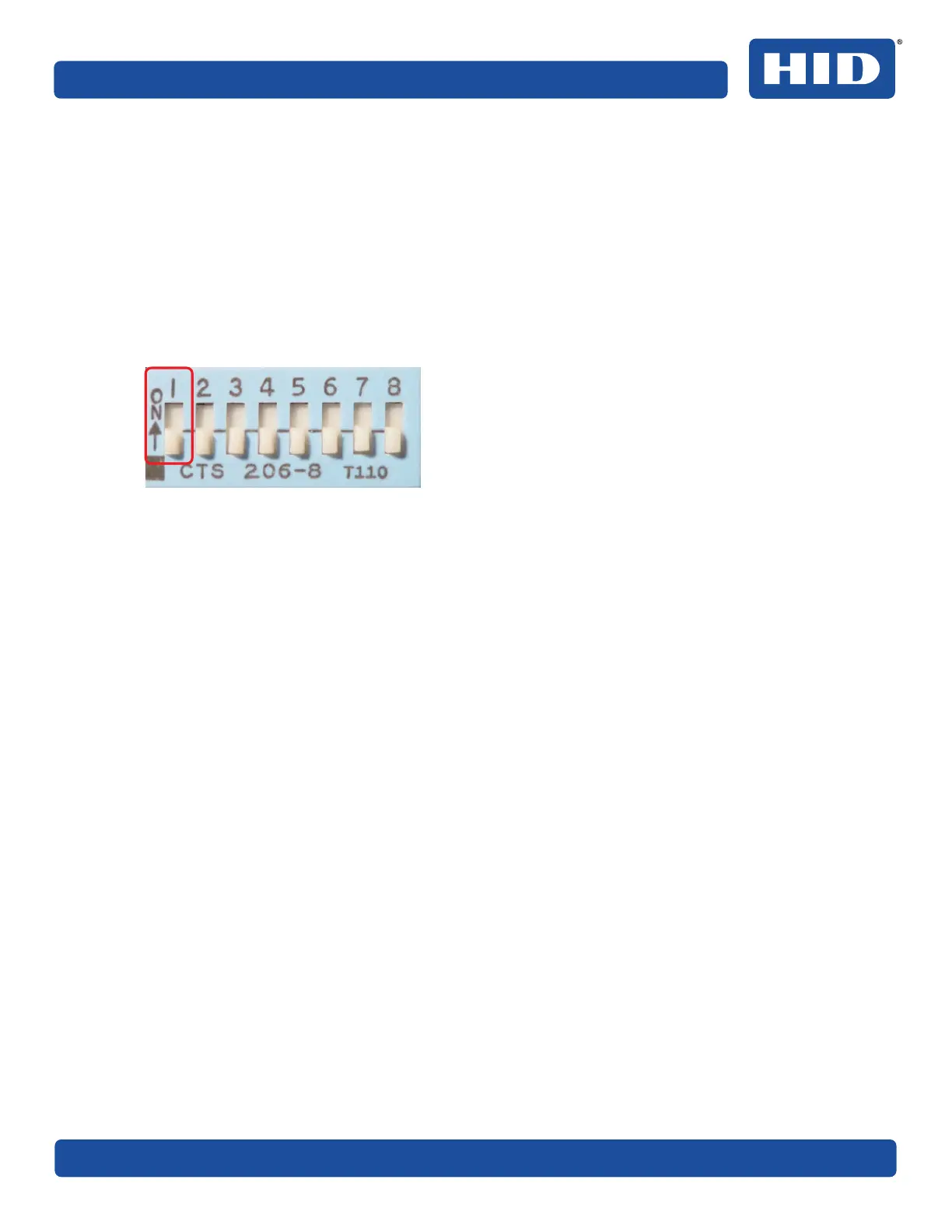
19. Disable the PAM configuration application:
1. Disconnect power from the PAM.
2. Set dip switch 1 on the PAM board to OFF. The PAM configuration mode is now disabled.
20.Reconnect power to the PAM.



 To Next Page