Section
5
January 2019 21
5 PAM configuration
5.1 Overview
This section describes the pivCLASS Authentication Module (PAM) Configuration application and provides
procedures for PAM setup. When the PAM is placed into setup mode the PAM Configuration application,
accessed through a web browser using a supplied IP address, provides an interface to configure the PAM.
Note: From firmware version 5.4 and onwards the Panel Auto Discovery feature can be used to configure the
PAM. The feature can be used if the PACS Service is on the same subnet and/or the network is setup to
allow UDP broadcast messages from Panel to the PACS Service computer. If Auto Discovery Mode is
enabled then the use of the PAM Configuration tool is not required.
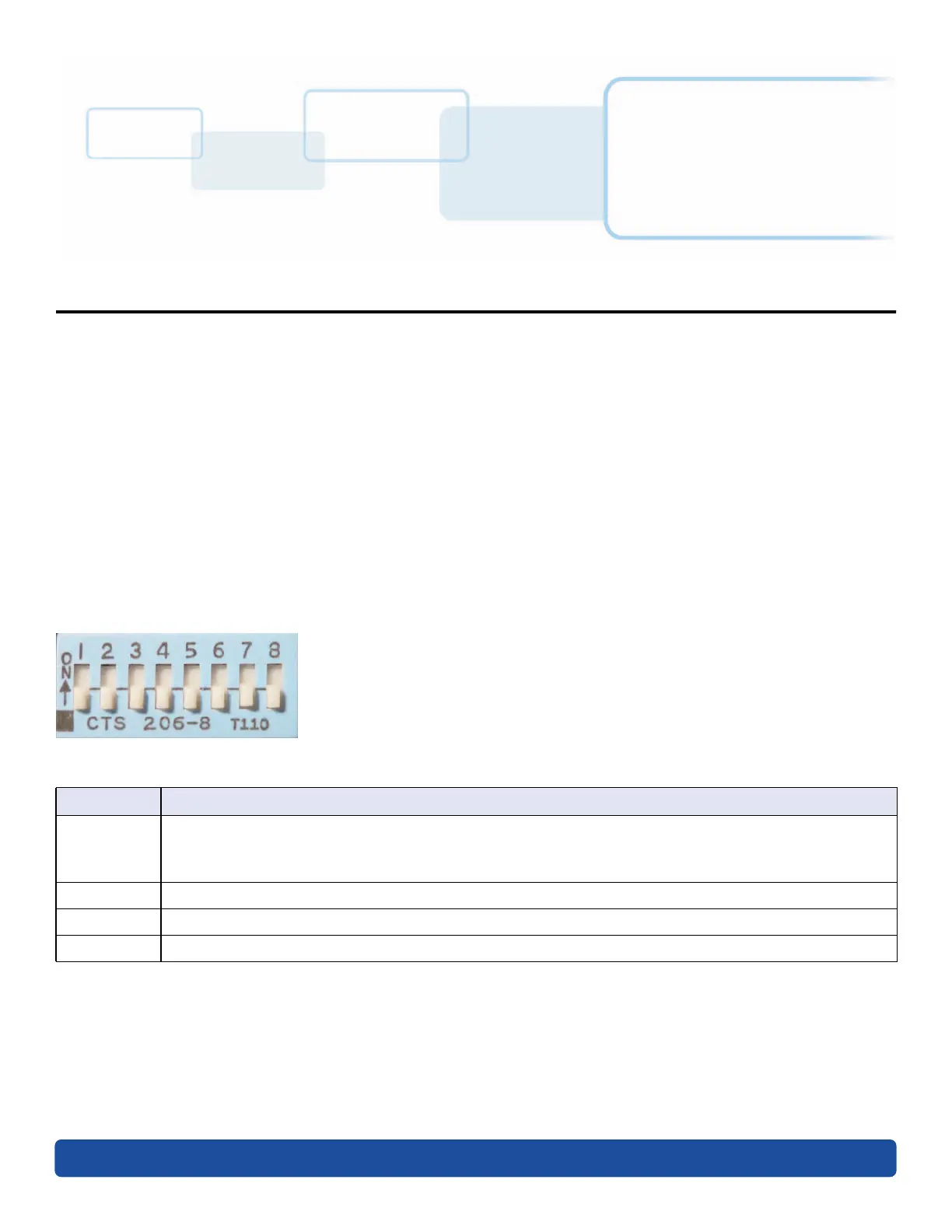
5.2 PAM DIP switches
The following are the DIP Switch settings for the PAM Hardware.
General Dip Switch Functions
DIP switch settings for a panel (PAM 5 only) can be viewed in the PACS Service application via the Hardware
tab on the Panel form for a configured panel. DIP switch status changes are recorded in the PACS Service log
file and a DIP switch status event is sent to the PACS.
DIP Switch Function
1
When set to OFF, enables Auto Discovery Mode and disables Internet browser capability.
When set to ON, enables Internet browser capability and disables Auto Discovery Mode.
Note: Out of the box dip switch 1 is set to OFF (Auto Discovery Mode enabled).
2 When set to ON, enables SSH.
3 to 7 Not used.
8 When set to ON at boot up, causes a factory reset.



 To Next Page