34 January 2019
PAM configuration PLT-01628, Rev. D.2
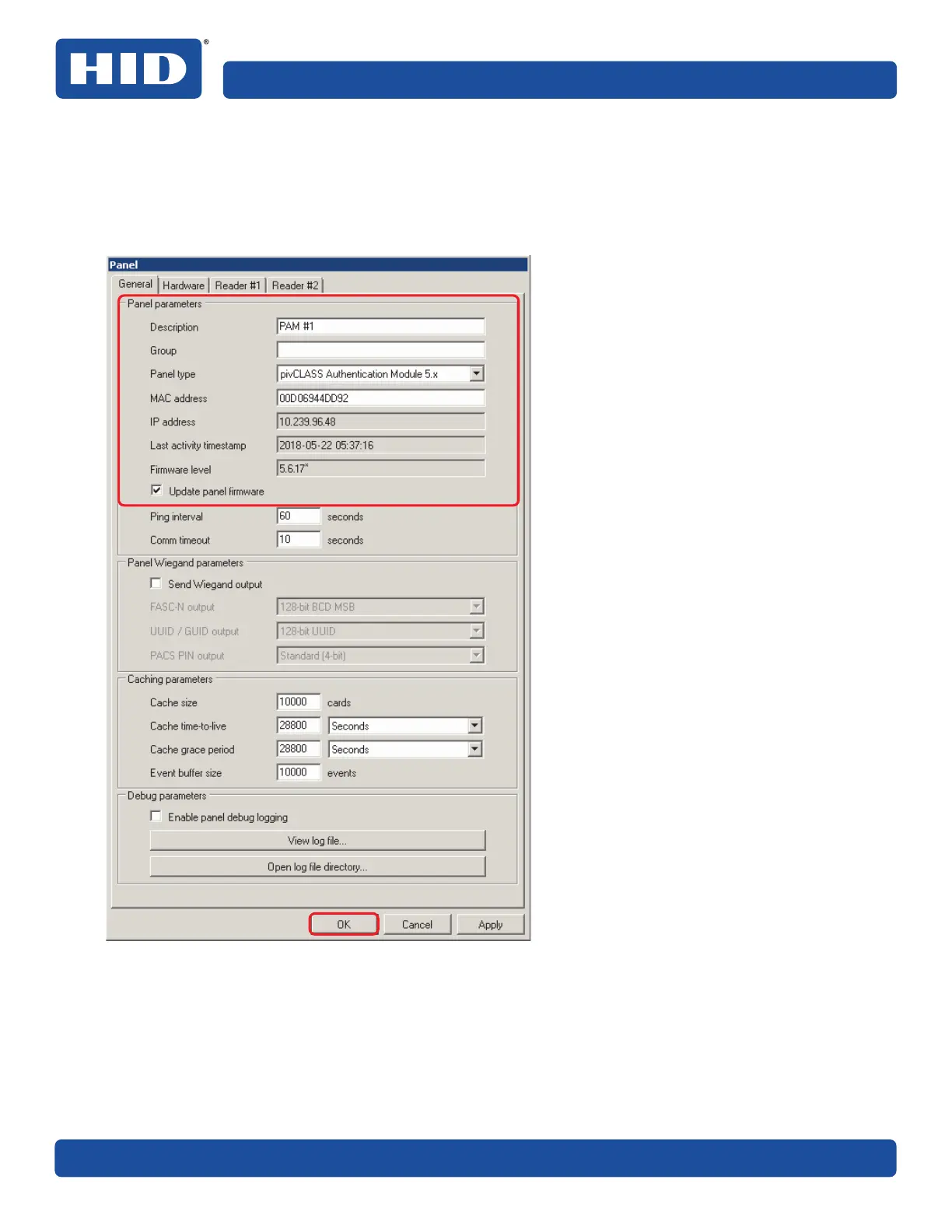
4. On the General tab of the Panel form, enter the panel parameters and click OK to add the panel to the
list of configured panels.
Note: Select the Update panel firmware option (PAM 5 only) to indicate that the panel firmware should
be updated when the panel is connected. The option is disabled if the panel already has the latest
firmware level.
To modify any of the panel parameters, double click on the displayed panel entry in the Reader Services
status window.
Note: For detailed information on panel configuration parameters, select F1 while on the Panel dialog box to
access the relevant PACS Service Online Help topic.



 To Next Page