Compable The control speed is same as Keyboard Control
Speed.
Pedestrian Choose Pedestrian when you monitor the
pedestrians.
Non-motor Vehicle Choose Non-motor Vehicle when you monitor
the non-motor vehicles.
Motor Vehicle Choose Motor Vehicle when you monitor the
motor vehicles.
Auto You are recommended to set it as Auto when
the applicaon scene of the speed dome is
complicated.
To avoid blurred image resulted from fast zoom, you can check Enable Proporonal Pan in
Conguraon → PTZ → Basic Sengs . If you enable this funcon, the pan/lt speed change
according to the amount of zoom. When there is a large amount of zoom, the pan/lt speed will be
slower for keeping the image from moving too fast on the live view image.
Zoom in/out
Click the buon, and the lens zooms in.
Click the buon, and the lens zooms out.
Note
●
You can set Zooming Speed in Conguraon → PTZ → Basic Sengs . The higher the value is,
the faster the zooming speed is.
●
You can set Zoom Limit in Conguraon → Image → Display Sengs → Other to limit the
maximum value of the total zoom (digital zoom and
opcal zoom).
Focus
Click the buon, then the lens focuses near and
the object nearby gets clear.
Click the buon, then the lens focuses far and
the object far away gets clear.
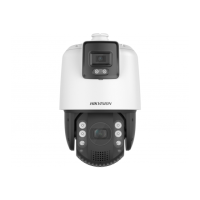
TandemVu PTZ Camera User Manual
16


 To Next Page
 Loading...