Chapter 8 Event and Alarm
This part introduces the conguraon of events. The device takes certain response to triggered
alarm.
8.1 Basic Event
8.1.1 Set Moon Detecon
This funcon detects moving objects in the detecon region and trigger linkage acons.
Steps
1.
Go to
Conguraon → Event → Basic Event → Moon Detecon .
2.
Check Enable Moon Detecon.
3.
Oponal: Check Enable Moon Detecon in PTZ Control, and the device detects moving targets
in PTZ movement.
4.
Oponal: Highlight moving objects in green.
1) Check Enable Dynamic Analysis for Moon.
2) Go to
Conguraon → Local to enable Rules.
5.
Select Conguraon Mode. Normal mode and expert mode are selectable.
-
For the informaon about normal mode, see Normal Mode .
-
For the
informaon about expert mode, see Expert Mode .
6.
Set the arming schedule. See Set Arming Schedule for details.
7.
Set linkage methods. See
Linkage Method Sengs for details.
8.
Click Save.
Normal Mode
You can set moon detecon parameters according to the device default parameters.
Steps
1.
Select normal mode in Conguraon.
2.
Set the
sensivity of normal mode. The higher the value of sensivity is, the more sensive the
moon detecon is. If the sensivity is set to 0, moon detecon and dynamic analysis do not
take eect.
3.
Click Draw Area. Click and drag the mouse on the live video, then release the mouse to nsh
drawing one area.
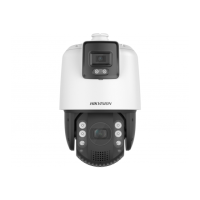
TandemVu PTZ Camera User Manual
55


 To Next Page
 Loading...