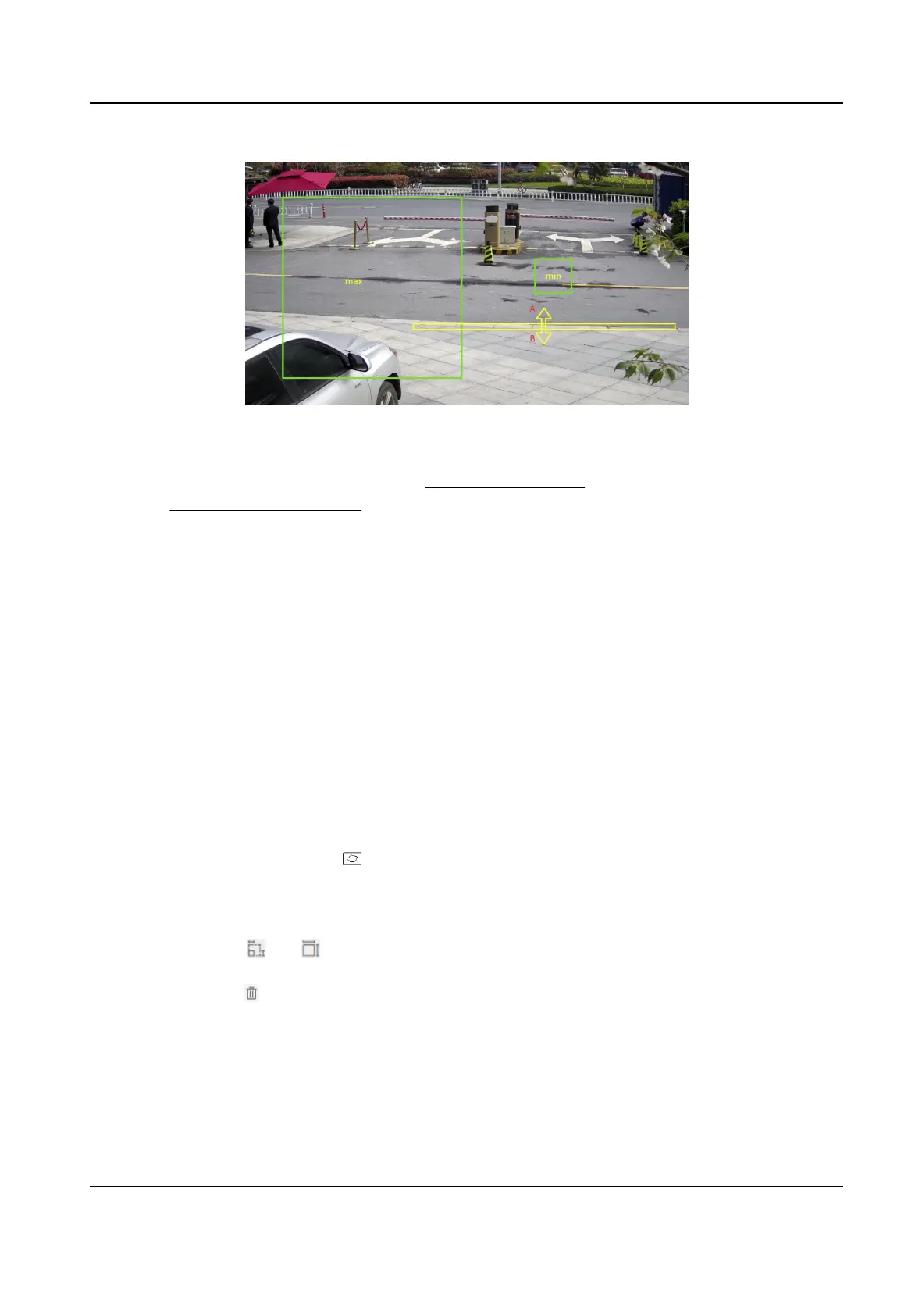
Figure 10-2 Set Rule
5.
Oponal: You can set the parameters of mulple areas by repeang the above steps.
6.
For the arming schedule sengs, refer to Set Arming Schedule . For the linkage method sengs,
refer to Linkage Method Sengs .
7.
Click Save.
10.3.3 Set Region Entrance
Detecon
It is used to detect objects entering a predened virtual region from the outside place. If it occurs,
the device can take linkage
acons.
Before You Start
●
Go to VCA and select the
applicaon. Select Smart Event and click Next to enable the funcon.
●
For the device supporng HEOP, go to VCA to import and enable Smart Event.
Steps
1.
Go to VCA → Set Applicaon → Smart Event → Region Entrance Detecon .
2.
Check Enable.
3.
Click Add to add a rule and set a
detecon area.
1) Draw a
detecon area. Click , click on the live view to specify the vertexes and draw the
boundaries of the detecon area, and right click to complete drawing.
2) Set the minimum size and the maximum size for the target to improve
detecon accuracy.
Only targets whose size are between the maximum size and the minimum size trigger the
detecon. Click and , then drag the mouse in the live view to draw the minimum and
maximum target size.
3) Oponal: Click to delete all the seng areas.
4.
Set parameters.
Detecon Target
This funcon allows alarm triggering by specied selected target types. If the detecon target
is not selected, all the detected targets will be reported.
Network Camera User Manual
79



 To Next Page
 Loading...