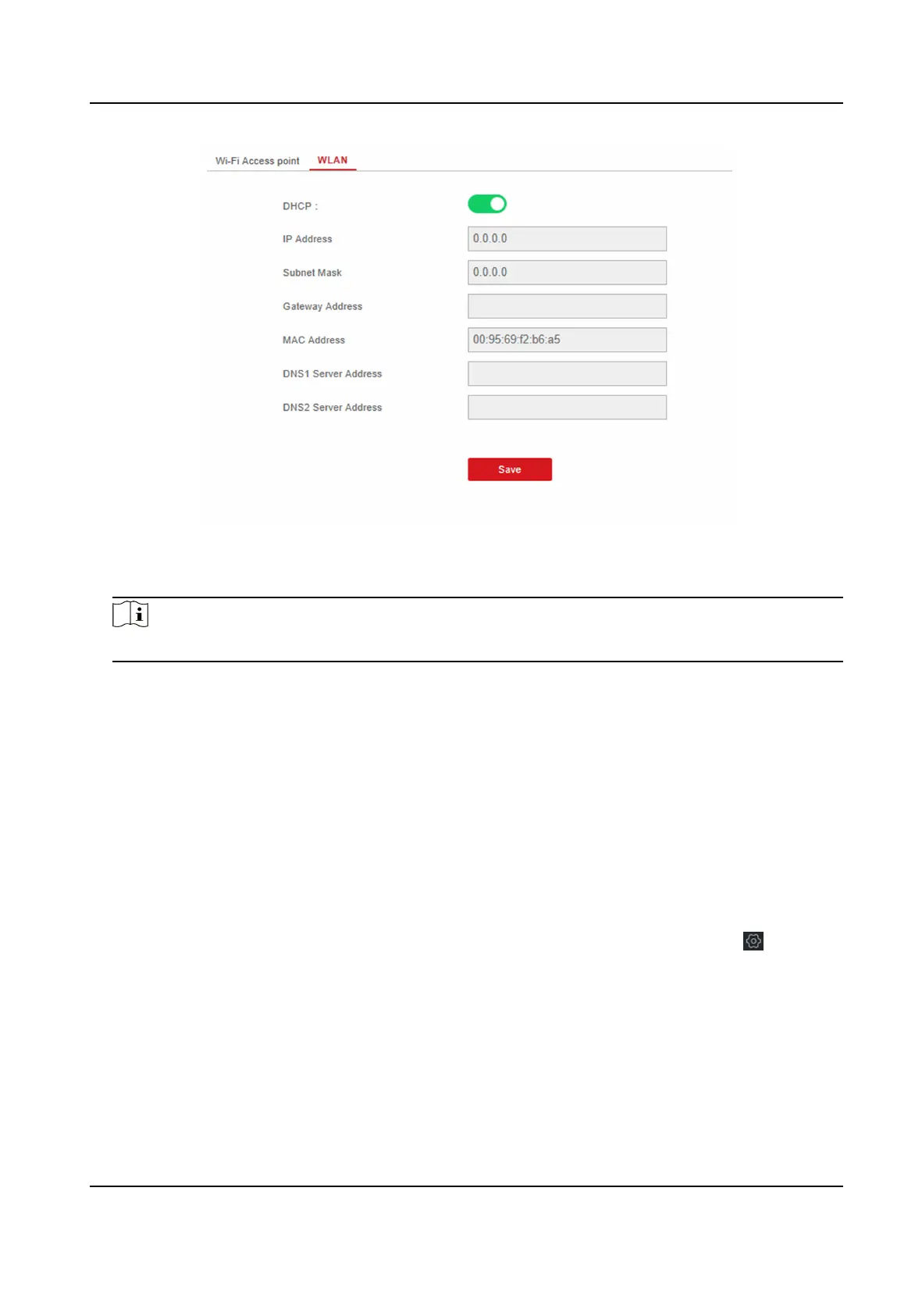
Figure 4-3 WLAN Sengs Page
5. Set IP Address, Subnet Mask, Gateway Address, and DNS Server Address.
Note
If enable DHCP, the device will gain the Wi-Fi parameters automacally.
6. Click Save.
Cellular Network
Set the cellular network parameters if you insert a SIM card inside the device. By using the cellular
network, the device can upload alarm
nocaons to the alarm center and make a voice call to the
mobile phone.
Before You Start
Insert a SIM card into the device SIM card slot.
Steps
1. In the client soware, select the device on the Device Management page and click , or enter
the device IP address in the address bar of the web browser and log in.
2. Click
Conguraon → Communicaon Parameters → Cellular Data Network to enter the
Cellular Data Network
Sengs page.
Hybrid Security Control Panel User Manual
12











 To Next Page