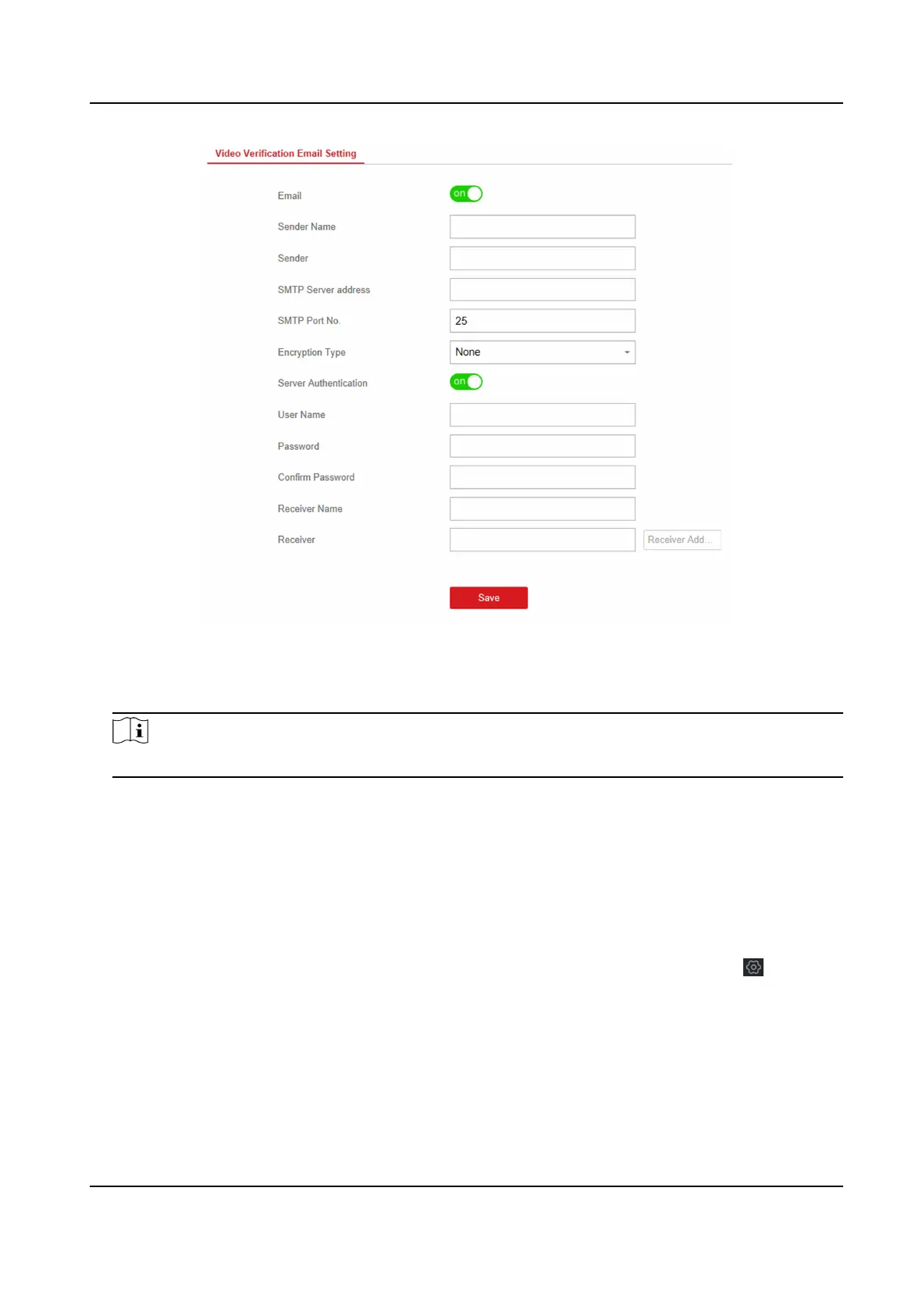
Figure 4-28 Set Email to Receive Alarm Video
3. Click the block to enable the funcon.
4. Enter the sender's informaon.
Note
It is recommended to use Gmail and Hotmail for sending mails.
5. Enter the receiver's informaon.
6. Click Receiver Address Test and make sure the address is correct.
7. Click Save.
Set Video Parameters
Steps
1. In the client
soware, select the device on the Device Management page and click , or enter
the device IP address in the address bar of the web browser and log in.
2. Click Conguraon → Video & Audio → Event Video Parameters to enter the page.
Hybrid Security Control Panel User Manual
45











 To Next Page